How to Make the Sketch to Render Video?
Feb 2, 2026

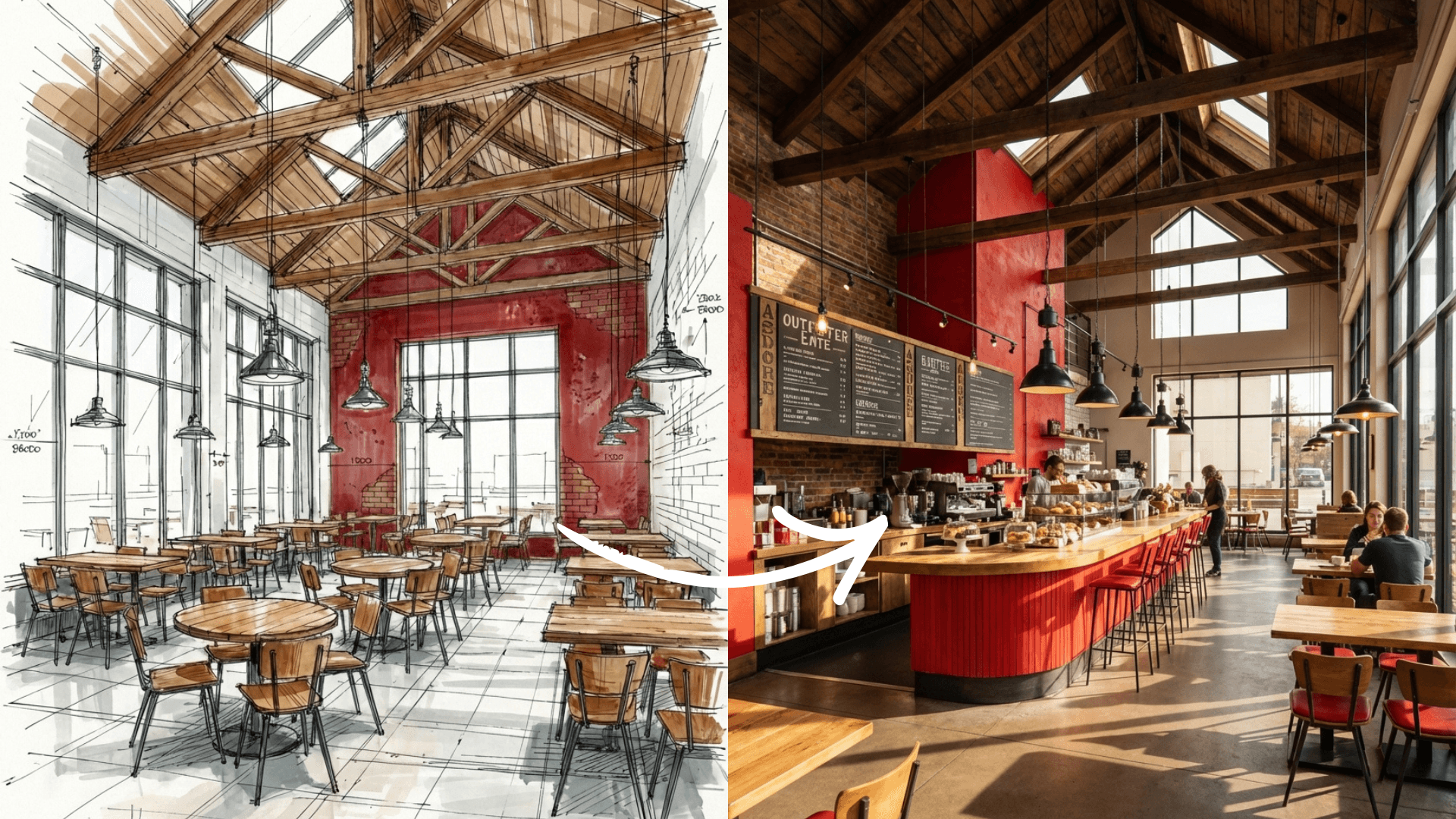
A simple sketch is just the beginning of a great story. What if you could take that hand-drawn idea and turn it into a sweeping, cinematic camera movement? With Rendair AI, you can transform a static drawing into a professional video in minutes.
In this guide, I will show you how to bridge the gap between a 2D sketch and a dynamic 3D video presentation.
Generate an Alternate Perspective
Step 1: Open Rendair AI and Go to Chat
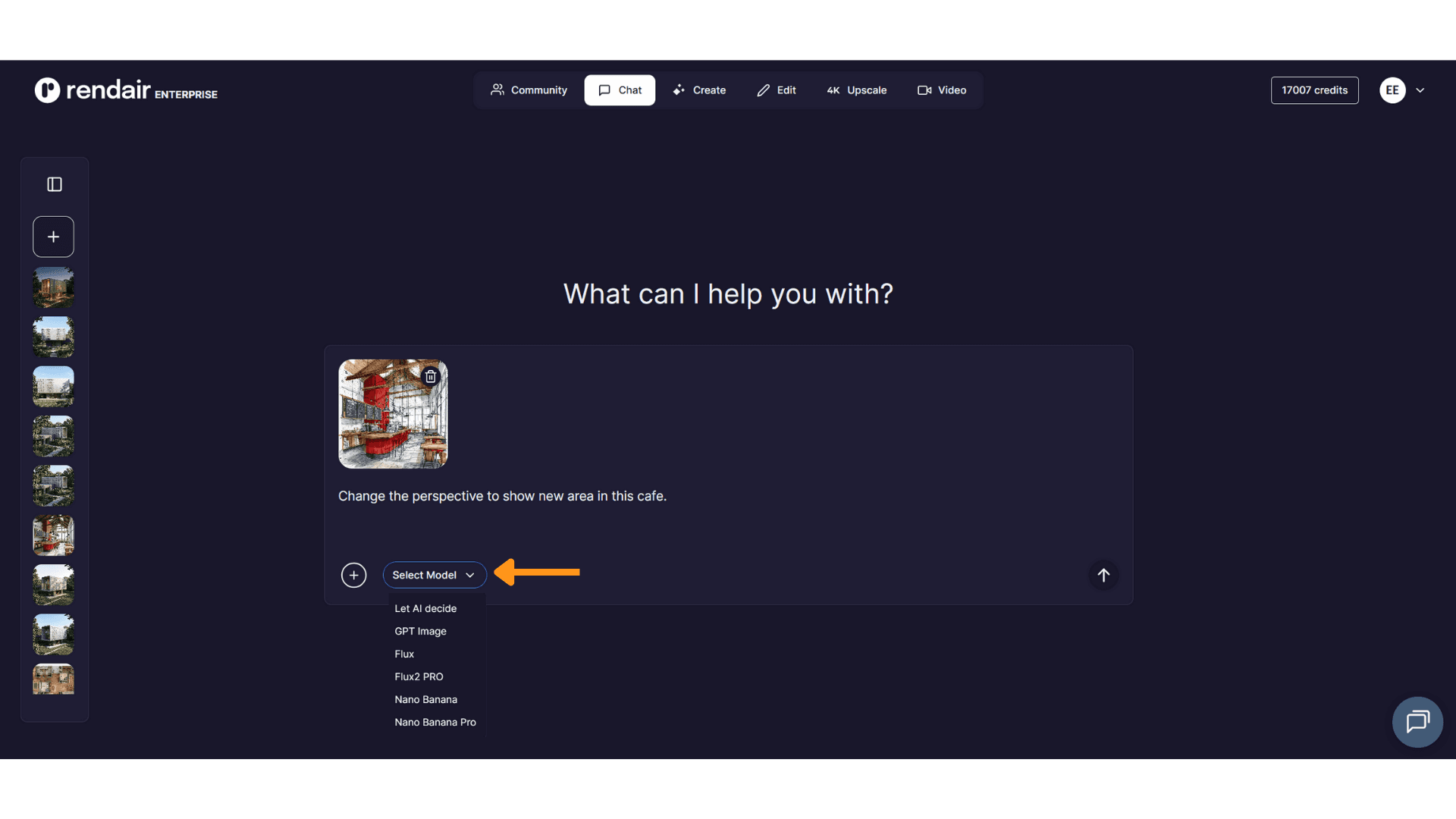
Open the Rendair AI Chat Tool and upload your base sketch image. Ask the AI to generate a version of the same space but from a slightly different perspective or angle.

Step 2: Upload Your Base Sketch Image

Step 3: Send the Prompt
Select a Model, in this case I will use Nano Banana Pro and enter a simple prompt:
Change the perspective to show new area in this cafe.
Final Result
You will receive an image of the cafe interior from a new perspective showing a different area.
Why this matters: Having a second point of reference helps the AI understand the depth and volume of your design, leading to a much smoother video transition.

Render Your Base Sketch
Step 1: Upload Your Base Sketch Image
Step 2: Send the Prompt
This time, provide a prompt to turn it into a high-quality, photorealistic render.
Photorealistic render of this cafe interior.

Final Result
You will receive a high-quality realistic visualization of the cafe interior.

Create the Video with "Orbiting Scenery”
Now that you have your two key images, head over to the Video Tool.
Step 1: Open the Video
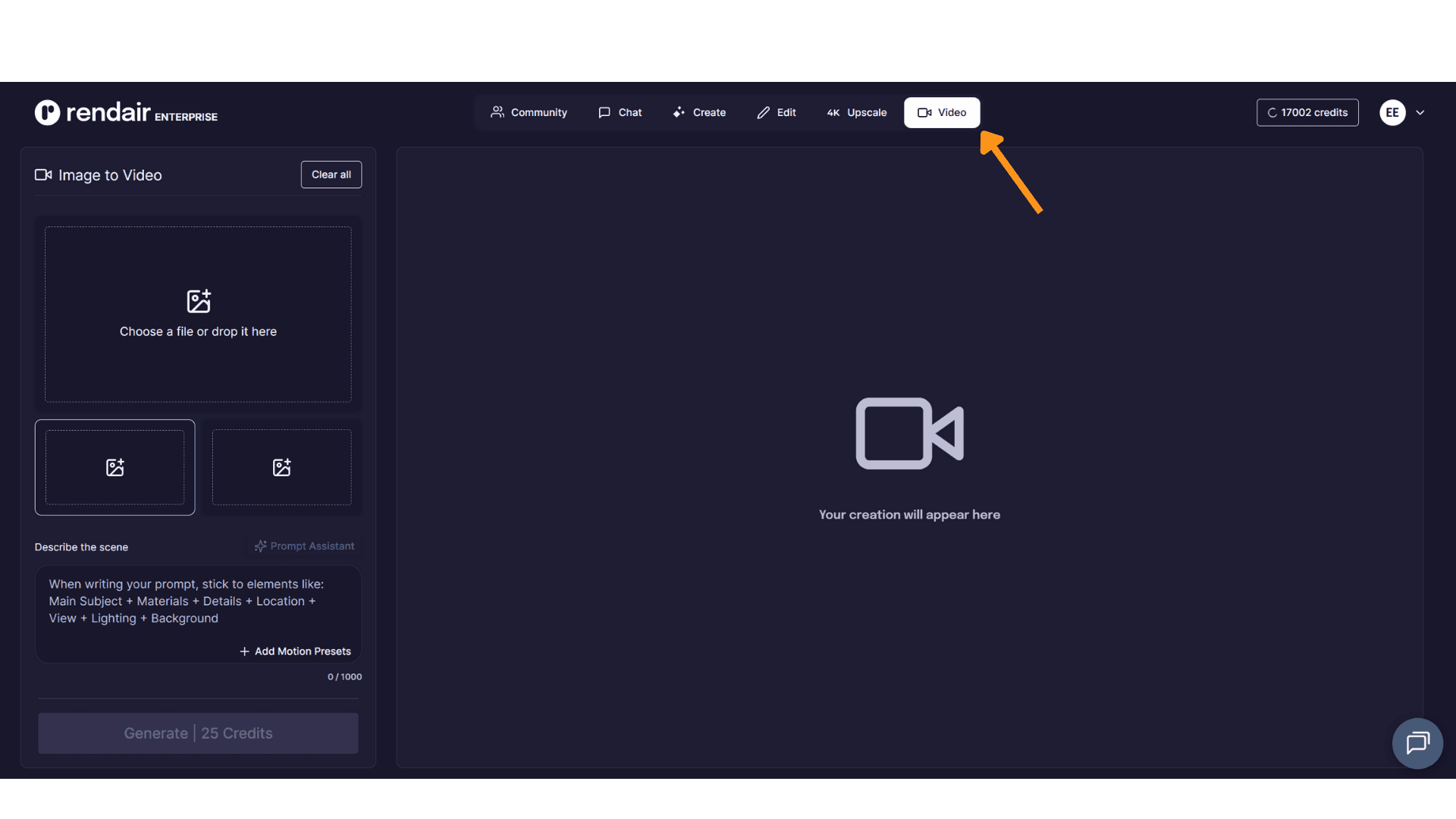
Step 2: Upload Both Images
Upload:
Sketch image
Rendered image

Step 3: Add Motion Preset
To ensure the video feels professional and consistent, select the "Orbiting Scenery" option from the settings. Hit generate and watch the AI weave your images into a seamless, rotating camera shot.

Final Result
Why This Method Works
Dynamic Storytelling: A video captures the "feel" of a space far better than a single image ever could.
Visual Consistency: By using the "Orbiting Scenery" mode, the AI maintains structural integrity while simulating a realistic camera path.
Zero Modeling Required: You get a 3D-like flythrough experience without ever having to open complex 3D modeling software.
Client "Wow" Factor: Perfect for social media, competition entries, or giving clients a virtual tour of a concept.
Conclusion
Turning a sketch into a video is the ultimate way to bring your vision to life. It’s no longer about just showing a design; it’s about inviting your audience to step inside it. With Rendair AI, you have a full production studio right in your browser.
👉 Open Rendair AI and start integrating your models today
Recent Posts

Join 500,000+ architects who saved time. No credit card needed for your first 20 credits.