Workshop dal vivo | Come iniziare a usare l'IA come architetto nel 2026
Inglese
ACCADEMIA, WORKSHOP
13 feb 2026
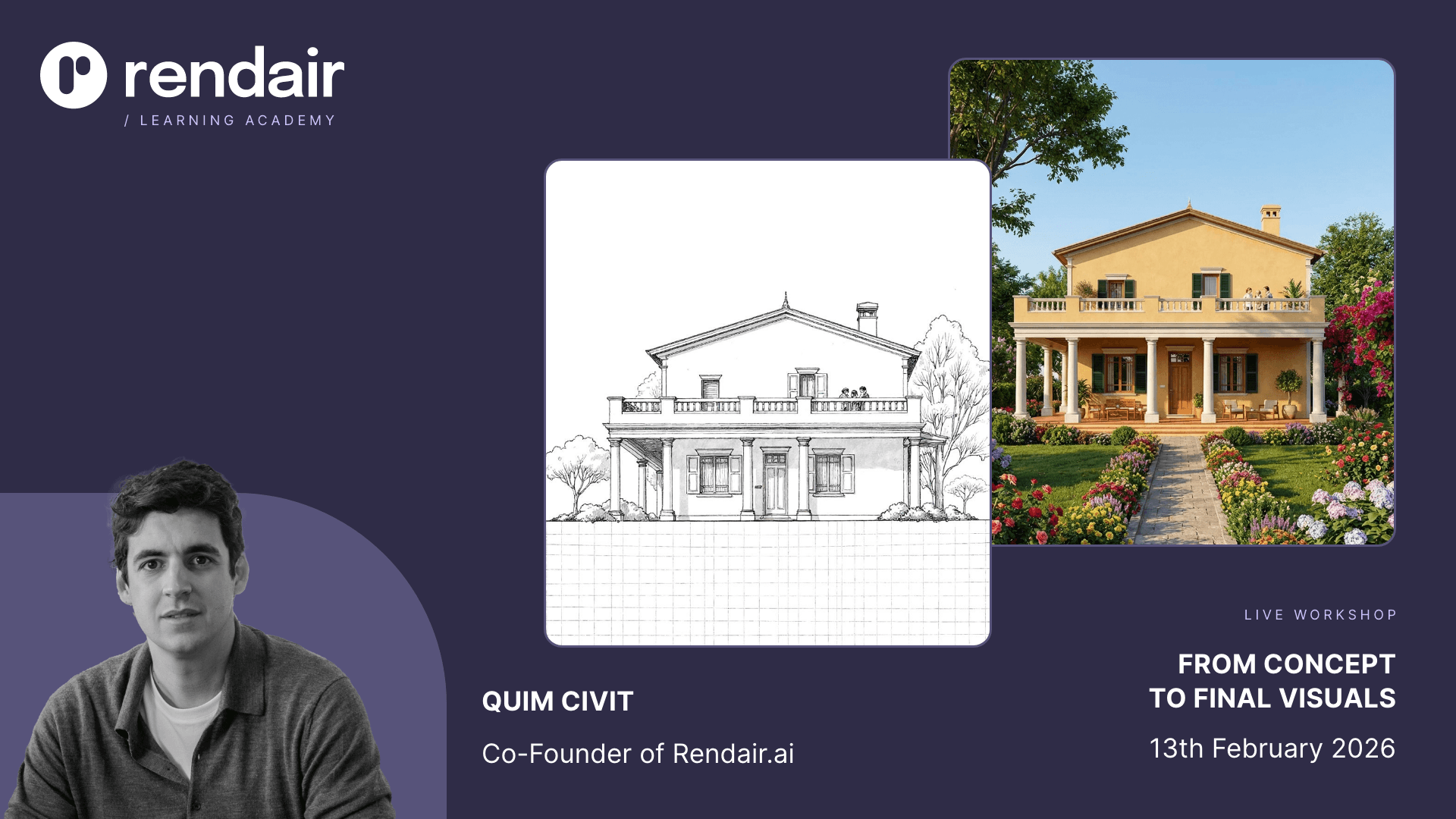
L'intelligenza artificiale sta sempre più plasmando il modo in cui gli architetti progettano, eppure molti ancora faticano a capire da dove cominciare o come applicarla in modo efficace. Questo workshop dal vivo si concentra sulla costruzione di un modello mentale chiaro di come l'intelligenza artificiale si inserisce nei flussi di lavoro architettonici. Utilizzando un singolo progetto come riferimento, esploriamo come l'intelligenza artificiale possa supportare il pensiero creativo, accelerare l'esplorazione del design e rendere l'intero processo più flessibile ed efficiente.
In “Workshop dal Vivo | Come Iniziare a Utilizzare l'AI come Architetto nel 2026” di Rendair Academy, vedrai come l'AI può essere integrata in un progetto architettonico, dai primi concetti fino ai rendering finali e alle animazioni. Piuttosto che concentrarsi su strumenti isolati, il workshop enfatizza le idee fondamentali e il processo decisionale, così puoi partire con una comprensione pratica di come applicare l'AI con fiducia nel tuo lavoro.
Dettagli del Workshop
Argomento: Workshop dal Vivo | Come Iniziare a Utilizzare l'AI come Architetto nel 2026 (Inglese)
Data: 13 febbraio 2026
Orario: 16:00 – 18:00 CET
Formato: Online (Google Meet)
Durata: 2–3 ore
Posti: Disponibilità limitata
Livello: Principiante a Intermedio
Lingua: Inglese
Accesso: Gratuito per gli abbonati a rendair ai
Replay: Disponibile per tutti gli abbonati
Istruttore: Quim Civit
Registration Closed: Fully booked.
Thank you for your interest. Registration has reached full capacity and sign ups are now closed.
We will host the next workshop next month. Stay tuned for the announcement and early registration details.
Perché Partecipare a Questo Workshop
La visualizzazione architettonica sta evolvendo a un ritmo senza precedenti. Nuovi modelli AI, strumenti e flussi di lavoro stanno emergendo costantemente, ridefinendo il modo in cui gli architetti progettano e presentano le loro idee. Questo workshop dal vivo è progettato per aiutarti a navigare questo cambiamento e applicare questi cambiamenti direttamente a un progetto architettonico reale.
Durante la sessione, scoprirai come integrare l'AI nel tuo flusso di lavoro quotidiano per lavorare più velocemente, comunicare chiaramente l'intento del design e mantenere la fiducia utilizzando le tecnologie più recenti. Tutto viene dimostrato e praticato all'interno di Rendair, così ciò che apprendi può essere applicato immediatamente ai tuoi progetti.
Questo è un workshop pratico e interattivo dove esploriamo un progetto completo dall'inizio alla fine, guidato da Quim Civit e modellato dagli architetti che partecipano dal vivo.
Il workshop è gratuito per tutti i Rendair AI abbonati attivi.

Cosa Impareremo Insieme
Prenderemo un progetto e lo guideremo dall'inizio al risultato finale. Durante il workshop esploreremo:
Dalle idee alle prime immagini
Iniziamo con semplici descrizioni testuali e le trasformiamo in visualizzazioni concettuali. Questo è perfetto per il design nelle fasi iniziali.
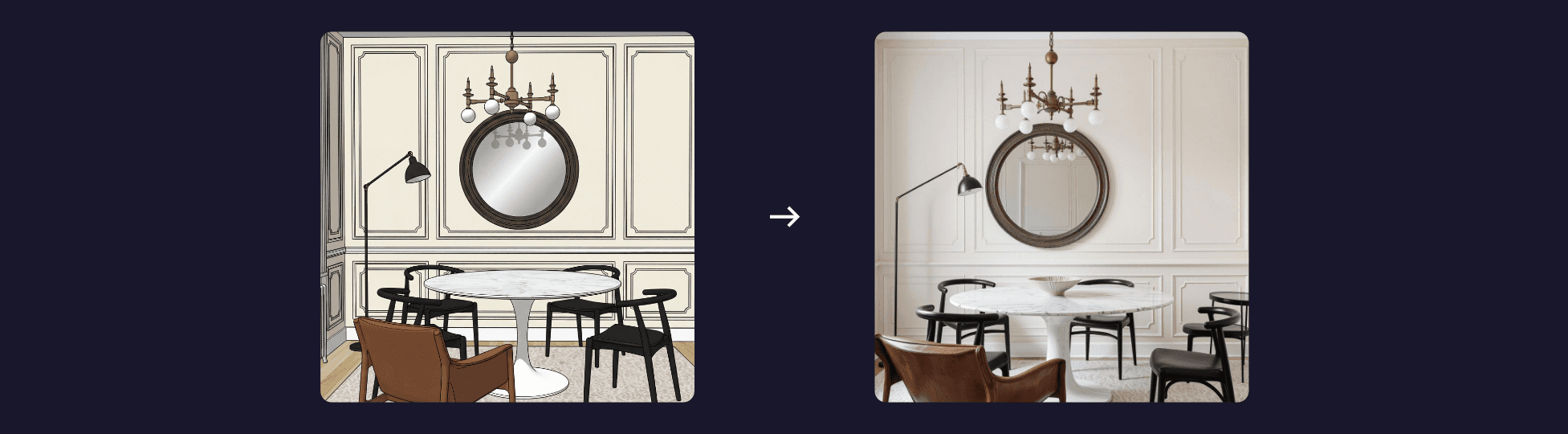
Dal bozzetto o elevazione 3D al render completo
Portiamo un disegno di base o modello massing in Rendair e lo trasformiamo in un chiaro render architettonico.
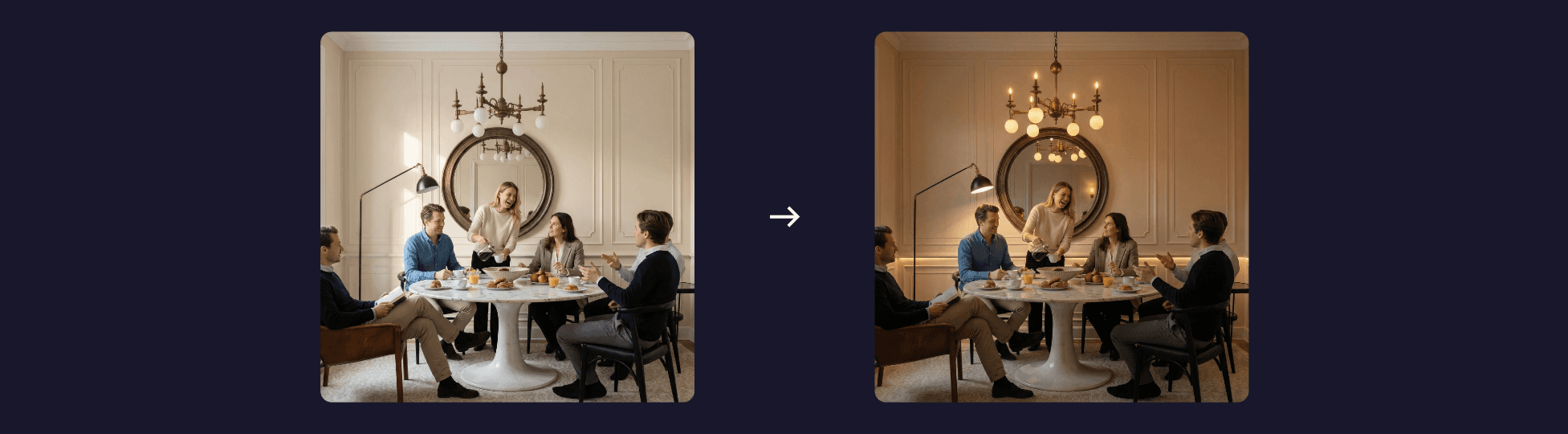
Modifica per correggere errori
Miglioriamo l'immagine insieme. Cambiando materiali, regolando l'illuminazione, aggiungendo o rimuovendo oggetti e perfezionando dettagli.

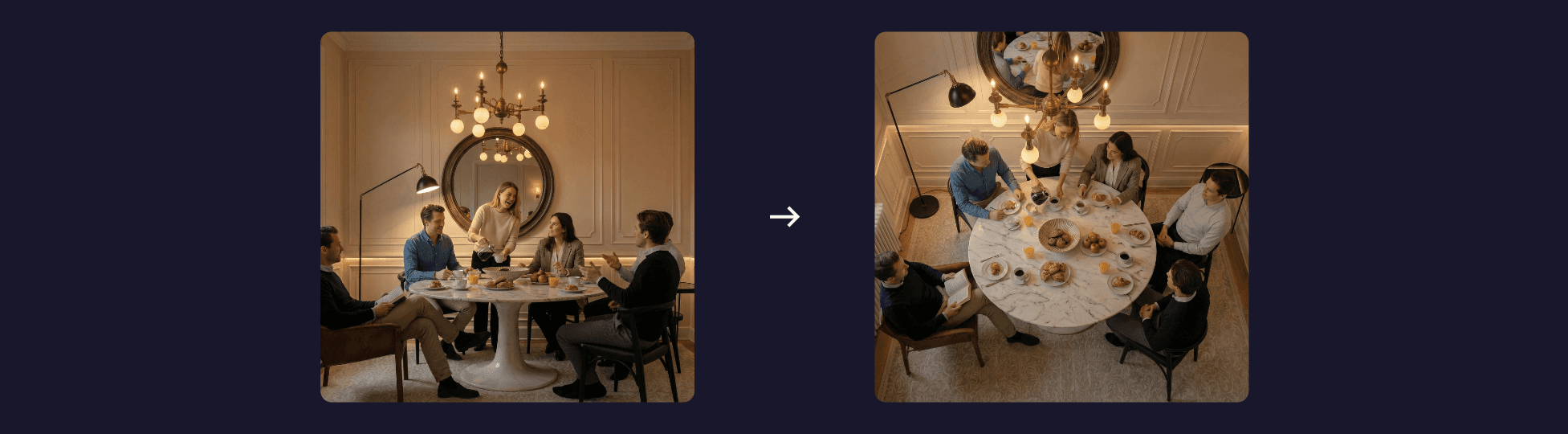
Creare variazioni
Esploriamo mood, materiali e stili alternativi per aiutarti a confrontare idee e scegliere la migliore direzione.
Upscaling per uso finale
Prepariamo un'immagine pulita e nitida per presentazioni, incontri con i clienti o per il tuo portfolio.

Trasformare l'immagine in video
Concludiamo creando animazioni fluide e semplici basate sul render finale. Durante la sessione puoi seguire, guardare, fare domande e condividere i tuoi risultati.
A Chi È Rivolto Questo Workshop
Questo workshop è progettato per chiunque lavori con visualizzazioni architettoniche e desideri utilizzare l'AI in modo pratico e realistico:
Architetti e interior designer che esplorano flussi di lavoro assistiti dall'AI
Studenti che vogliono apprendere più velocemente e adottare metodi di progettazione moderni
Artisti 3D e creatori visivi che cercano di ampliare il loro set di strumenti
Professionisti del settore immobiliare e marketing che lavorano con l'imagery architettonica
Chiunque sia interessato a integrare l'AI nel processo di progettazione quotidiana
La sessione è adatta a tutti i livelli di esperienza, dai principianti agli utenti intermedi.
Il Programma del Workshop
1. Benvenuto e panoramica (~15-20 minuti)
Benvenuto, spiegazione del piano della sessione e walkthrough di ciò che creeremo.
2. Passeggiata attraverso il progetto dal vivo (~1 ora)
Quim mostra ogni passaggio sullo schermo, dall'idea testuale all'animazione finale. Vedi il flusso di lavoro completo in tempo reale.
3. Pratica guidata (~45 minuti)
Provi lo stesso processo sul tuo sketch o file 3D. Ti aiutiamo attraverso il processo se hai bisogno di aiuto.
4. Revisione e domande (~15-20 minuti)
Guardiamo alcuni risultati del gruppo e rispondiamoci alle domande su tecniche o miglioramenti del flusso di lavoro.
Di Cosa Hai Bisogno
• Laptop o desktop
• Connessione Internet
• Abbonamento attivo a rendair ai
• Materiali di base per seguire, come schizzi, disegni, modelli volumetrici o immagini di ispirazione con cui esercitarsi
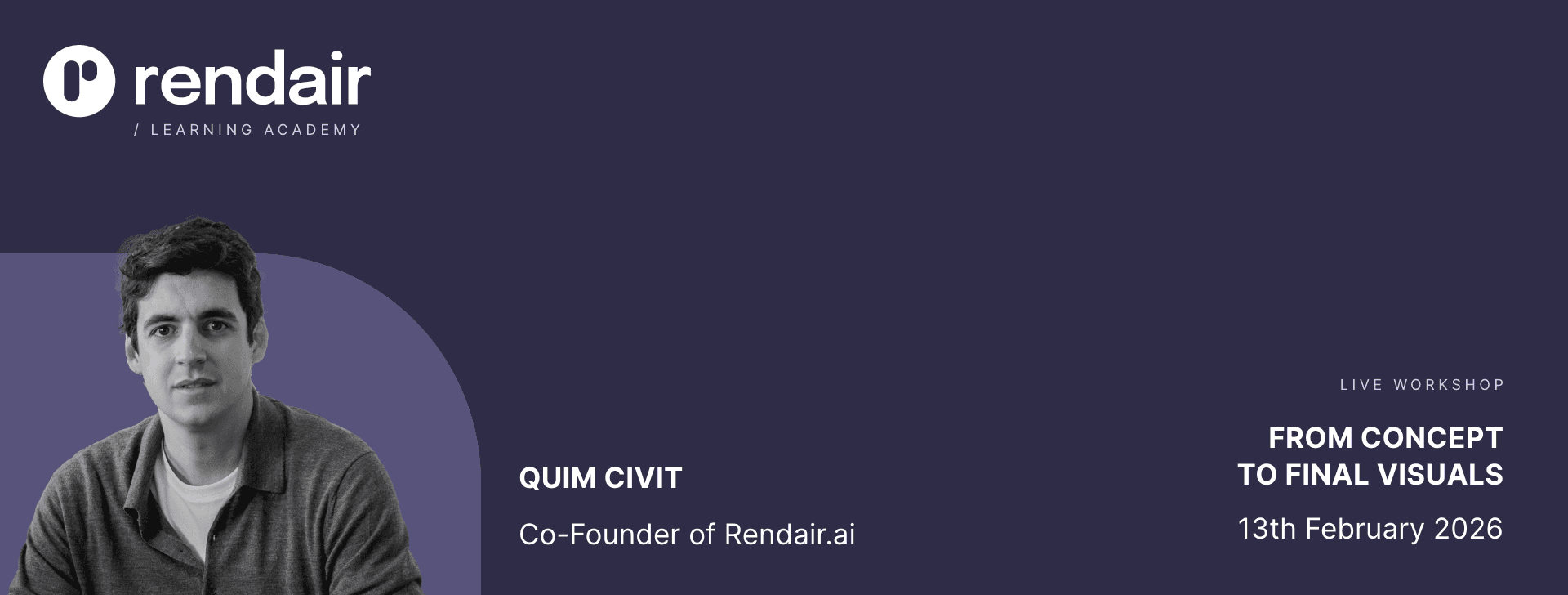
Informazioni su Quim
Quim Civit è un architetto basato a Barcellona e co-fondatore di Rendair. Gestisce il proprio studio da più di 10 anni e ha lavorato su progetti in Europa, Africa Occidentale e Sud America, progettando oltre 1.000 unità abitative nel corso della sua carriera.
Nel 2023, ha co-fondato Rendair con il suo co-fondatore per costruire strumenti che supportano gli architetti nel loro lavoro quotidiano. Il loro obiettivo è sempre stato rendere le fasi iniziali del design più veloci, chiare e intuitive tramite AI. Rendair è stato creato per aiutare gli architetti a esplorare idee, generare immagini rapidamente e modificare i visual con facilità, tutto all'interno di una piattaforma semplice.
In questo workshop, Quim condivide gli stessi flussi di lavoro pratici che utilizza nei suoi progetti, mostrando come l'AI possa diventare una parte naturale del processo di design.
Domande Frequenti
Ho bisogno di un abbonamento? Sì. Il workshop è incluso per tutti gli abbonati a pagamento.
Il workshop è interattivo? Sì. Puoi fare domande durante la sessione, condividere i tuoi risultati e ricevere guida mentre ti eserciti.
Riceverò la registrazione? Sì, tutti gli abbonati riceveranno la sessione registrata dopo il workshop.
E se il mio inglese non è perfetto? Va benissimo. Il workshop è chiaro, visivo e facile da seguire. Puoi fare domande nella chat in qualsiasi momento. Inoltre, è disponibile un workshop in spagnolo per iscriversi qui.
C'è un limite ai posti? Sì. Manteniamo la sessione abbastanza piccola per l'interazione dal vivo, quindi consigliamo di registrarsi presto.
Ho bisogno di esperienza con strumenti di intelligenza artificiale? No. Spieghiamo tutto in modo semplice e chiaro.
Chi conduce il workshop? La sessione è ospitata da Quim Civit, architetto basato a Barcellona e co-fondatore di Rendair.
Devo avere SketchUp, Rhino o qualsiasi altro software 3D? No, ma puoi portare un semplice schizzo o un modello volumetrico se vuoi seguire. Anche uno screenshot di base va bene.
Registration Closed: Fully booked.
Thank you for your interest. Registration has reached full capacity and sign ups are now closed.
We will host the next workshop next month. Stay tuned for the announcement and early registration details.