5 Prompts for Architectural Diagrams
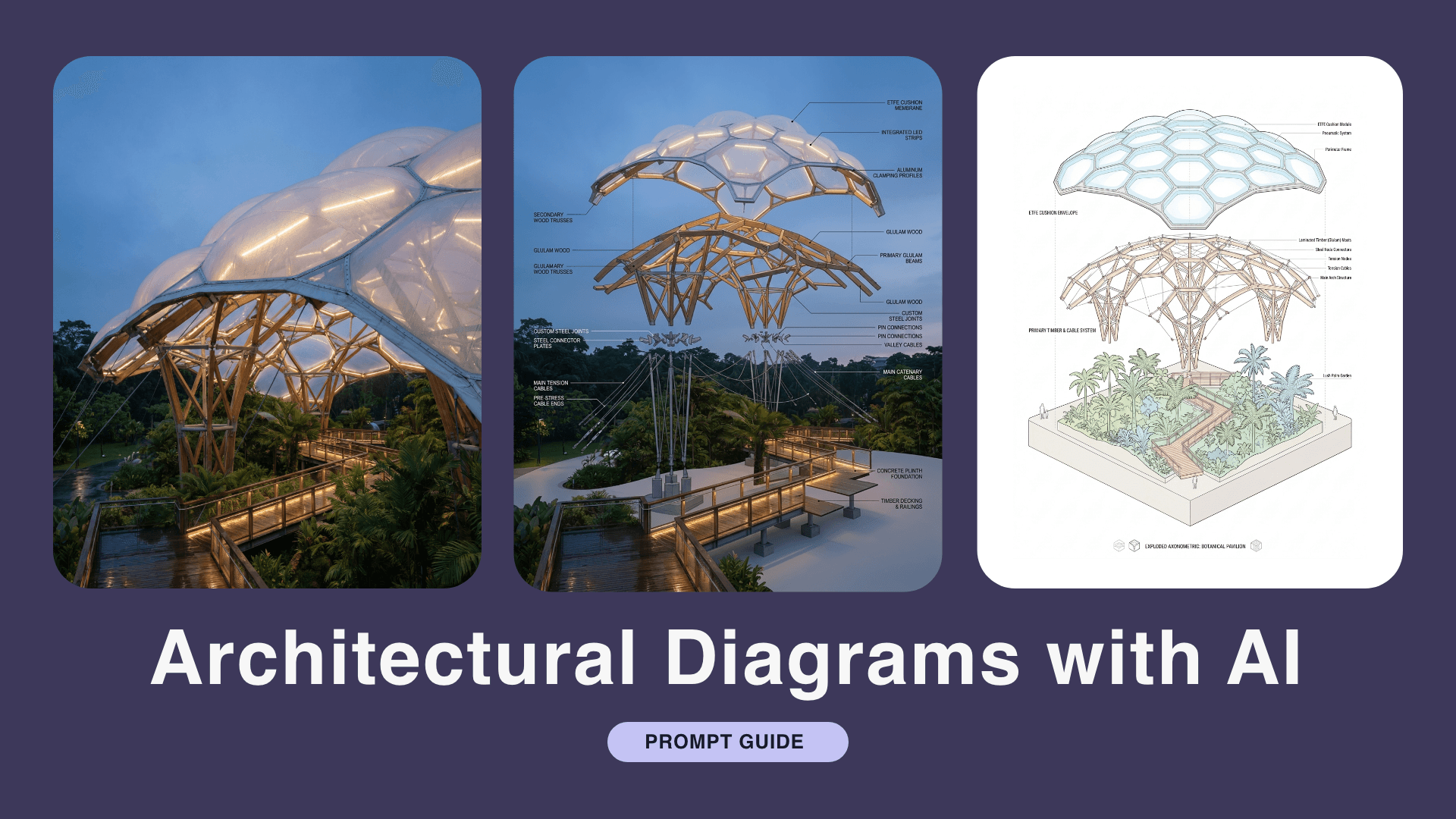
Apr 1, 2026

Transform One Base Image into Stunning Diagrams!
Forget the manual labor of drawing lines and boxes. By using specific AI prompts, you can take a single reference image and transform it into various styles, from isometric views to exploded architectural diagrams.
How to use them:
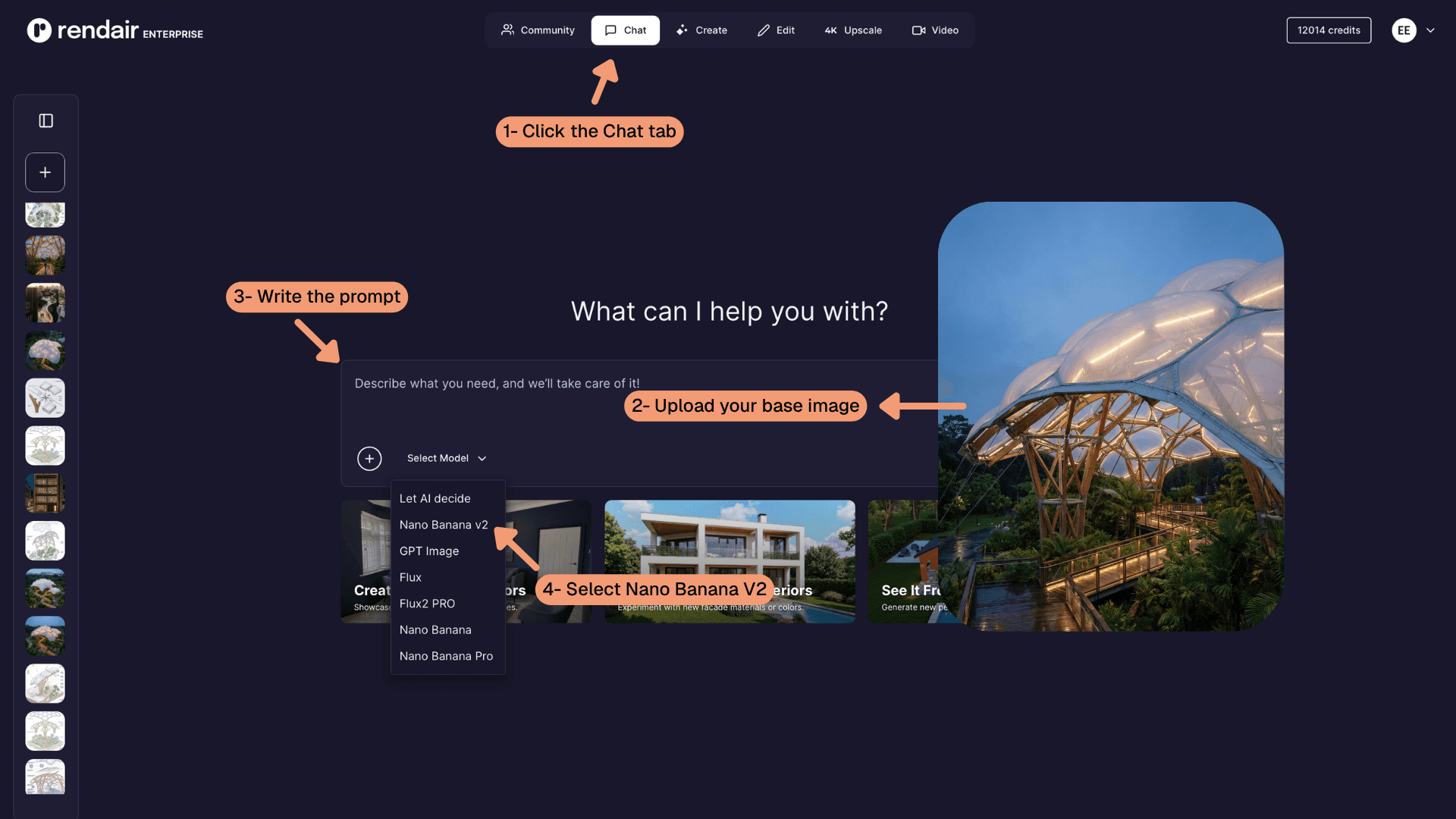
1- Open the Chat Tool on Rendair AI.
2- Upload your base image.
3- Copy these prompts.
4- Select Nano Banana V2.
5- Generate.
💡 Pro Tip: Adapt and Iterate
Don't be afraid to tweak the variables. Swap out the technical keywords for terms that match your project.
Go to 👉 Rendair AI
1- Realistic Exploded Diagram
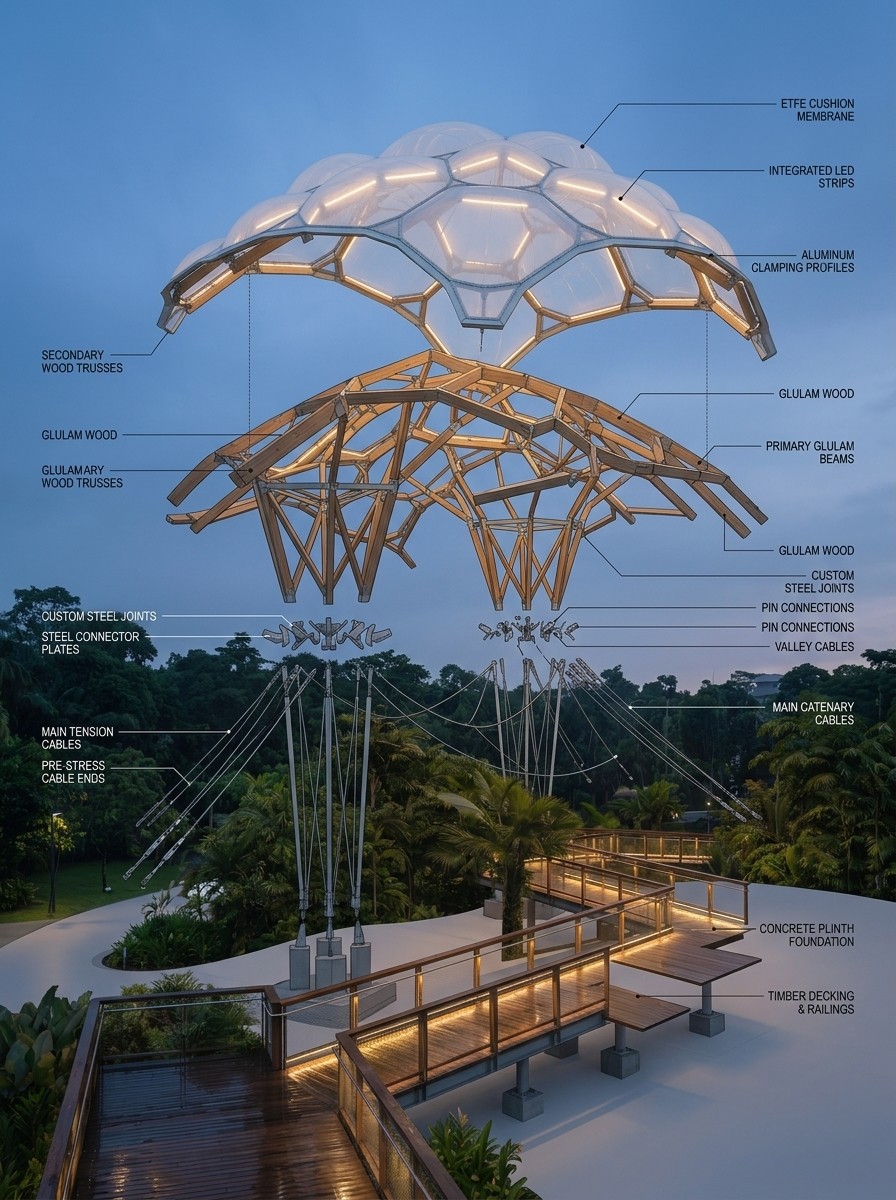
Prompt:
“Architectural explosion diagram of this tensile structure with realistic images.”
2- Exploded Axonometric Diagram
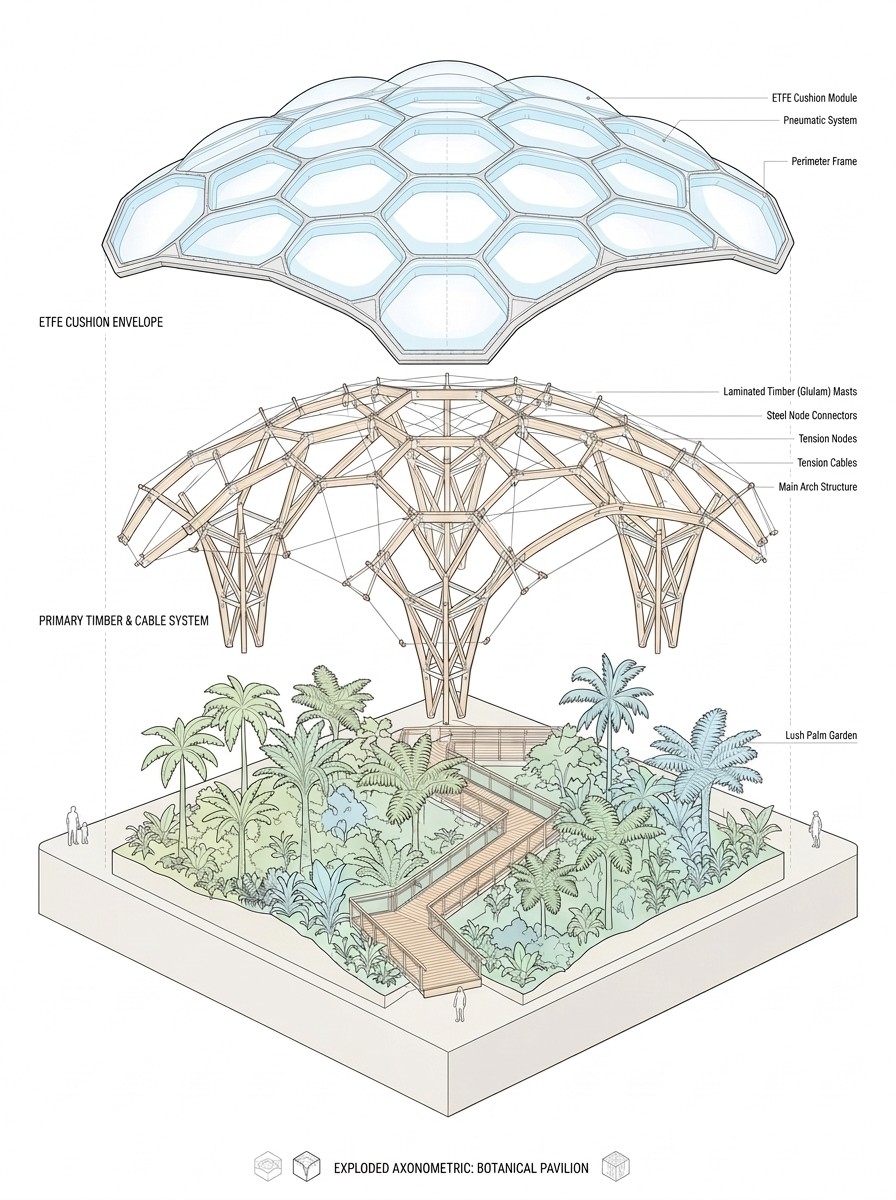
Prompt:
“An architectural exploded axonometric diagram of a complex botanical pavilion, isometric view. The layers are separated vertically in the air: bottom layer is the concrete foundation and lush interior landscape; middle layer is the intricate branching timber and steel mast system with thin tension cables; top layer is the translucent ETFE membrane cushions floating above. High-quality 3D render, minimalist white background, clean thin black lines, soft pastel accent colors, professional architectural presentation style.”
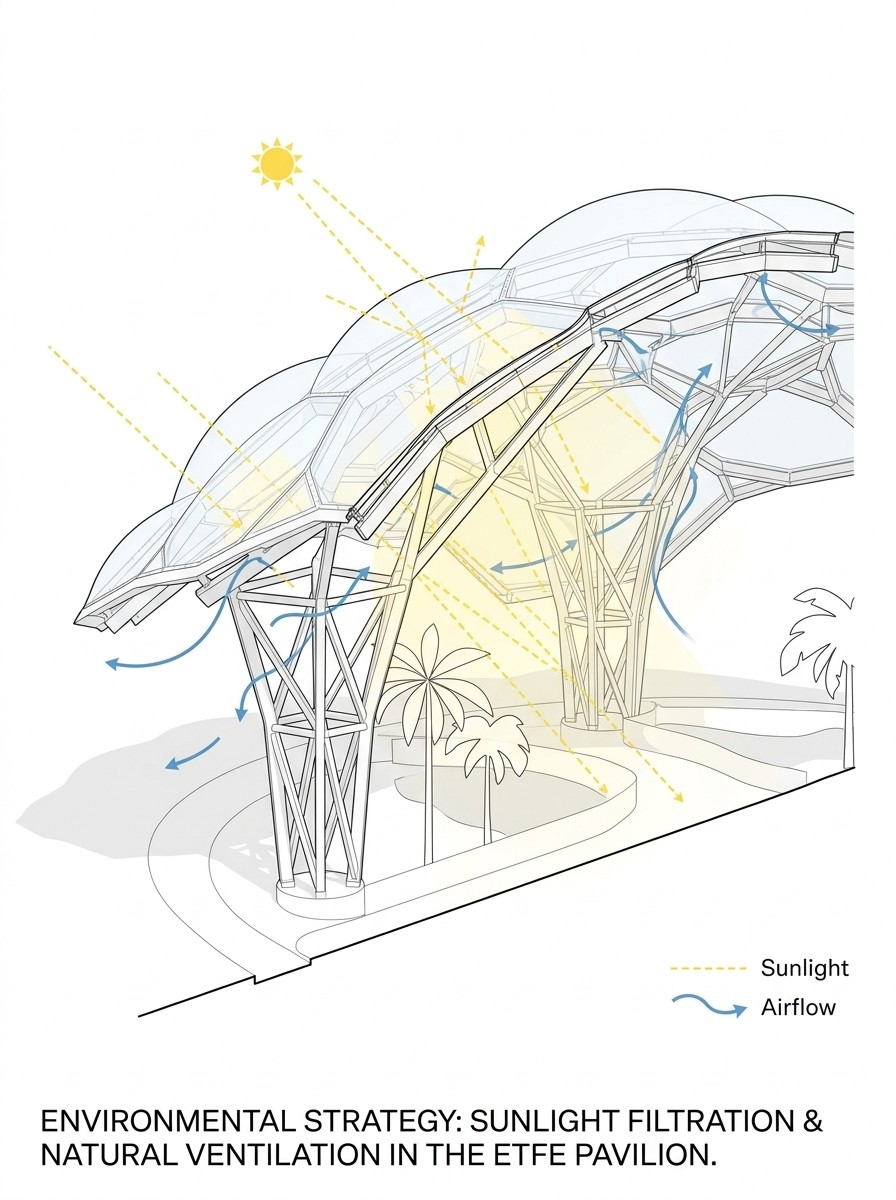
3- Architectural Environmental Diagram
Prompt:
“An architectural environmental diagram in section-perspective of a botanical pavilion. Showing how sunlight filters through the double-curved ETFE cushions. Yellow dashed lines represent solar paths and light rays refracting through the membrane. Blue curved arrows represent natural ventilation and airflow through the integrated vents. Interior tropical trees are shown in a simplified 2D architectural style. Minimalist, clean lines, white background, soft shadows, professional sustainability diagram.”
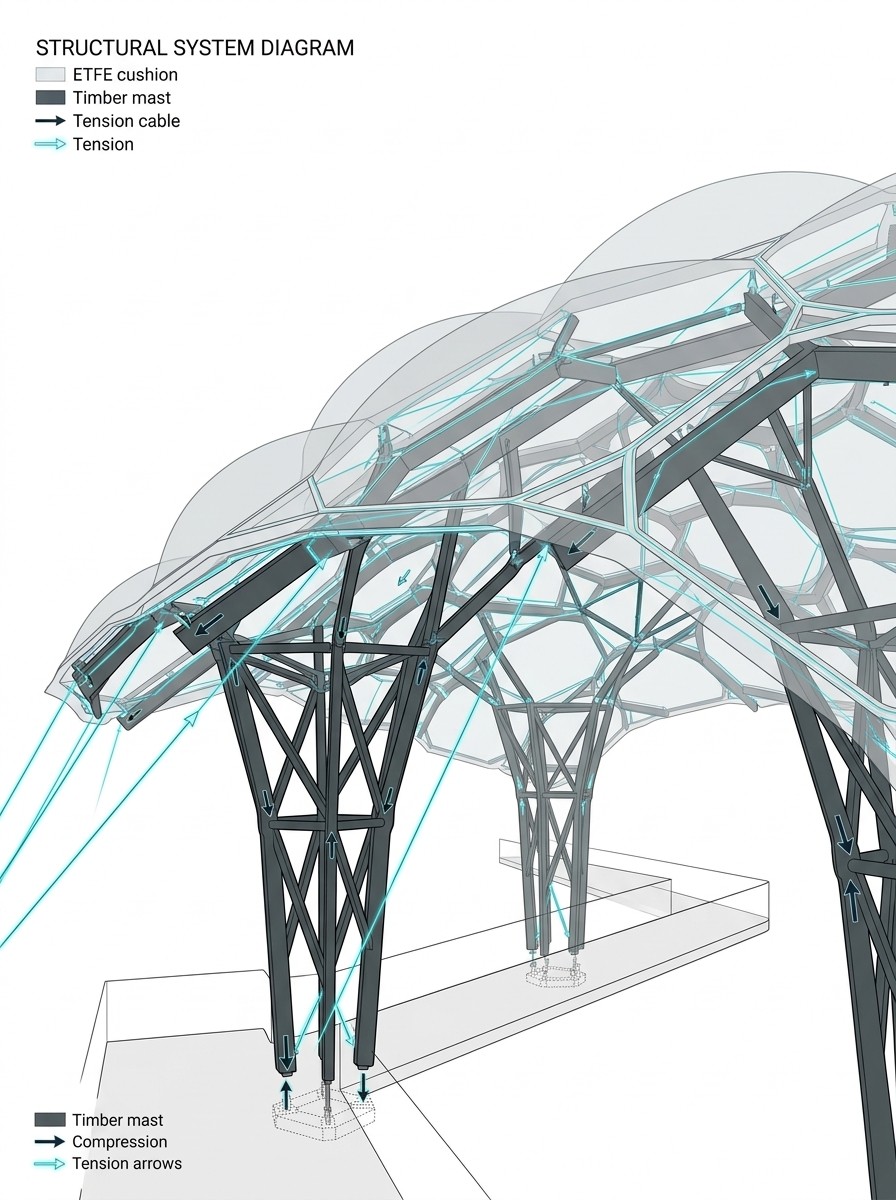
4- Structural Analysis Diagram
Prompt:
"An architectural structural analysis diagram of a tensile membrane building. Isometric view on a clean white background. The branching timber masts are shown in dark grey, while the tension cables are highlighted with thin glowing cyan lines. Small, elegant 3D arrows indicate the direction of structural forces (compression and tension). The ETFE cushions are shown as light grey silhouettes. Highly technical, clean vector aesthetic, architectural competition style.”
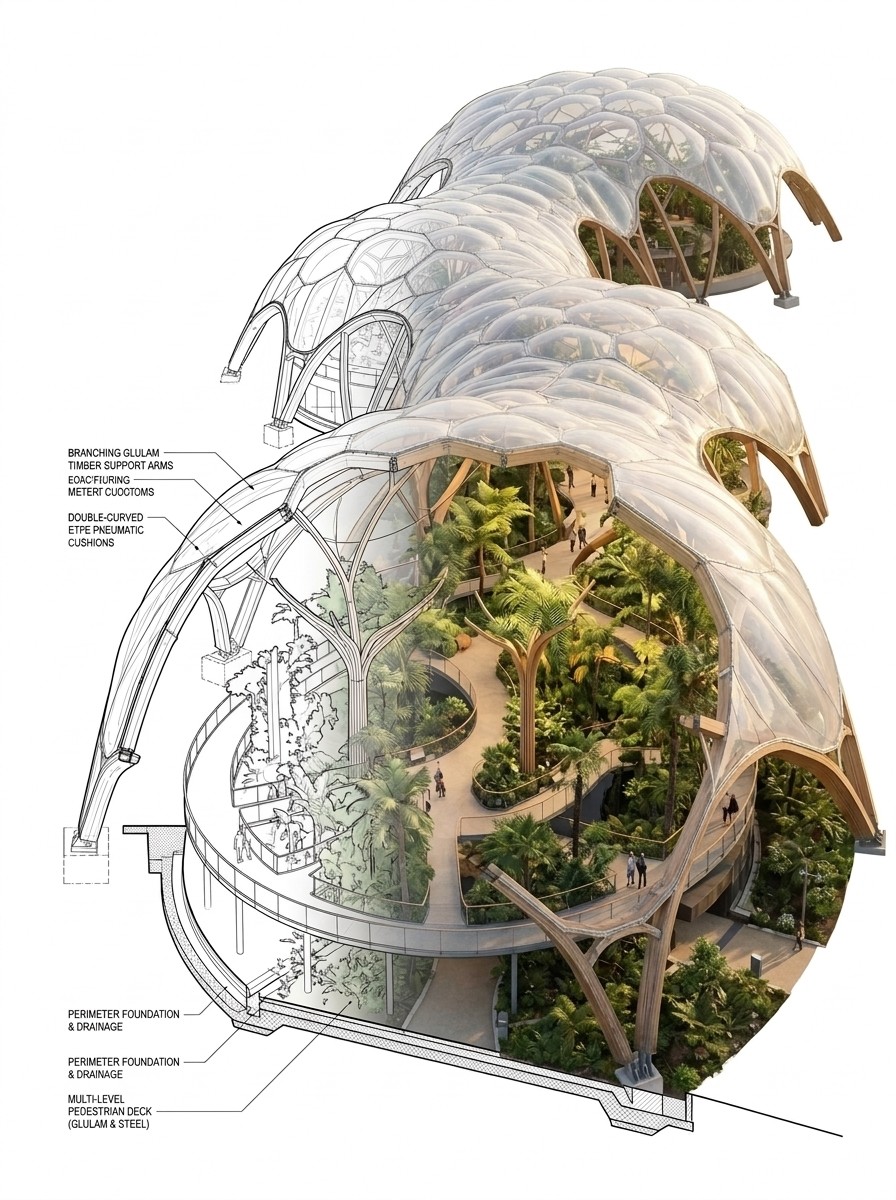
5- Section Perspective Diagram
Prompt:
“A highly detailed architectural section-perspective diagram of a colossal botanical pavilion, cut directly through the center. The image is a unique fusion of a clean 2D architectural section drawing and a vibrant 3D interior render.”
Open Rendair AI and create your first architectural diagram today!
Recent Posts




Join 500,000+ architects who saved time. No credit card needed for your first 20 credits.