Octane Render vs Unreal Engine: Which Tool is Best for Archviz?
Apr 6, 2026

Architects and 3D artists constantly balance two competing priorities: visual fidelity and production speed. For years, the industry standard was offline rendering, where you wait hours for a single perfect image. Today, the lines are blurring.
The debate between Octane Render and Unreal Engine represents the choice between physically correct precision and real-time interactivity. Octane Render, developed by Otoy, is an unbiased spectrally correct GPU render engine known for absolute photorealism. Unreal Engine, developed by Epic Games, is a real-time 3D creation tool that has revolutionized architectural visualization by offering instant feedback and interactive capabilities.
Choosing between them depends on whether your workflow prioritizes "ground truth" accuracy or the ability to iterate and animate instantly.
Quick Comparison Overview
Octane Render is the specialist. It integrates directly into your modeling software (like Cinema 4D, Blender, or 3ds Max) and calculates light behavior with perfect physical accuracy. It is ideal for high-end still images where realism is non-negotiable.
Unreal Engine is the generalist ecosystem. It functions as a standalone platform where you import your models to create videos, VR experiences, and interactive walkthroughs. While its lighting (Lumen) is an approximation compared to Octane's path tracing, it allows you to render thousands of frames in the time it takes Octane to render one.
Comparison Table
Feature | Octane Render | Unreal Engine |
|---|---|---|
Ease of Use | High (Plug-and-play inside DCCs) | Low to Medium (Steep learning curve) |
Quality & Output | Unrivaled (Unbiased spectral accuracy) | High (Great approx. or native path tracing) |
Speed & Performance | Slow (Minutes to hours per frame) | Instant (Real-time milliseconds) |
Key Features | Spectral rendering, AI denoising, DCC plugins | Lumen GI, Nanite geometry, Blueprints |
Pricing | Subscription (Monthly/Annual) | Free (for most non-game creators) |
Best For | High-end stills, product shots, simple workflow | Animation, VR, walkthroughs, large scenes |
Integration | Direct plugin for most 3D apps | Requires export (Datasmith) or Live Link |
Octane Render: Overview
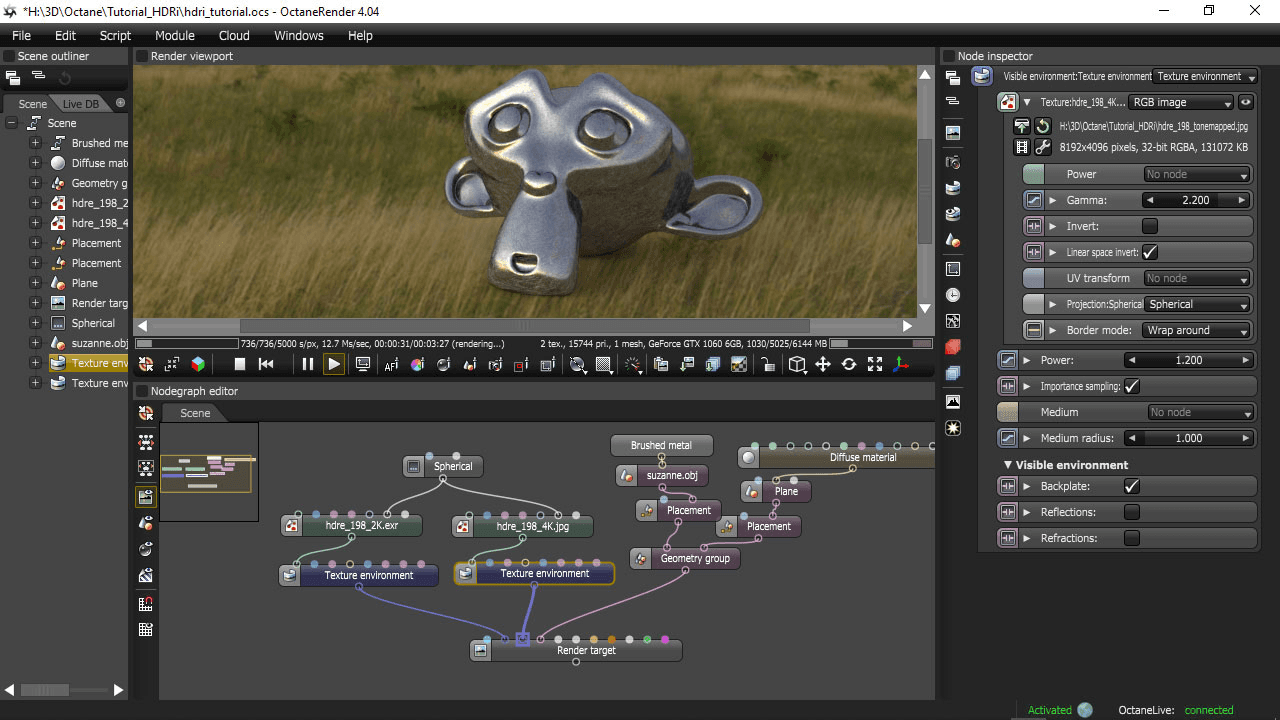
Octane Render is the world's first and fastest unbiased, spectrally correct GPU render engine. "Unbiased" means the engine does not take shortcuts or make approximations to simulate light; it calculates the physics of light exactly as it behaves in the real world. This results in images that are virtually indistinguishable from photographs.
For architects, Octane is often the preferred choice for static rendering because it lives inside the design software. You do not need to export your file to a different program. You simply open the Octane window in Cinema 4D or Blender, apply materials, and hit render.
Key Strengths:
Spectral Accuracy: It calculates light based on wavelength, resulting in superior color reproduction and complex material behaviors like dispersion in glass.
Workflow Simplicity: It functions as a plugin, meaning your geometry and camera data remain editable in your native software.
Denoising: Its AI-powered denoiser cleans up grainy images significantly faster than traditional methods, making the "slow" render times manageable.
Best For:
High-resolution architectural stills.
Interior design close-ups requiring complex lighting (caustics).
Artists who want photorealism without learning a game engine.
Unreal Engine: Overview
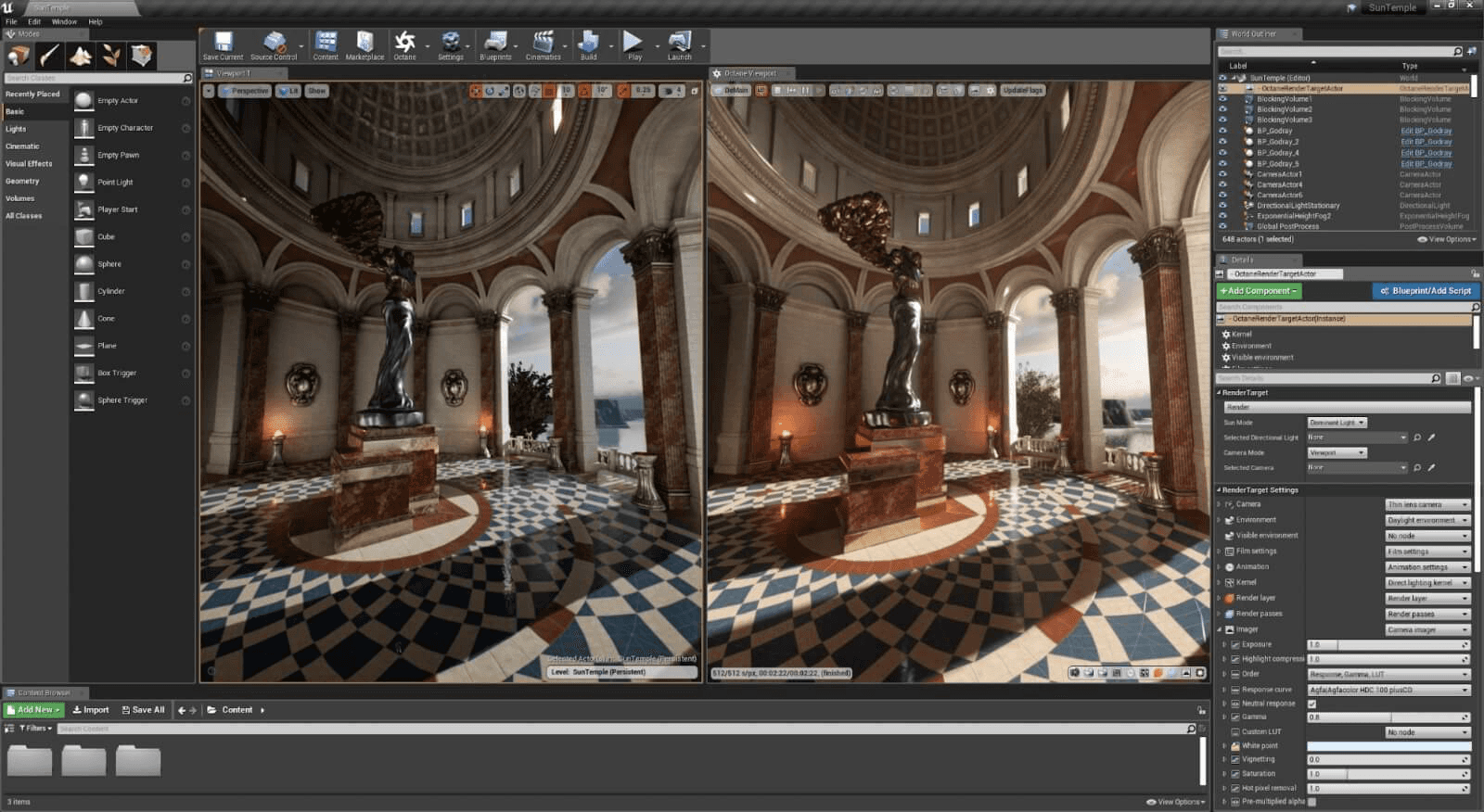
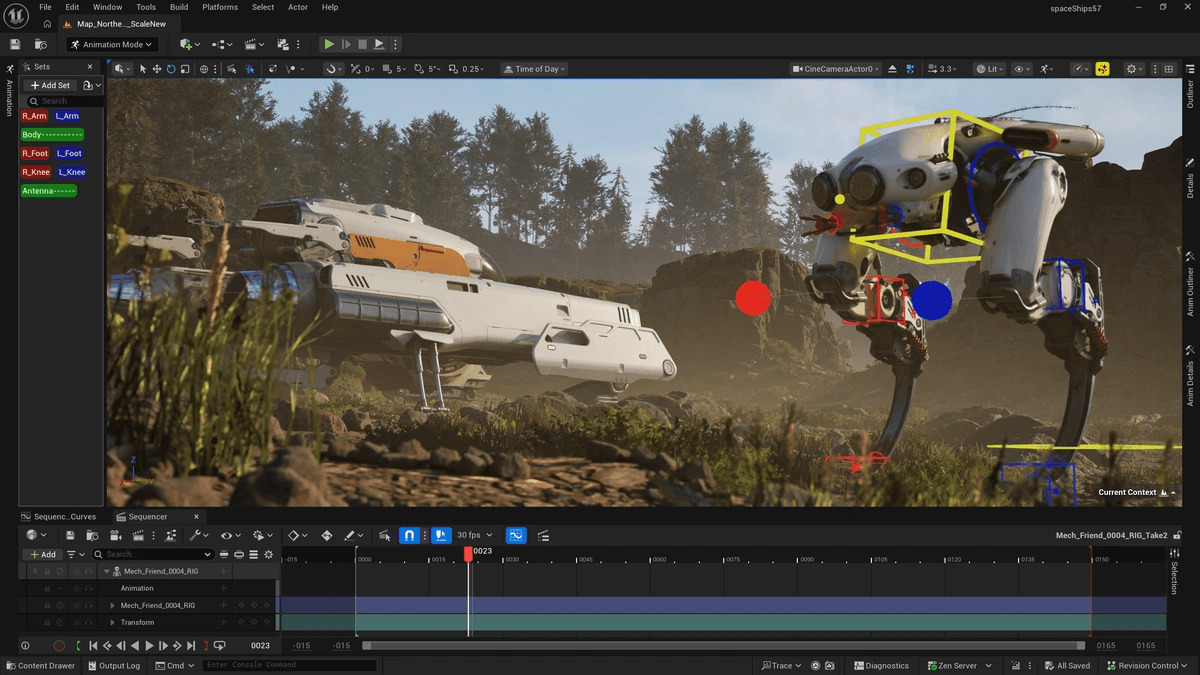
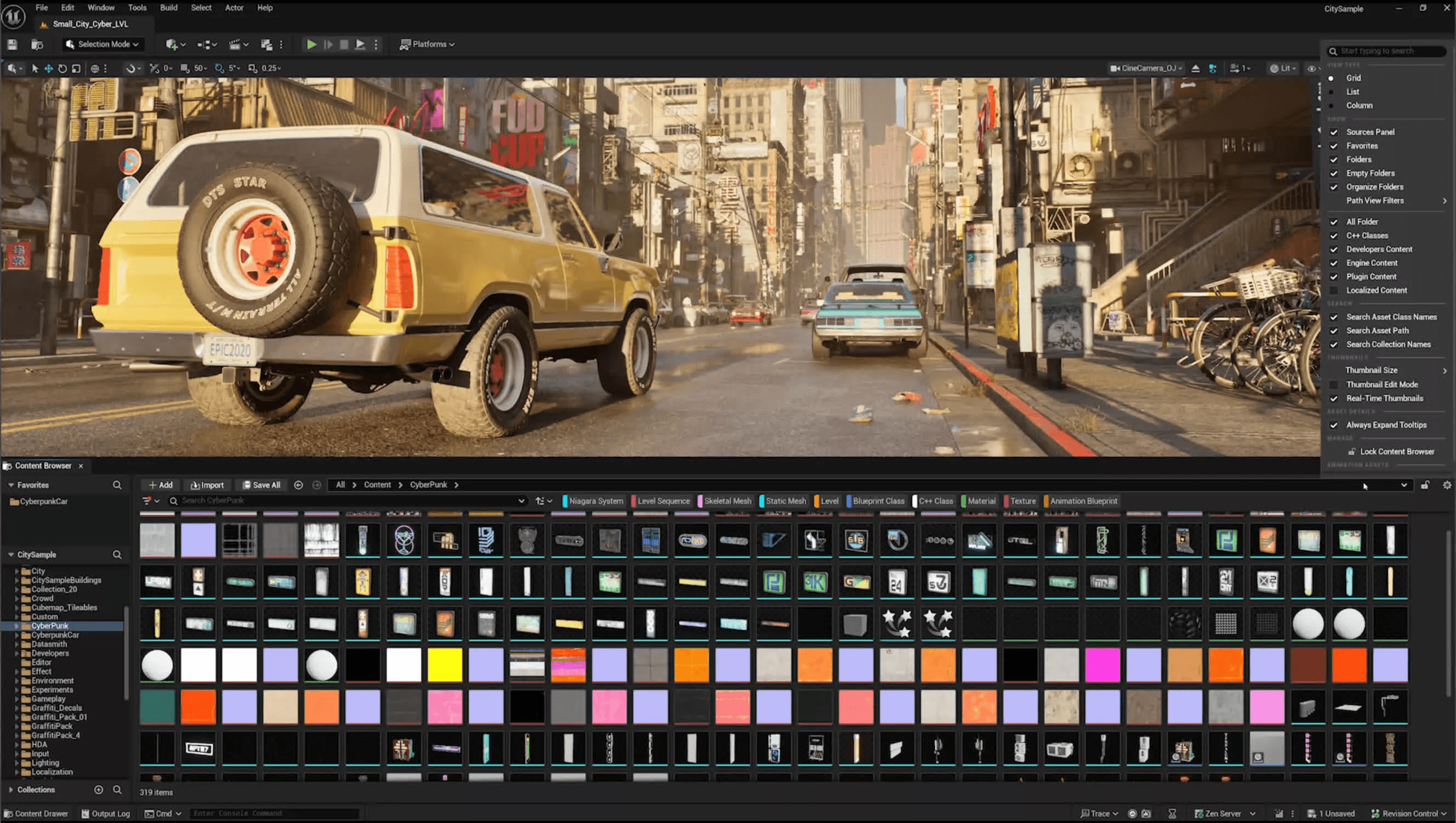
Unreal Engine 5 (UE5) has shifted the industry standard for what is possible in real-time. Originally a game engine, it is now a dominant force in architectural visualization and virtual production. Its core promise is "What You See Is What You Get."
With the introduction of Lumen (dynamic global illumination) and Nanite (virtualized geometry), Unreal Engine handles massive scenes with billions of polygons without slowing down. Unlike Octane, Unreal is a standalone destination. You import your model into Unreal to build an environment, add interactivity, or create cinematic camera movements that render instantly.
Key Strengths:
Real-Time Rendering: You can fly through a scene at 60 frames per second with fully dynamic lighting.
Lumen & Nanite: These technologies allow for dynamic lighting changes and infinite geometric detail without the need for baking lightmaps or optimizing polygon counts.
Interactivity: You can program logic (using Blueprints) to let clients open doors, change material options, or toggle lighting setups in real-time.
Best For:
Architectural walkthrough videos and fly-throughs.
Virtual Reality (VR) experiences.
Large-scale master planning and landscape projects.

Feature-by-Feature Comparison
Ease of Use
Octane wins for simplicity. If you already know how to model in SketchUp, Rhino, or Blender, learning Octane takes only a few days. The settings are straightforward, and it uses a "camera imager" approach that mimics real photography. Unreal Engine has a steep learning curve. It requires understanding a new interface, material editor, lighting systems, and optimization techniques.
Quality & Output
Octane produces "ground truth" imagery. If you need to show exactly how light refracts through a crystal vase or how daylight fades precisely into a room, Octane is mathematically superior. Unreal Engine produces "perceptually" correct imagery. With Lumen, it looks incredible, but it is an approximation. However, Unreal does include a "Path Tracer" mode that rivals Octane but sacrifices real-time speed.
Speed & Performance
Unreal Engine is exponentially faster for animation. Rendering a 60-second 4K video in Octane could take a week of continuous rendering on a single machine. In Unreal Engine, that same video could render in minutes. For single images, Octane is slower but requires less setup time; Unreal renders instantly but requires more time to set up the scene initially.
Features & Capabilities
Octane focuses purely on the image. Its features revolve around materials, volumetric fog, and camera effects. Unreal Engine is a creation suite. It includes terrain sculpting, vegetation scattering, physics simulation, and visual scripting. Unreal offers a complete world-building toolset, whereas Octane is strictly a camera and film developer.
Pricing & Value
Unreal Engine is free for most architectural visualization work. Epic Games only charges royalties if you sell an interactive "game" product or if you are a large enterprise generating significant revenue. Octane Render requires a monthly or annual subscription (Otoy Studio or Enterprise subscriptions). For freelancers, Unreal offers immense value at zero cost.
Integration & Workflow
Octane fits seamlessly into existing workflows. You update a wall in Revit or Rhino, and Octane updates the render. Unreal requires a "bridge" workflow. You must use Datasmith to export your model. While Datasmith is powerful, moving data between your modeling tool and Unreal can introduce friction, especially if design changes are frequent.
Use Case Scenarios
Scenario 1: The High-End Marketing Still
Winner: Octane Render.
When the goal is a single, breathtaking image for a billboard or magazine spread, Octane is the right tool. The setup is faster because you stay in your modeling app, and the ray-tracing quality ensures that reflections, shadows, and glass look perfect without tweaking settings.
Scenario 2: The Client Walkthrough Video
Winner: Unreal Engine.
If a client wants a 2-minute video touring a hospital or campus, rendering this in Octane is impractical due to time and cost. Unreal Engine can produce a high-quality 4K video in real-time, allowing you to deliver the project quickly and make changes to the camera path instantly.
Scenario 3: Interactive Design Review
Winner: Unreal Engine.
For meetings where clients want to explore the space, Unreal is the only option. You can give the client a game controller or an iPad and let them walk through the building, opening doors and changing finishes on the fly. Octane cannot offer this level of interactivity.
Pros & Cons
Octane Render
Pros:
Unmatched photorealistic quality (spectral rendering).
Easy to learn and integrates into current software.
Minimal scene preparation required.
Cons:
Long render times for animation.
Subscription cost.
Requires powerful hardware (multi-GPU setups) for speed.
Unreal Engine
Pros:
Instant rendering and real-time feedback.
Free for most archviz professionals.
Capabilities extend beyond rendering (VR, interaction).
Cons:
Steep learning curve and complex interface.
Separate workflow (import/export required).
Lighting is an approximation (unless using the slower Path Tracer).
Which Should You Choose?
Choose Octane Render if:
Your primary deliverable is high-quality still images.
You want to keep your workflow simple and inside your modeling software.
You require absolute physical accuracy for lighting and materials.
Choose Unreal Engine if:
You need to produce animations or videos on tight deadlines.
You want to offer clients VR experiences or interactive walkthroughs.
You are willing to invest time in learning a new, powerful ecosystem.

Final Thoughts
The choice between Octane Render and Unreal Engine is no longer about quality versus speed, but rather about the type of deliverable you need. Octane remains the king of static photorealism, offering a streamlined workflow for artists who want to "set it and forget it." Unreal Engine is the future of interactive design, empowering architects to tell stories through video and immersion.
For many professionals, the answer is not one or the other, but both. They use Octane for the final marketing shots and Unreal Engine for the client presentation videos.
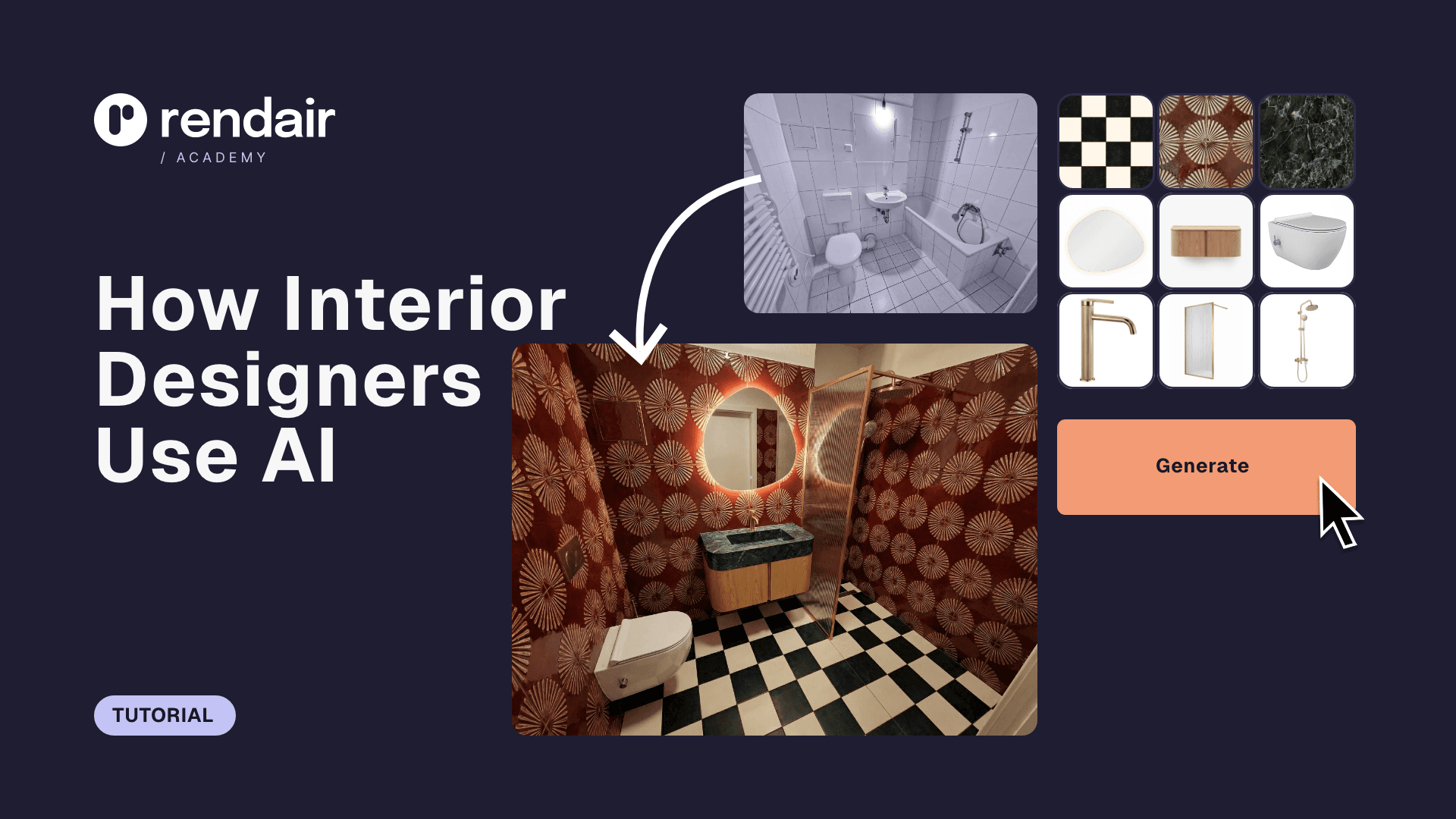
However, if you are looking for a way to visualize ideas instantly without the steep learning curve of Unreal or the render times of Octane, AI-powered tools like Rendair can bridge the gap. Rendair allows you to generate photorealistic visualizations from simple sketches or clay models in seconds, offering a third path for rapid ideation.
Recent Posts



Join 500,000+ architects who saved time. No credit card needed for your first 20 credits.