
Posso scambiare quale lato mostra l'originale rispetto a quello generato?
Ultimo aggiornamento: 16 feb 2026
Risposta
Risposta breve:
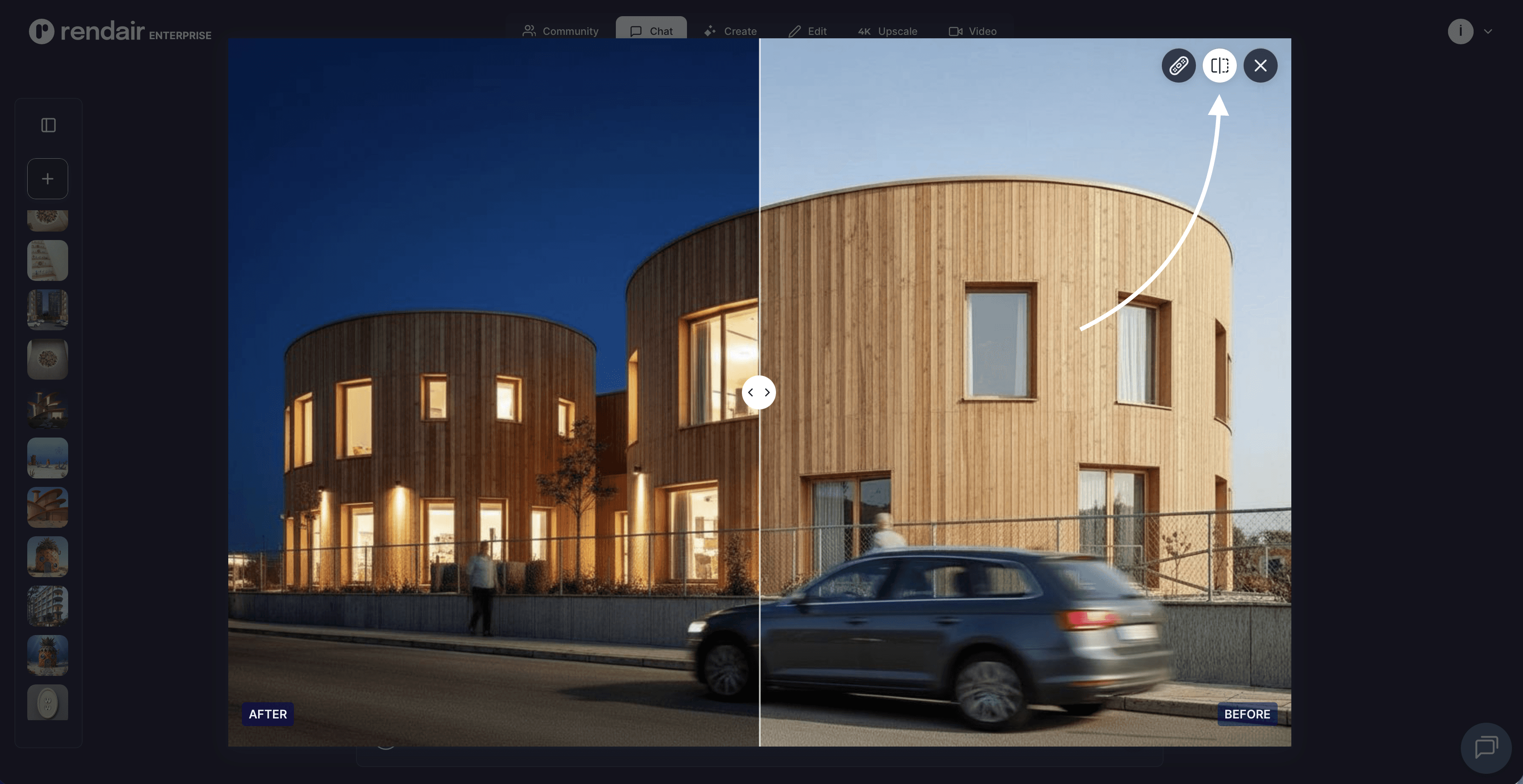
No, l'orientamento dello slider di confronto è fisso nell'interfaccia Rendair AI per mantenere la coerenza visiva. L'immagine originale (base) appare sempre a sinistra e il risultato generato appare sempre a destra.
Panoramica
Lo slider di confronto è un elemento centrale dell'interfaccia progettato per fornire una visione immediata e prevedibile di come il tuo input sia stato trasformato. Mantenendo il layout coerente, Input a Sinistra, Output a Destra, la piattaforma garantisce che architetti e designer possano analizzare rapidamente molteplici iterazioni senza confusione.
Sebbene non sia possibile scambiare le posizioni visive delle immagini nella visualizzazione dello slider, il flusso di lavoro consente di promuovere facilmente un risultato generato per diventare il nuovo "originale" per ulteriori modifiche.
Come funziona
Lo strumento di confronto si attiva automaticamente ogni volta che un compito di generazione (come Sketch-to-Render o Image-to-Image) è completato.
Il Layout: Il tuo file caricato o immagine di base si trova sul livello inferiore (Destra). Il nuovo render generato dall'AI si trova sul livello superiore (Sinistra).
L'Interazione: Una linea di divisione verticale appare al centro.
Trascina a destra: Rivela più del risultato generato.
Trascina a sinistra: Rivela più dell'input originale.
Il Risultato: Questo consente un controllo pixel-perfect per assicurarsi che gli elementi strutturali (come pareti, finestre o posizionamenti specifici di mobili) siano allineati correttamente con la tua intenzione originale.
Capacità
Sebbene lo slider stesso sia fisso, la piattaforma supporta diversi flussi di lavoro che raggiungono obiettivi simili di confronto e iterazione:
Verifica Strutturale Istantanea: Verifica rapidamente se l'AI ha rispettato le linee del tuo schizzo originale o la geometria della tua base 3D.
"Scambio" Iterativo: Se preferisci l'immagine generata e vuoi renderla il tuo nuovo punto di riferimento, puoi selezionare "Modifica" o "Usa come Base". Questo effettivamente sposta l'immagine generata nello slot "Originale" per il prossimo round di richieste.
Download Indipendenti: Puoi scaricare l'immagine generata separatamente dall'originale, permettendoti di creare i tuoi layout affiancati in software di presentazione esterni se è richiesto un diverso arrangiamento.
Quando utilizzarlo
Progetti di Ristrutturazione: Per mostrare chiaramente a un cliente il "Prima" (foto del sito) e il "Dopo" (progetto proposto) in un formato standard.
Controllo di Qualità: Per verificare che il processo di upscaling dell'AI abbia migliorato i dettagli senza alterare il design fondamentale.
Sviluppo del Design: Per confermare che i cambiamenti di materiali (ad esempio, scambia cemento con legno) siano stati applicati alle superfici corrette senza "sanguinare" in aree non desiderate.
Limitazioni
Orientamento Fisso: Il flusso da Sinistra a Destra è codificato per corrispondere alla direzione di lettura standard della linea temporale (Futuro/Output → Passato/Input).
Solo Visivo: Lo slider è uno strumento di visualizzazione, non un formato di esportazione. Per condividere un confronto, solitamente si scaricano entrambe le immagini o si utilizza uno strumento di cattura schermo.
Hai un'altra domanda?
Cerca nel nostro centro assistenza...
Hai ancora bisogno di aiuto?
Esplora le capacità della piattaforma attraverso una dimostrazione personalizzata o prova gratuitamente.
Contatta il supporto: support@rendair.ai
Documentazione: Rendair Guides
Prenota una demo: Prenota una sessione demo