GPT-Image-1.5 for Architects: Now Live in Rendair AI
17/12/2025
The latest standard in AI image generation is now integrated directly into your Rendair workflow.
In the fast-moving world of artificial intelligence, staying current can feel like a full-time job. At Rendair, we believe architects and designers shouldn't have to spend their time benchmarking models or managing multiple subscriptions. You should simply have access to the best tools the moment they are ready.
That is why we have integrated OpenAI’s flagship GPT-Image-1.5 model into Rendair Chat.
Here is why GPT-Image-1.5 is a game-changer for your design practice.
What We Found in Testing: The Key Upgrades
We didn't just integrate the model; we put it through real architectural scenarios. Here are the immediate improvements you will notice inside Rendair:
1. The "Yellow Tint" is Gone
Previous image models often applied a warm, yellowish filter to renderings, making interiors look dated or lighting look artificial.
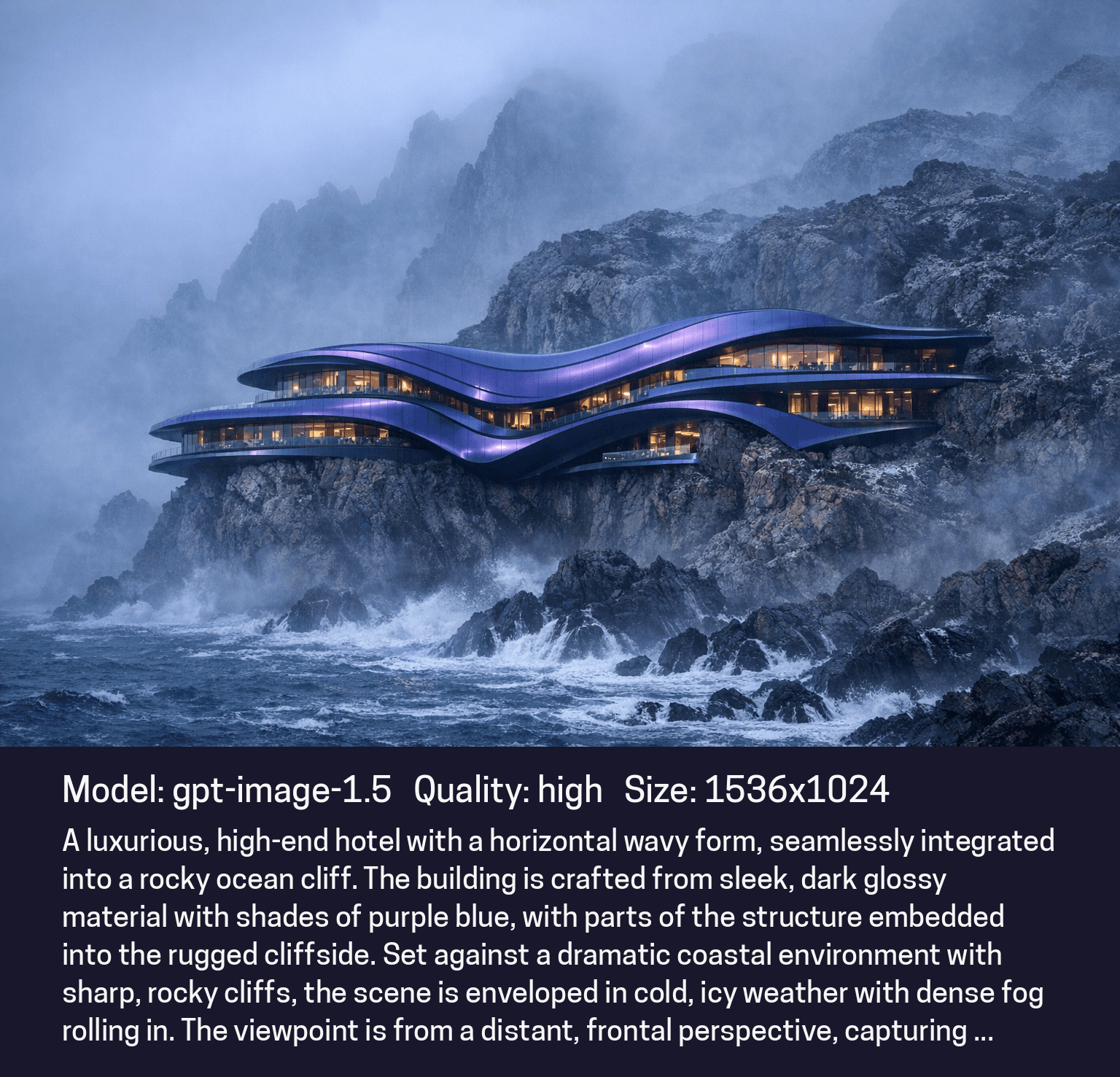
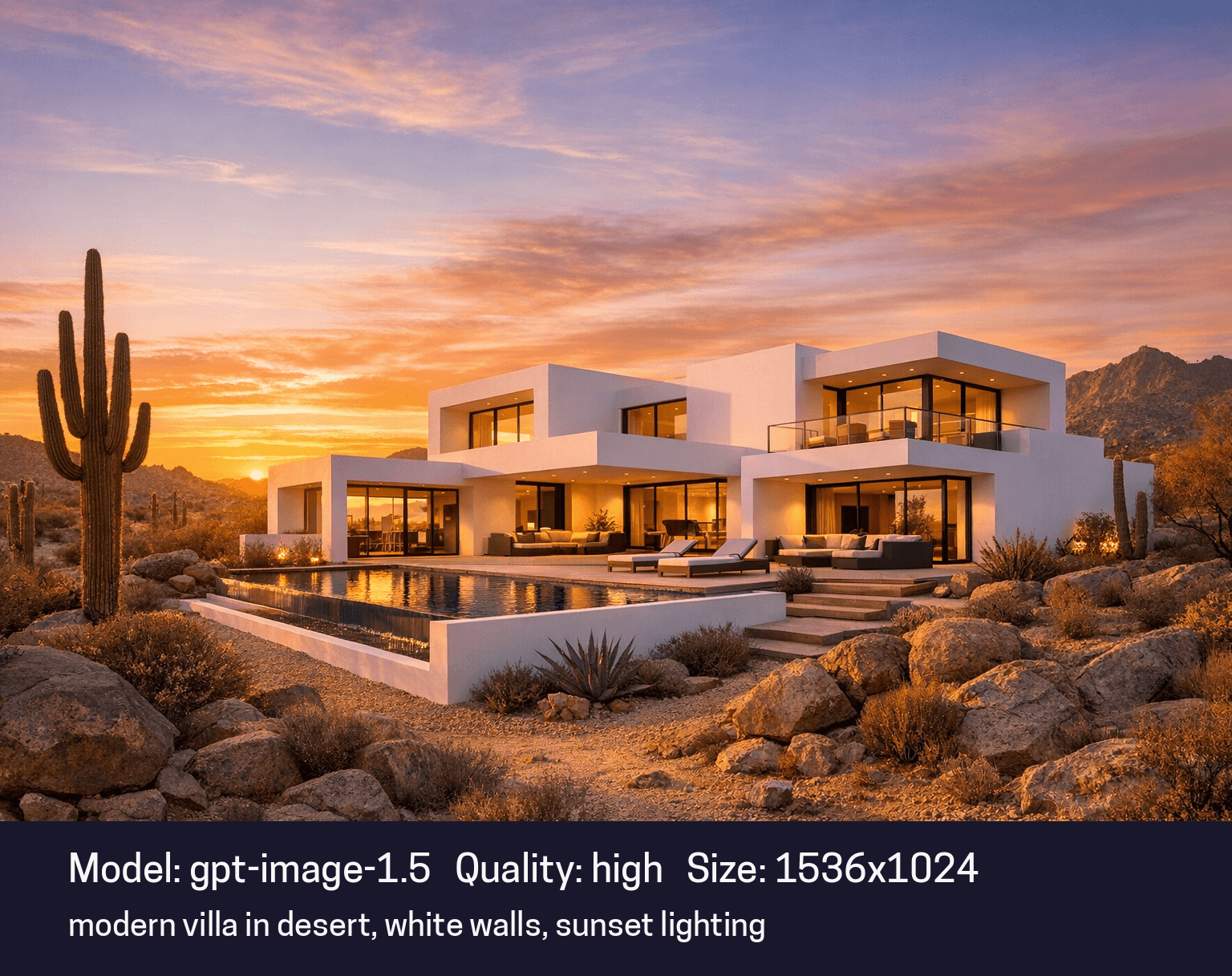
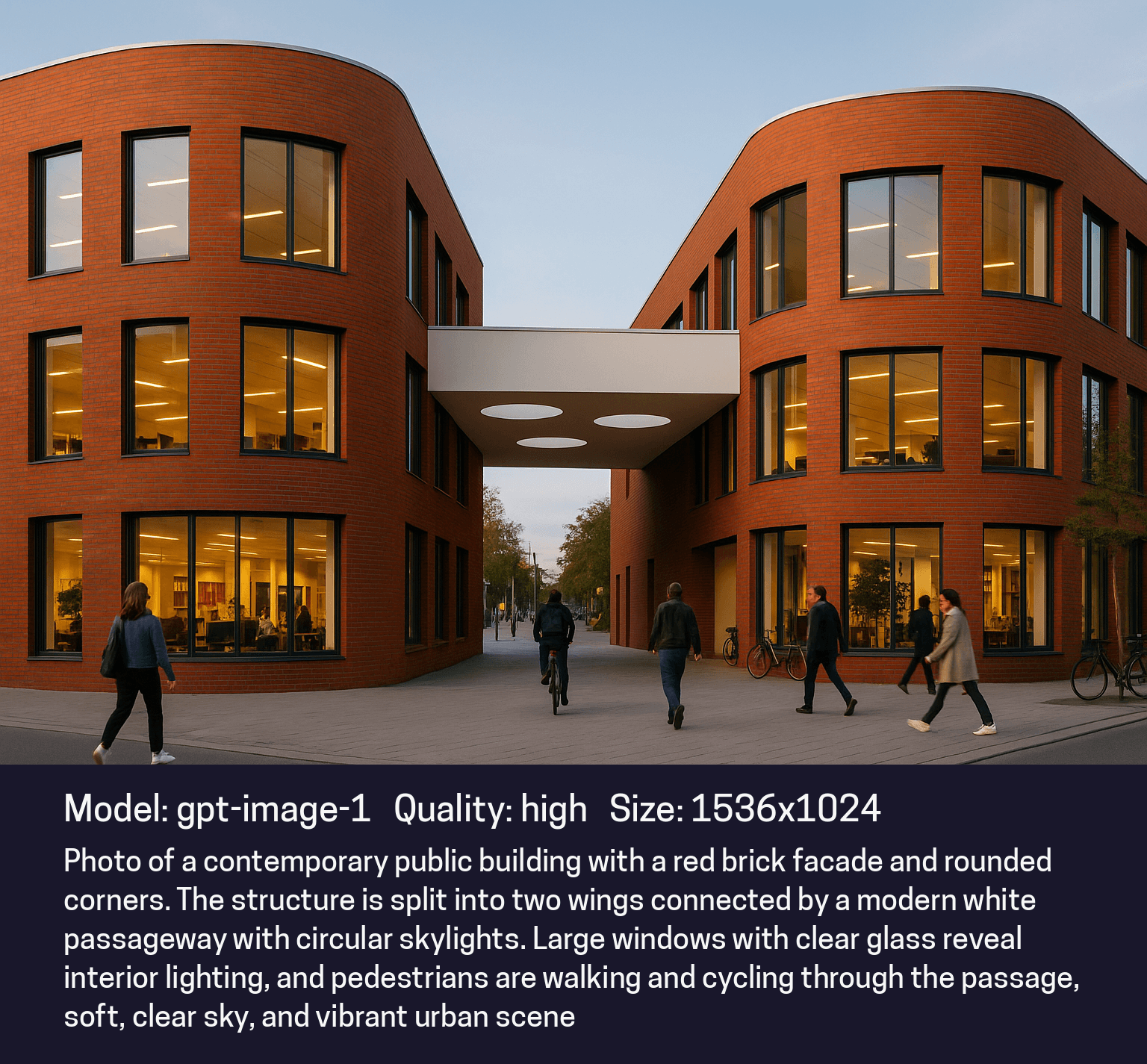
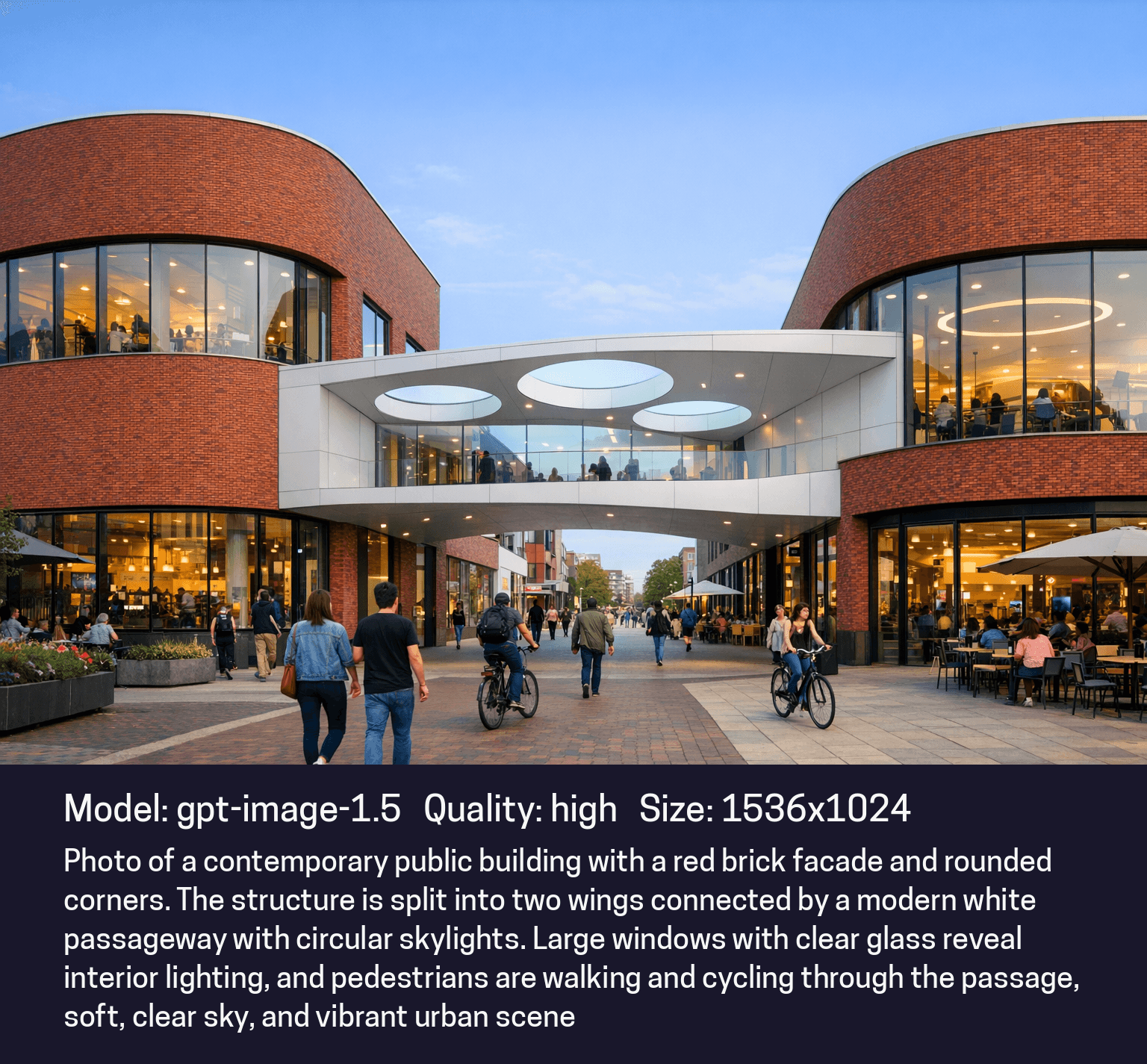
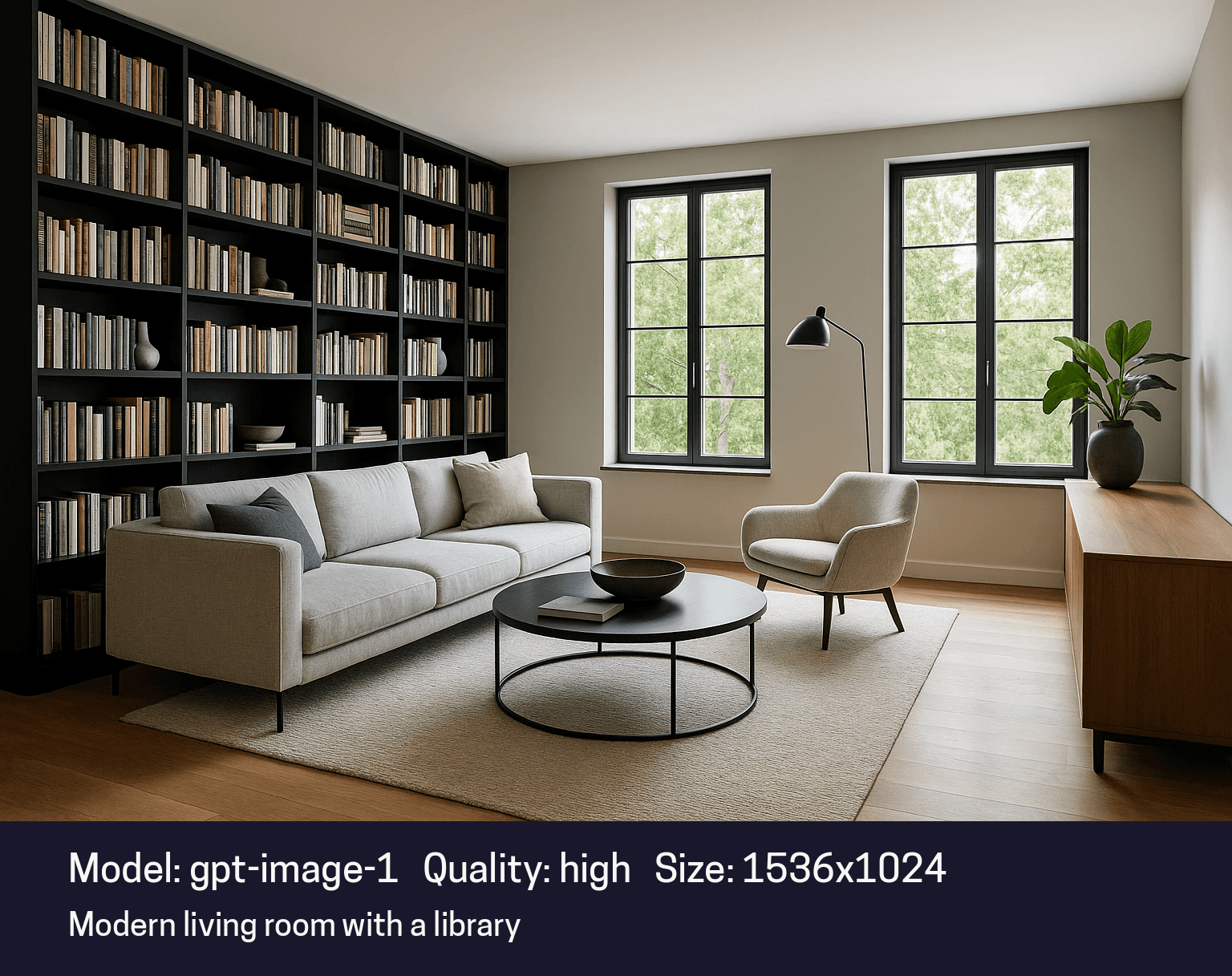
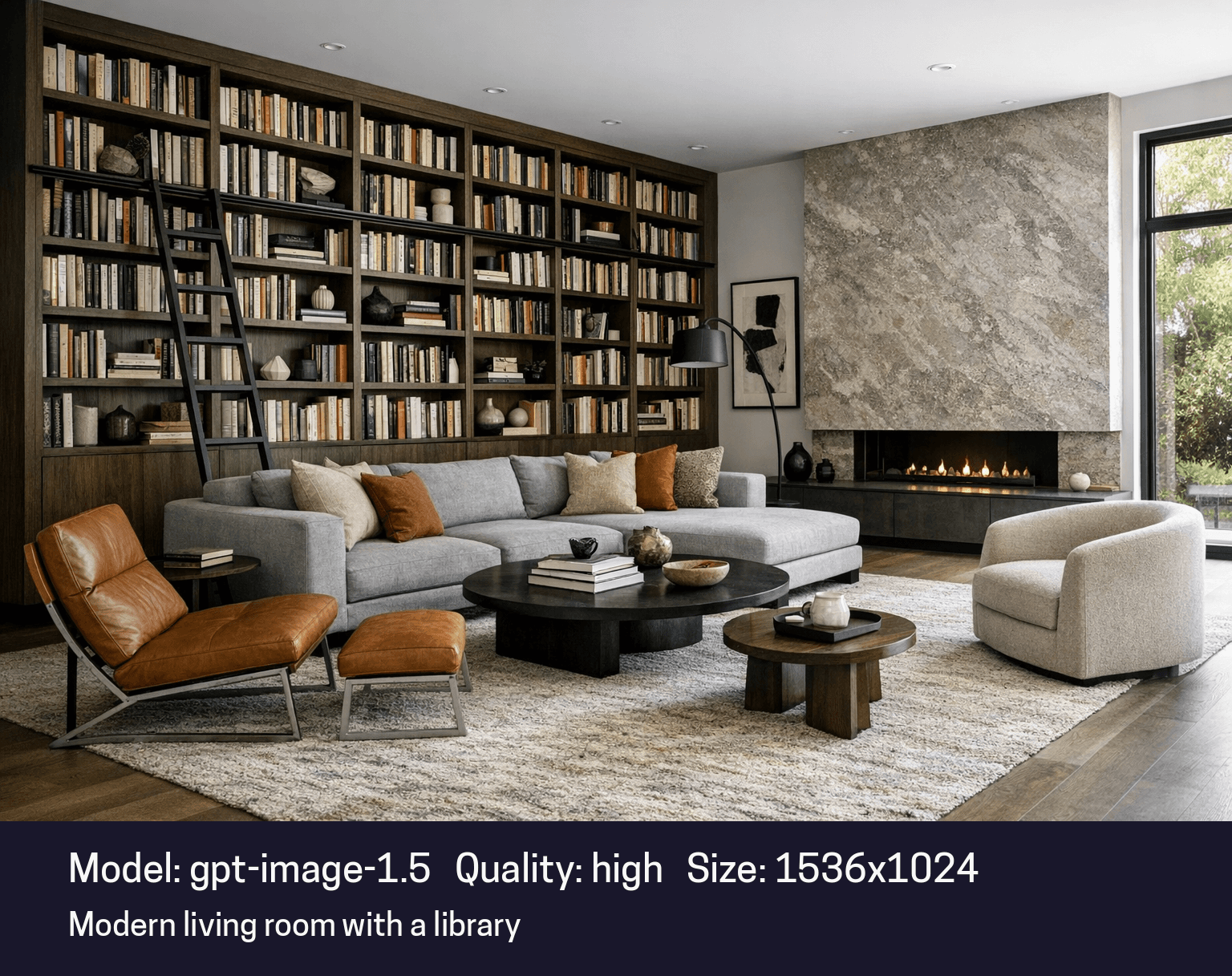
GPT-Image-1.5 corrects this. The lighting is now neutral, crisp, and true to professional photography standards. Whether you need a cool Nordic morning or a stark commercial interior, the model respects the requested atmosphere without forcing a default temperature on your work.
2. Style vs. Structure: A Perfect Balance
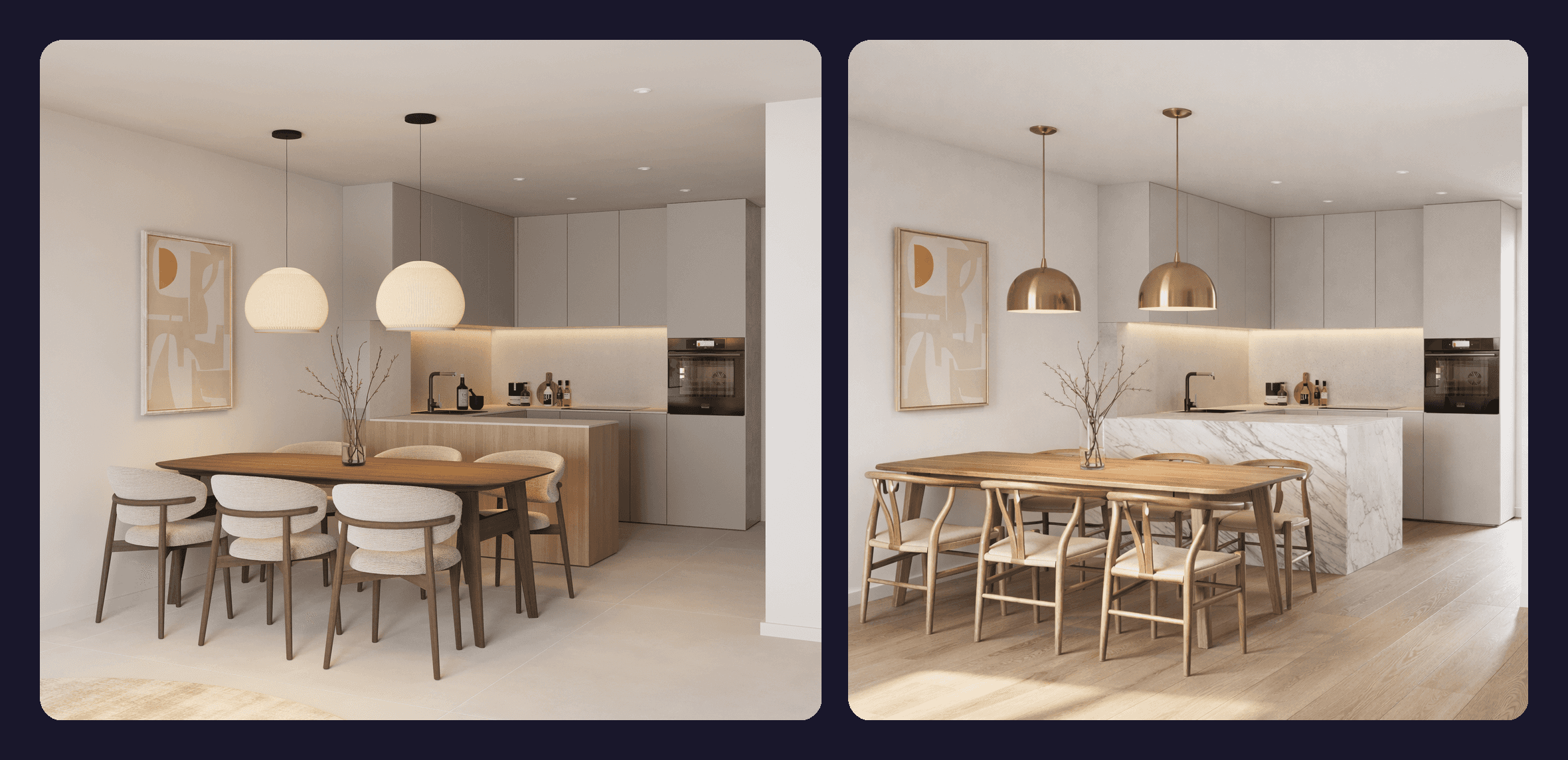
One of the hardest tasks for AI is mixing a Base Image (your geometry) with a Reference Image (your style) without breaking the design.
In our tests, GPT-Image-1.5 showed a remarkable ability to separate these two inputs. It applies the material and mood of your reference image strictly to the geometry of your base image. It doesn't try to mash the shapes together anymore, it simply "skins" your design with the new style.
3. Precise Editing
In the past, asking AI to "change the flooring" often resulted in the furniture shifting or the walls changing color.
This new model understands context. When you ask for an edit, it changes only what you requested and leaves the rest of the image completely untouched. This reliability finally makes AI editing a viable tool for client revisions.
Feature Comparison
Feature | GPT-Image-1.5 (New) | Previous Model (GPT Image 1) |
|---|---|---|
Generation Speed | Up to 4× Faster | Standard |
Instruction Adherence | High precision; follows complex prompts | Often ignored nuance |
Editing Capability | Local edits (changes only what you ask) | Global changes (often altered the whole image) |
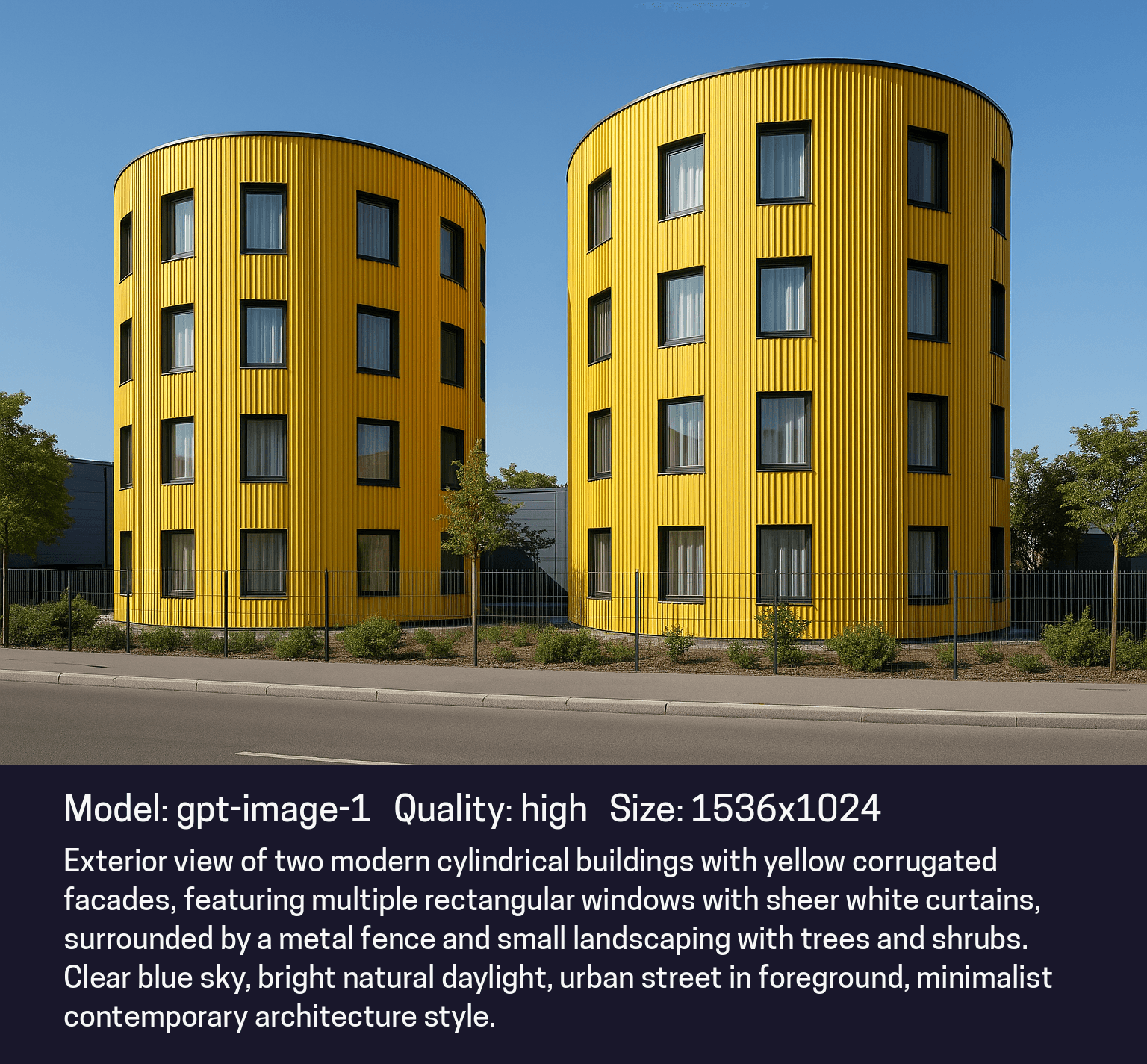
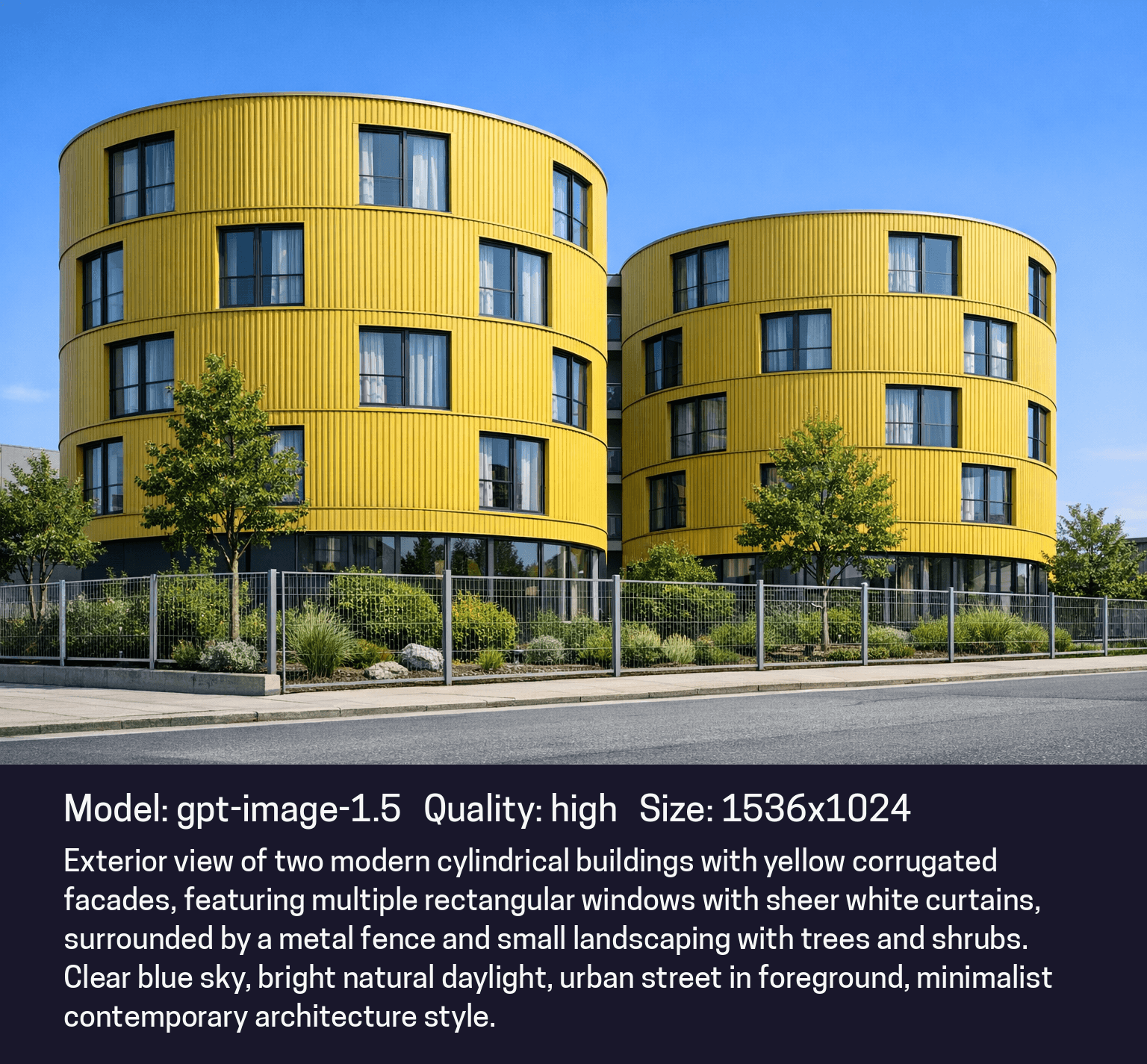
Geometry Stability | Strong; respects perspective | Weak; prone to hallucinations |
Workflow Insights & Best Practices
To get the most out of GPT-Image-1.5 in Rendair, keep these workflow notes in mind:
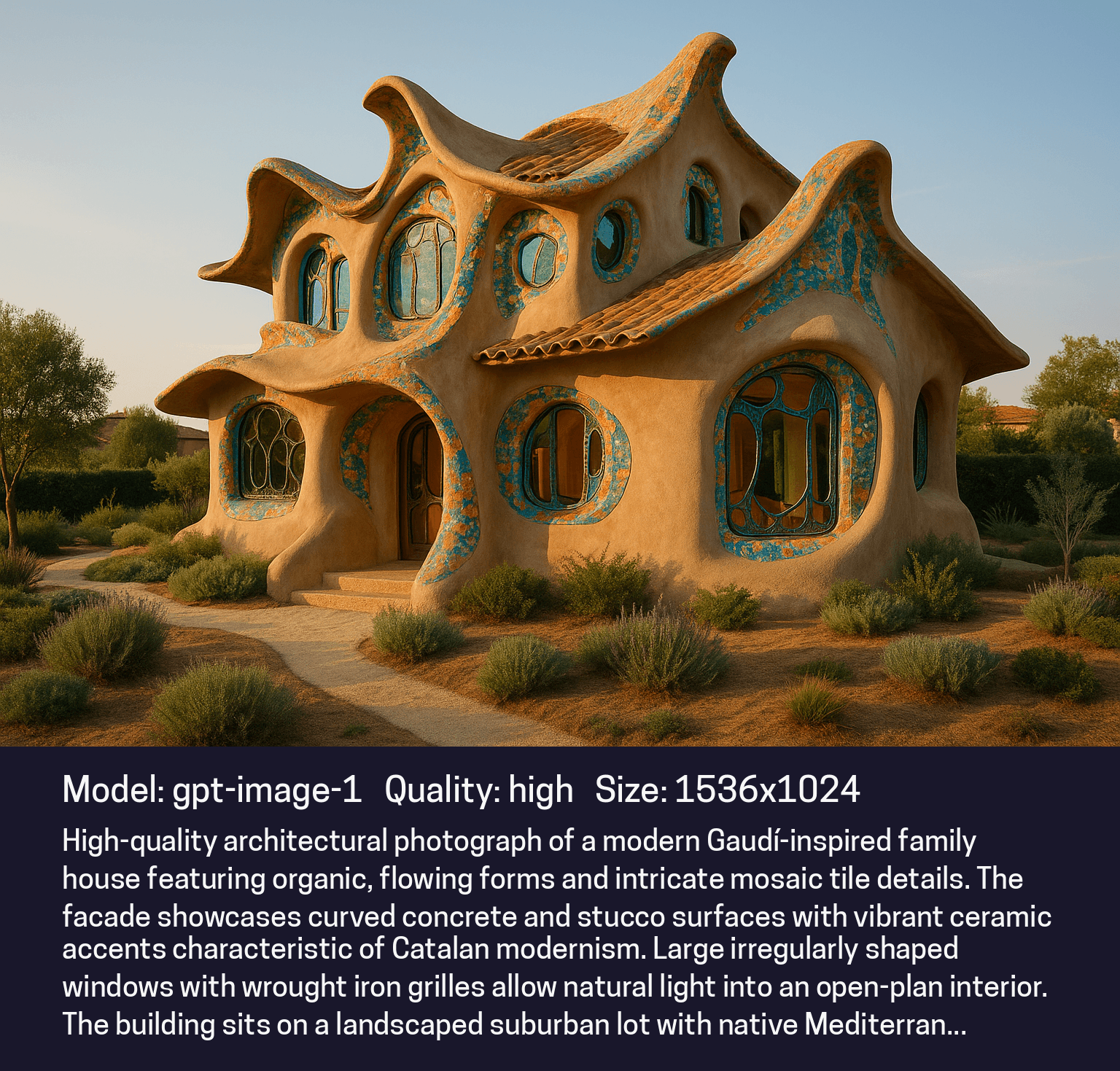
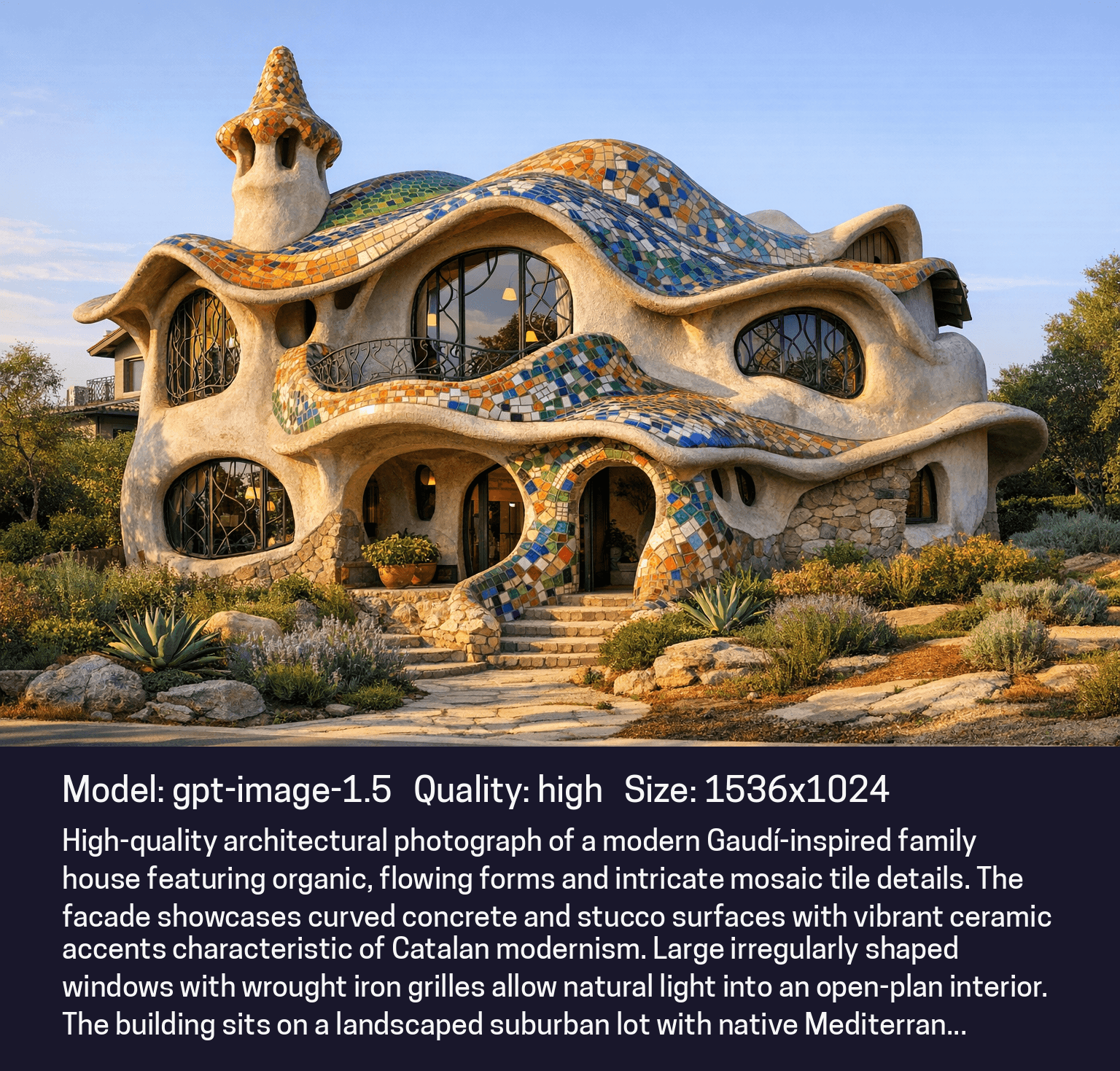
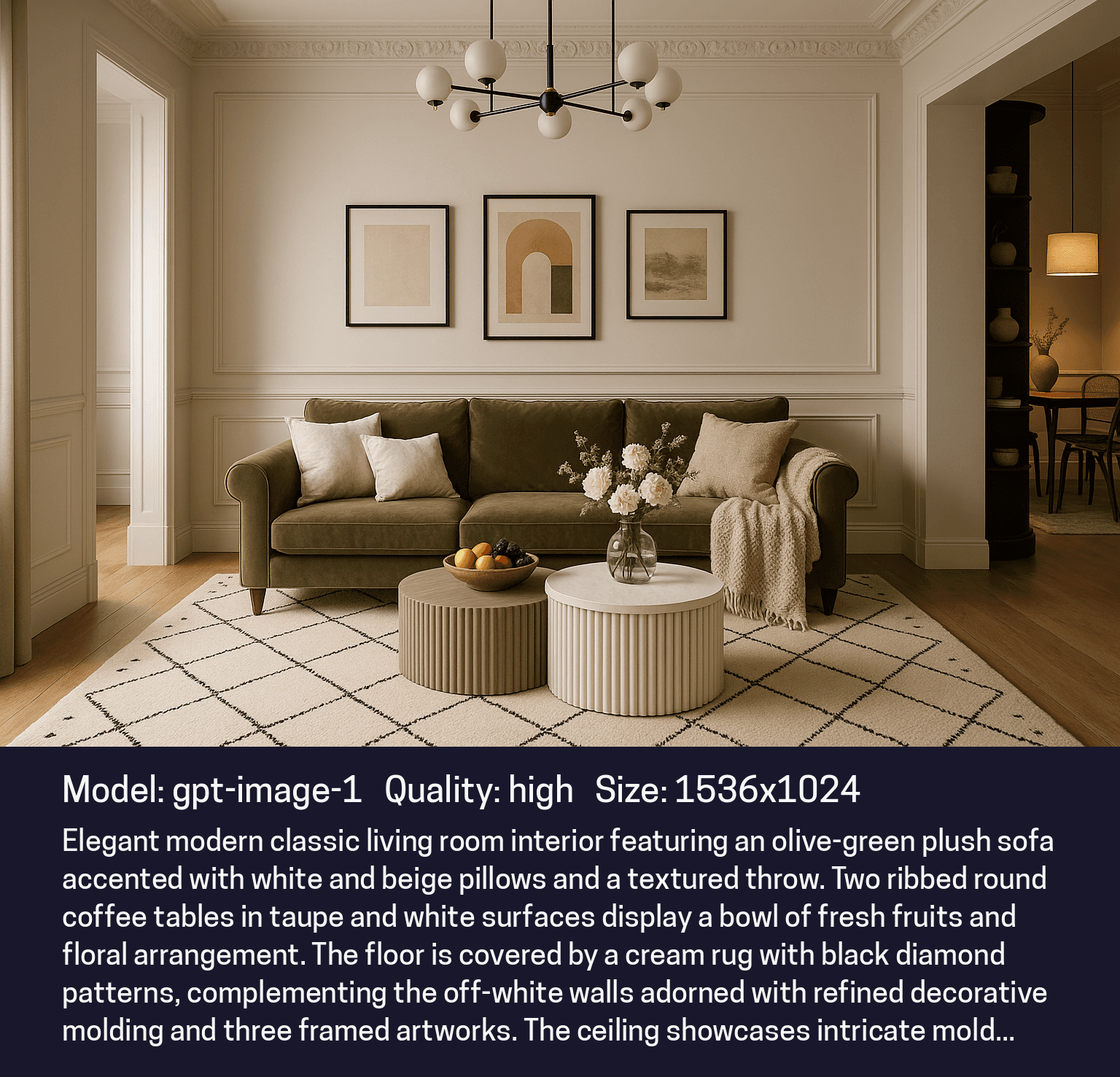
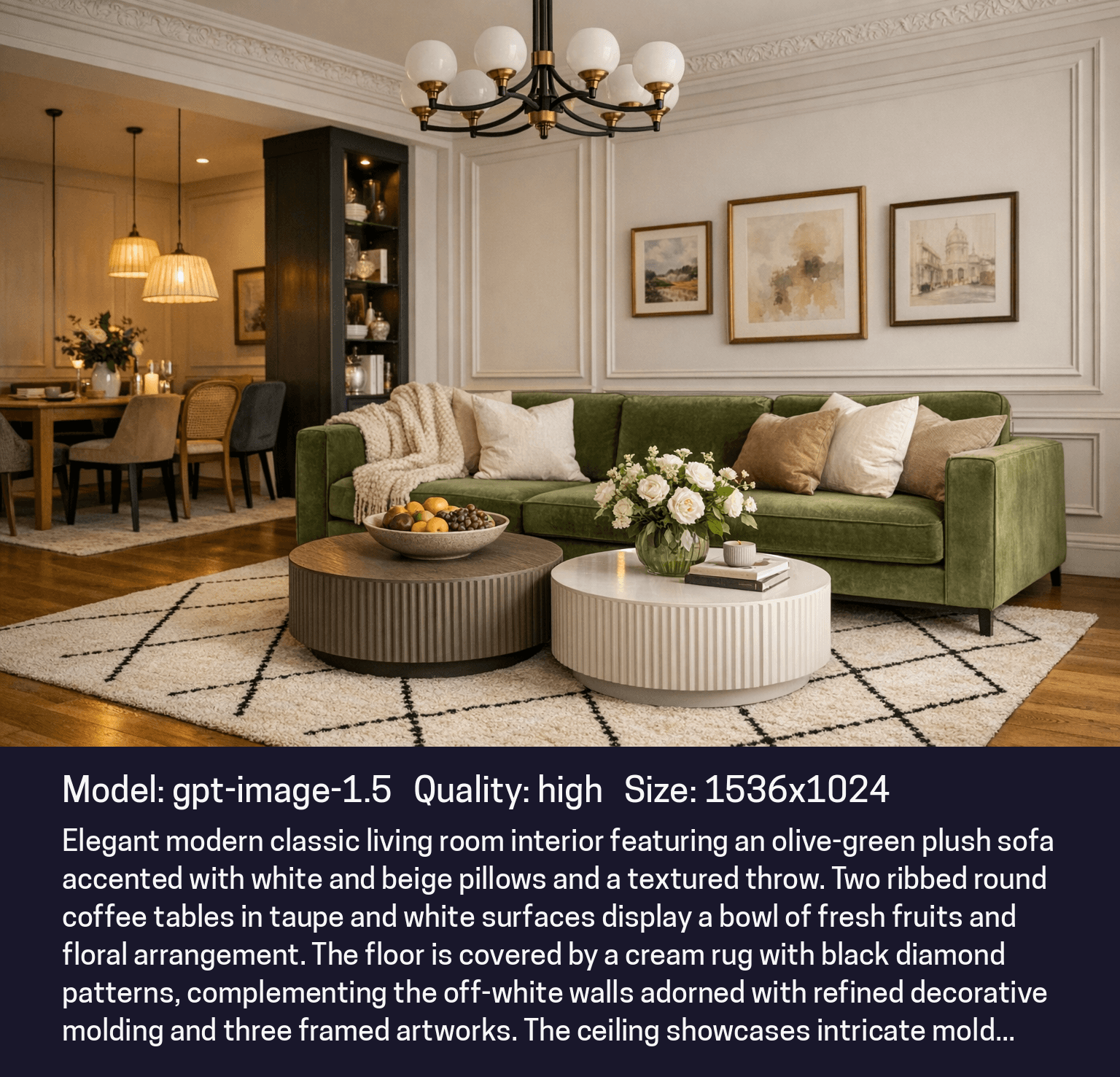
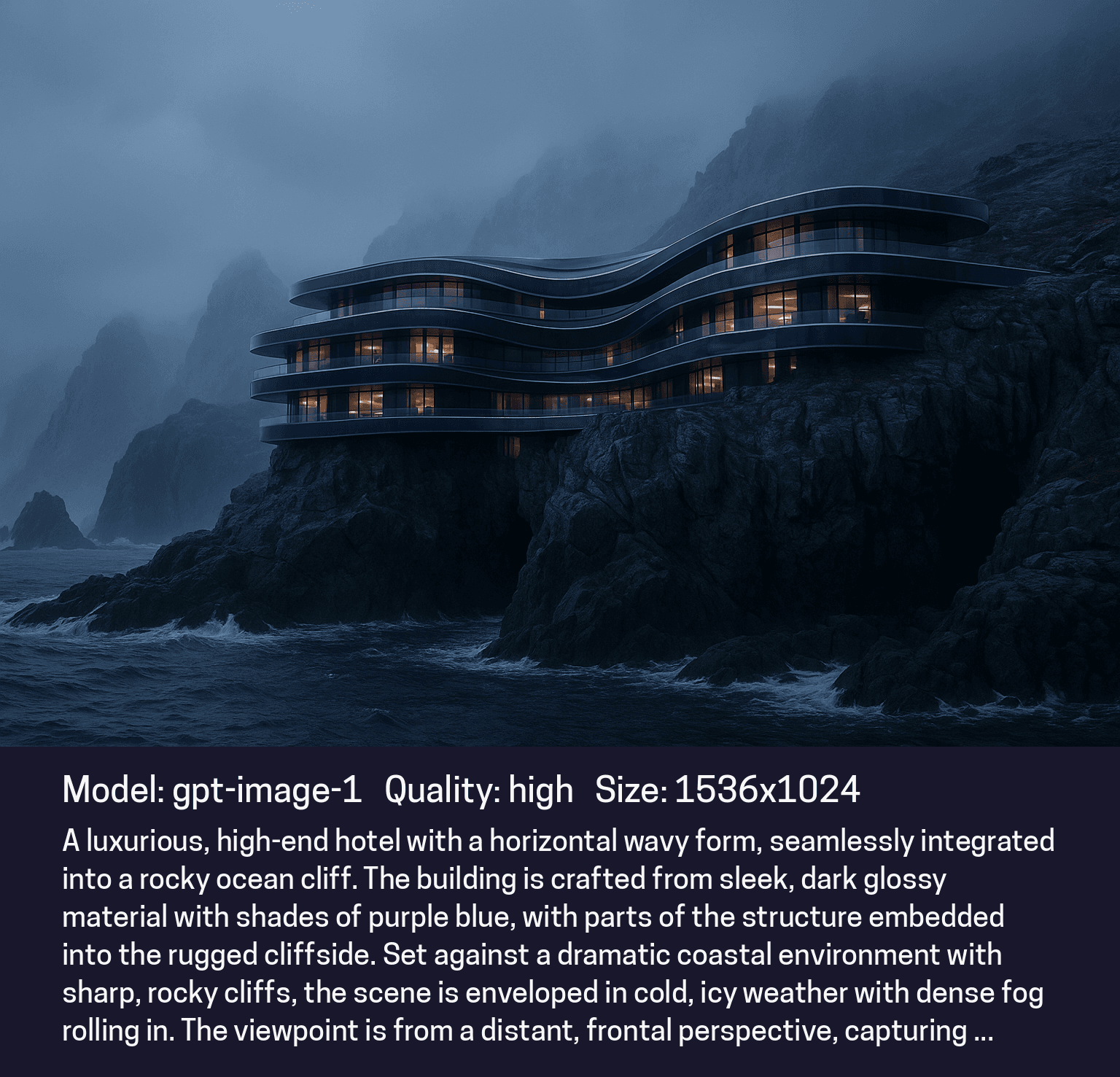
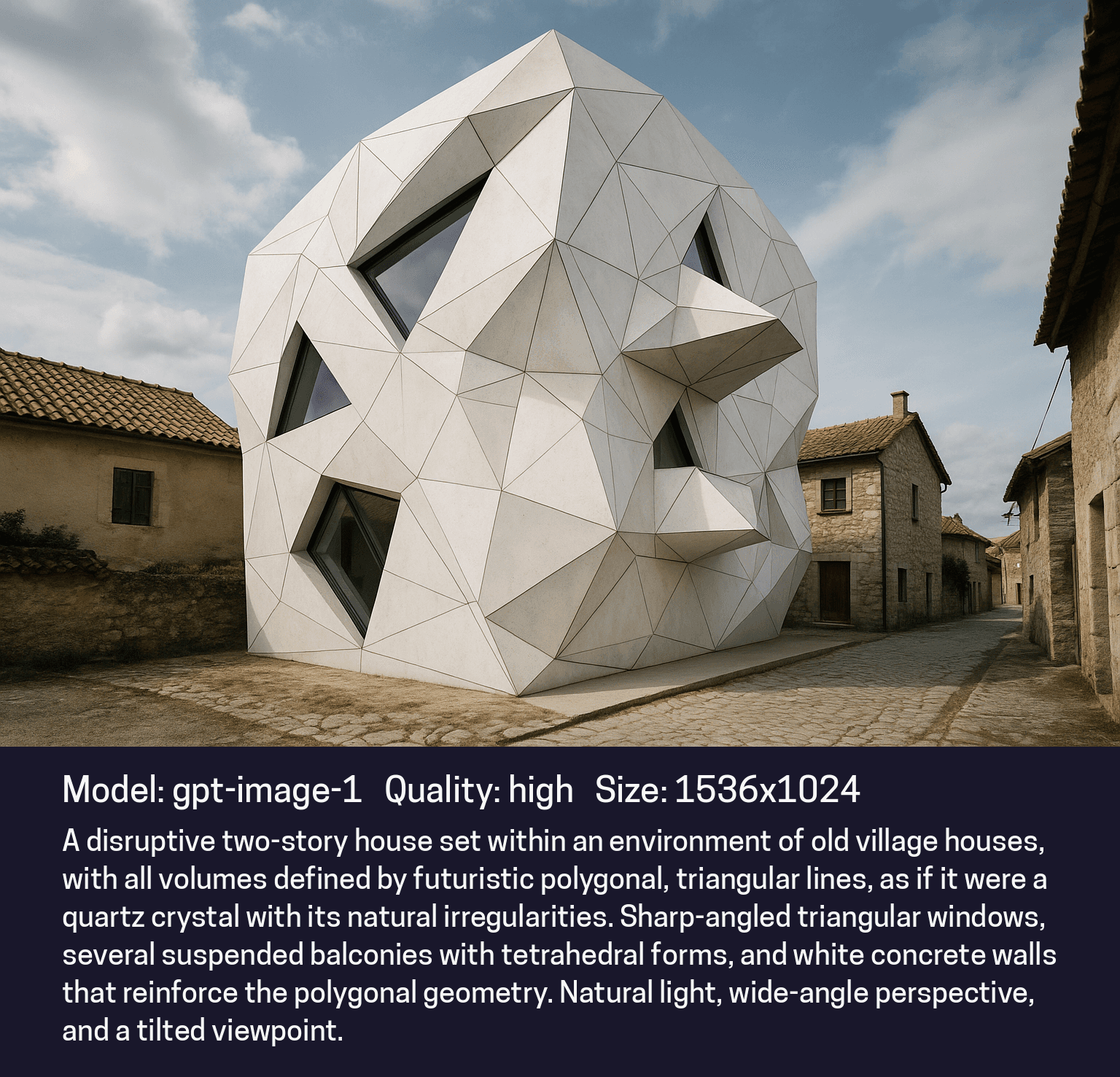
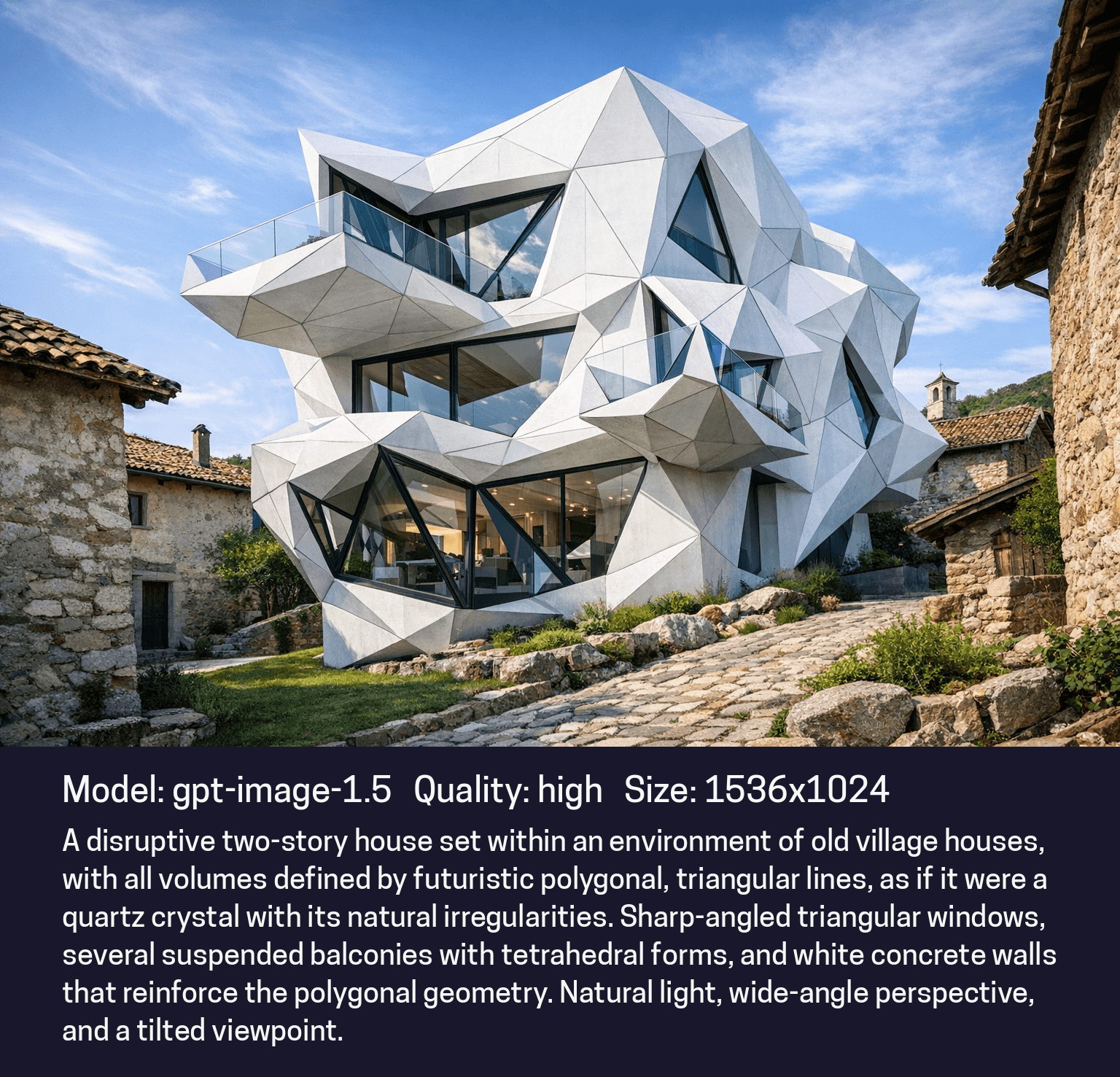
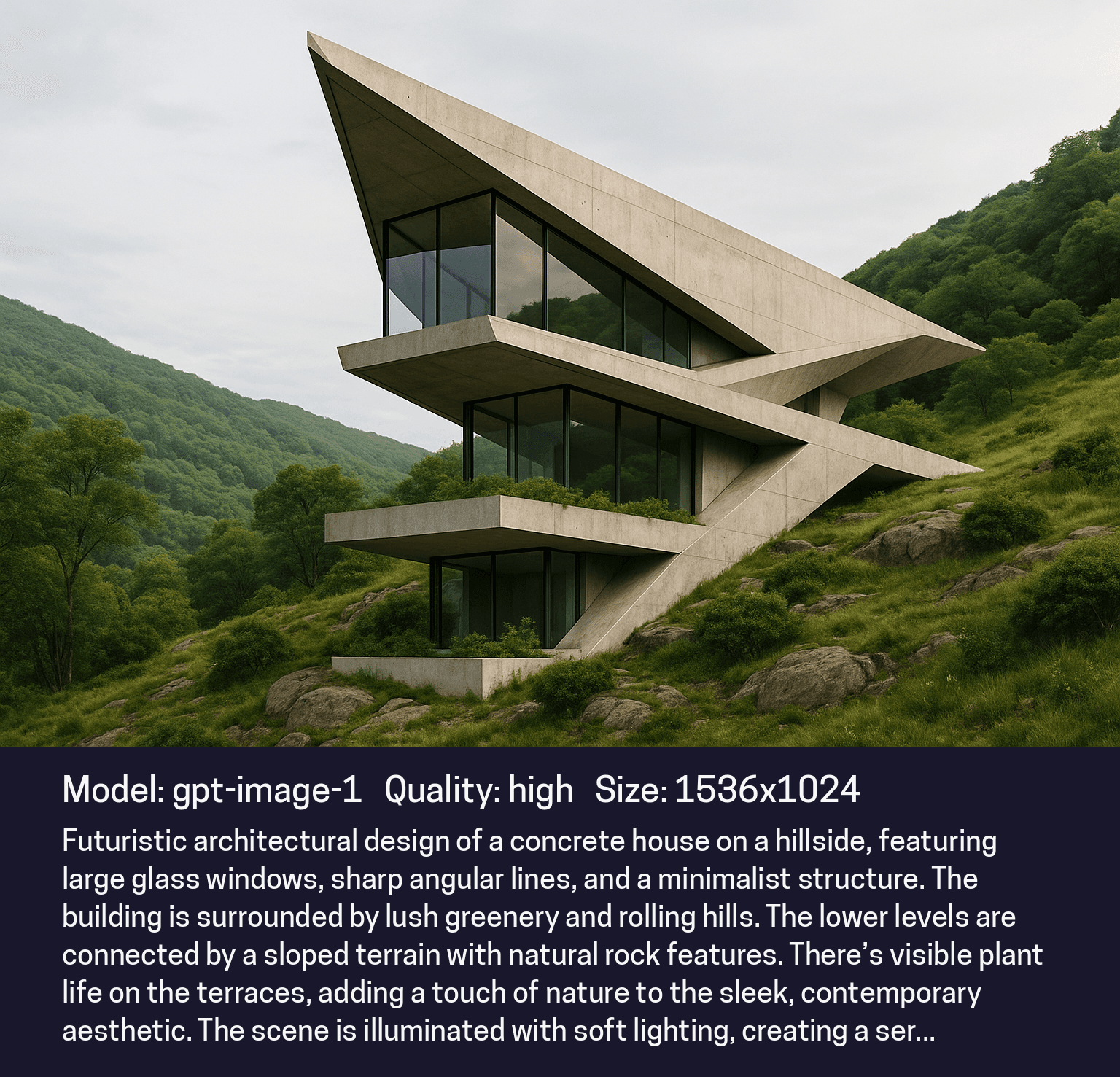
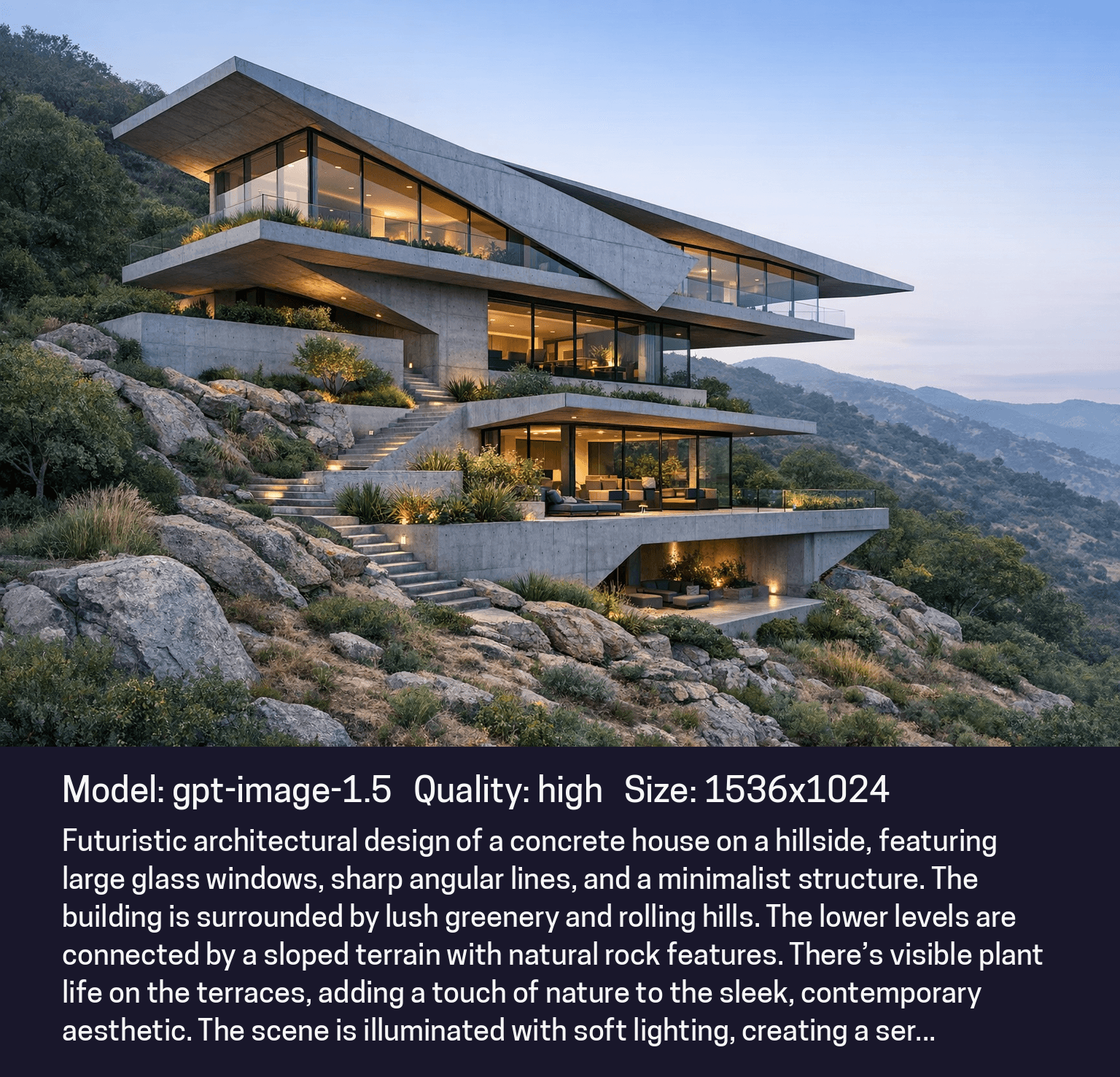
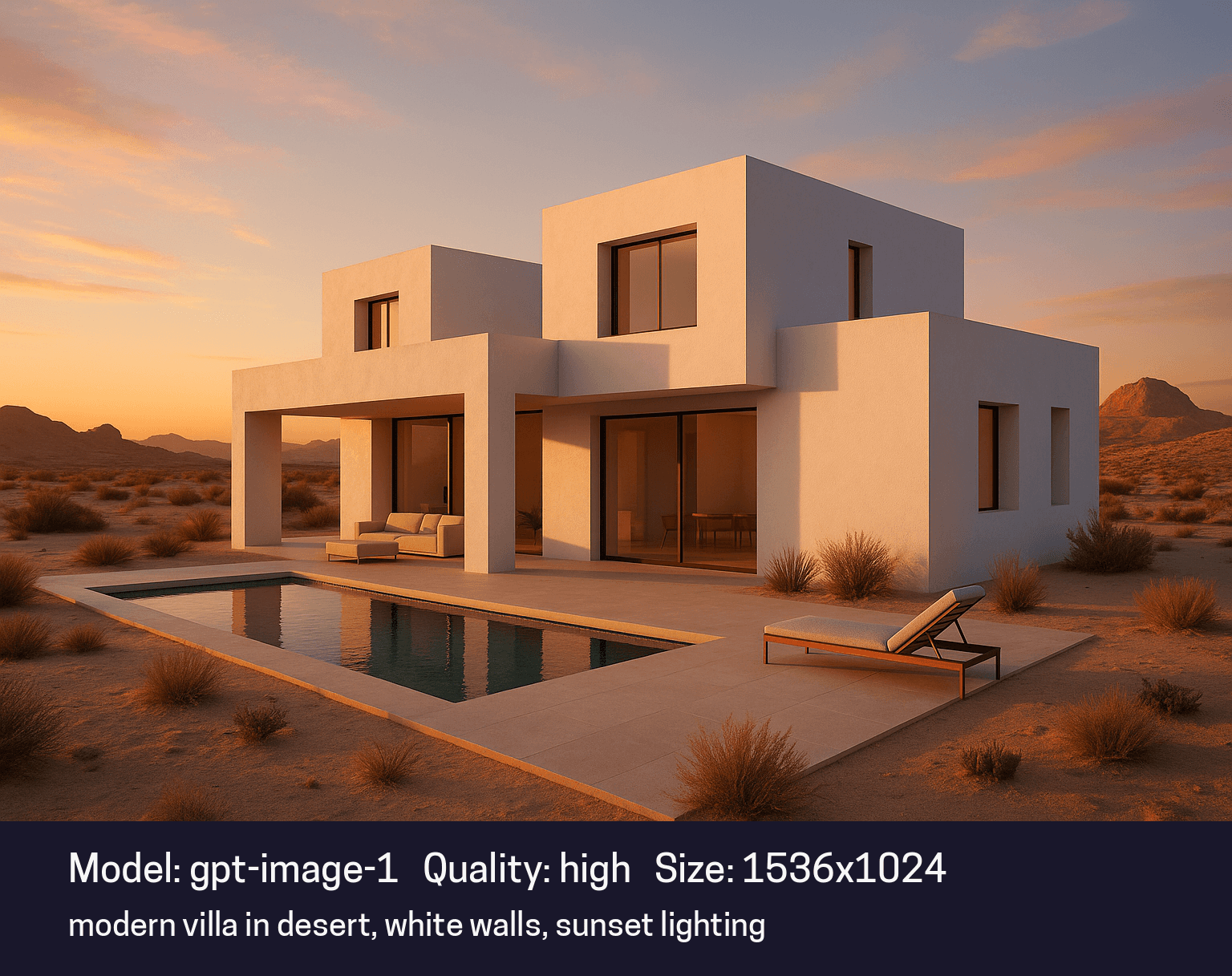
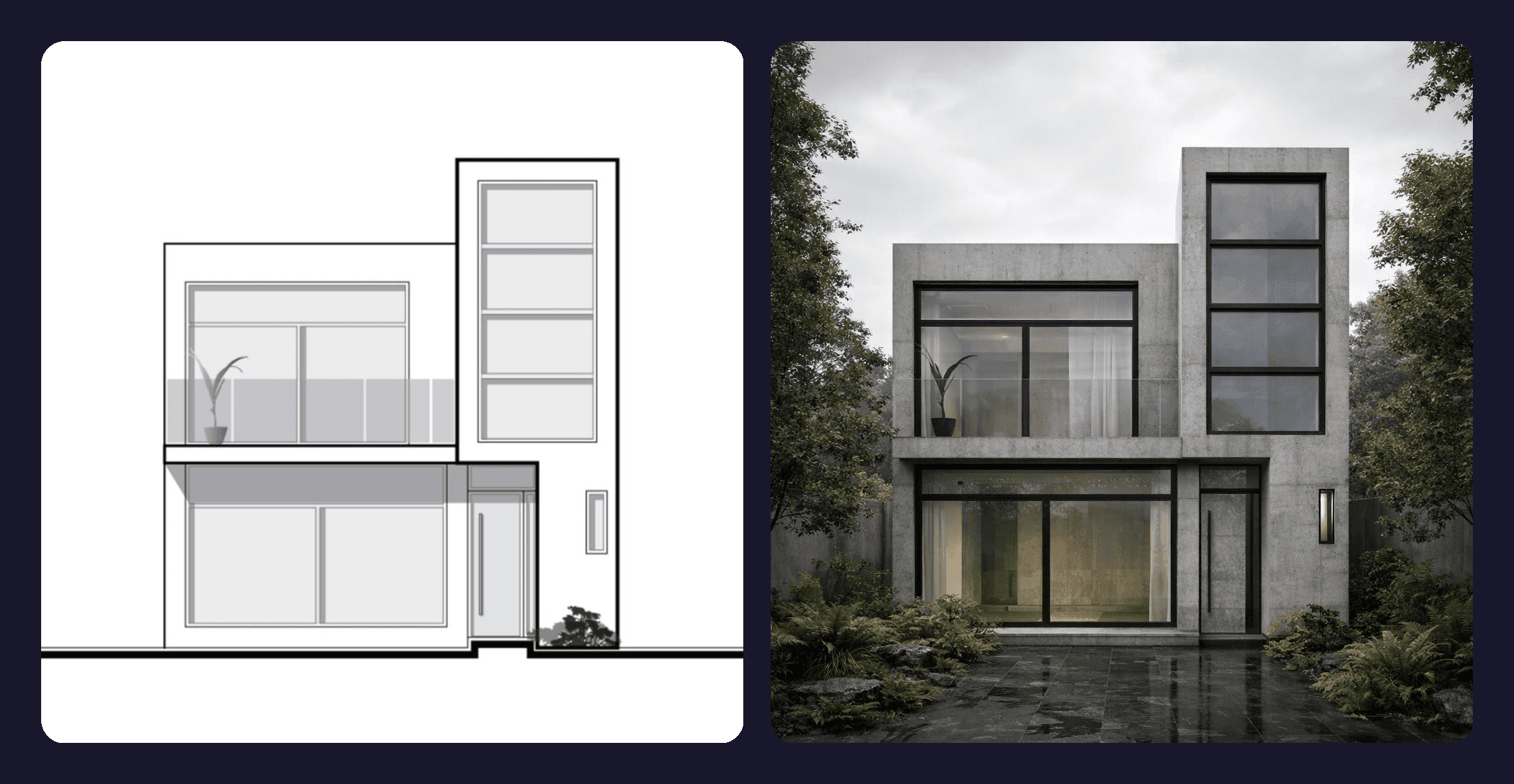
Text-to-Render Comparison
GPT Image v1 | GPT Image v1.5 (new) |
|---|---|
 |  |
 |  |
 |  |
 |  |
 |  |
 |  |
 |  |
 |  |
 |  |
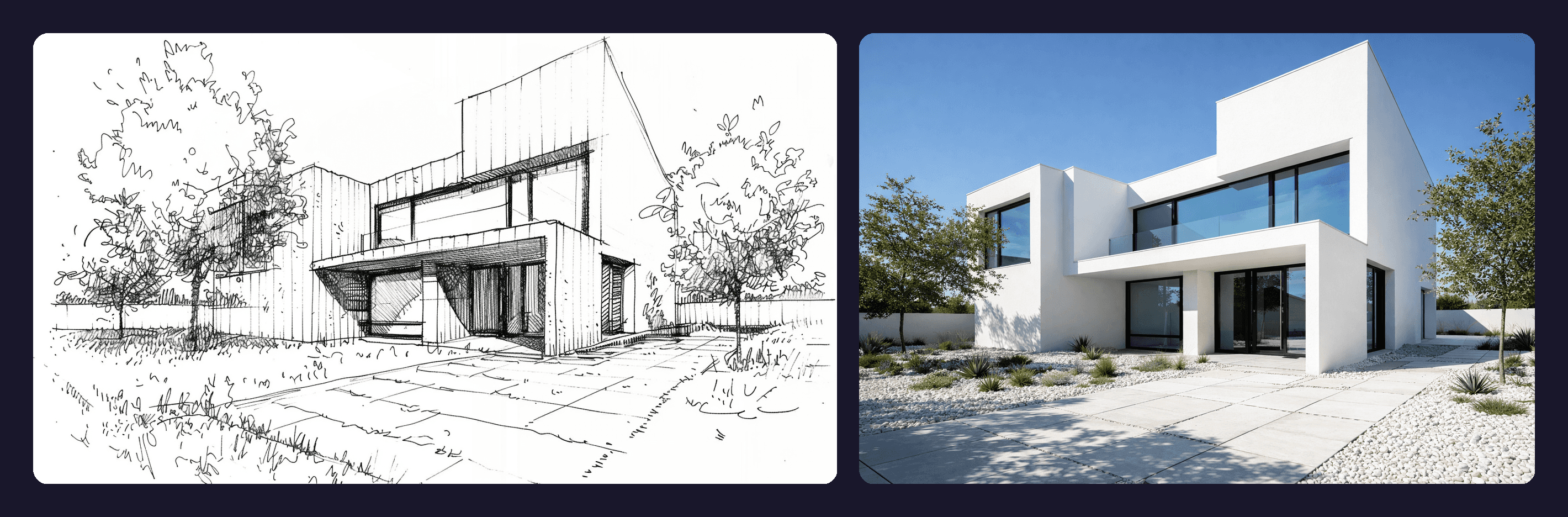
From Sketch to Concept
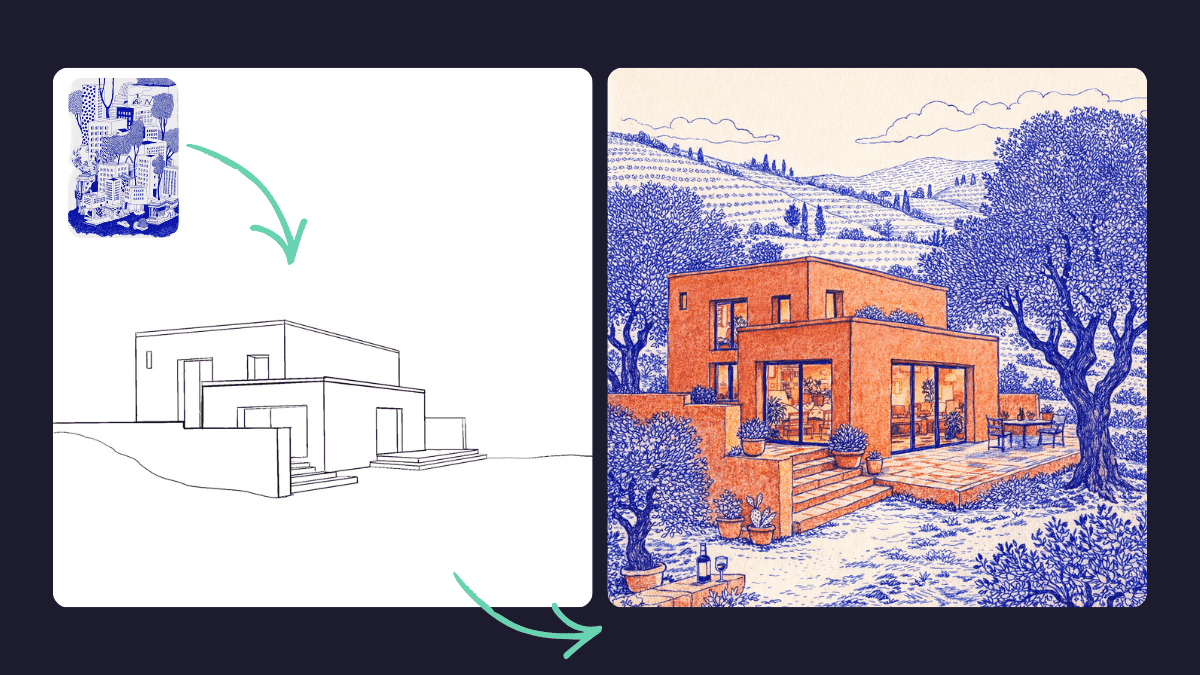
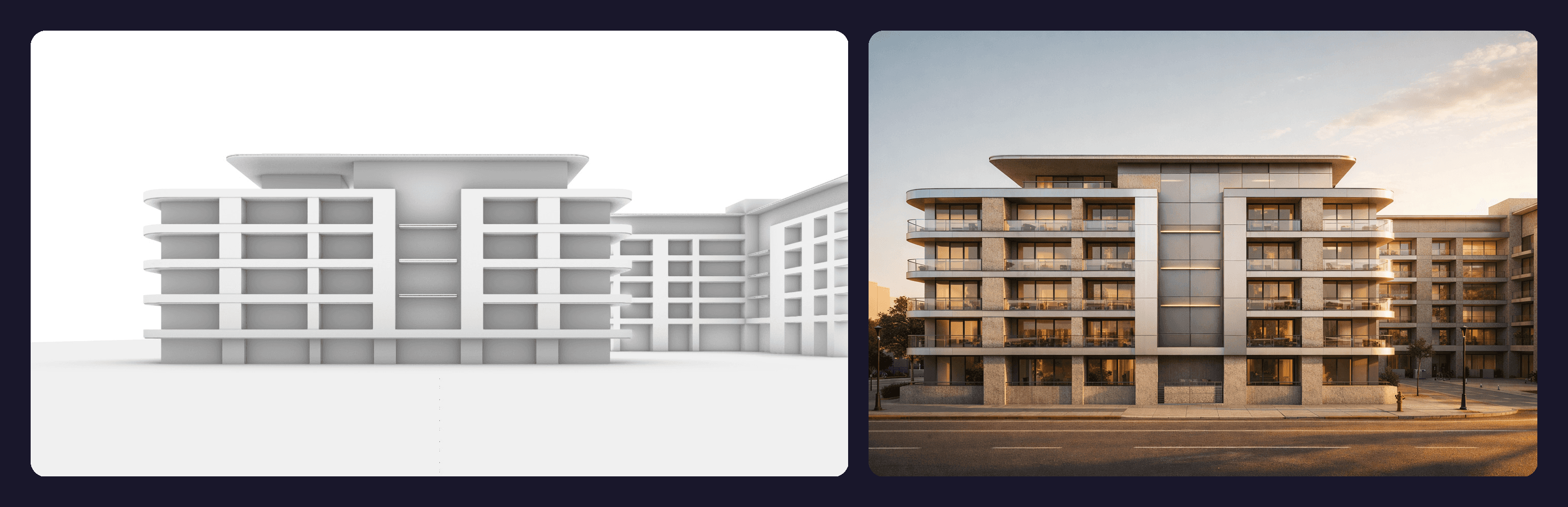
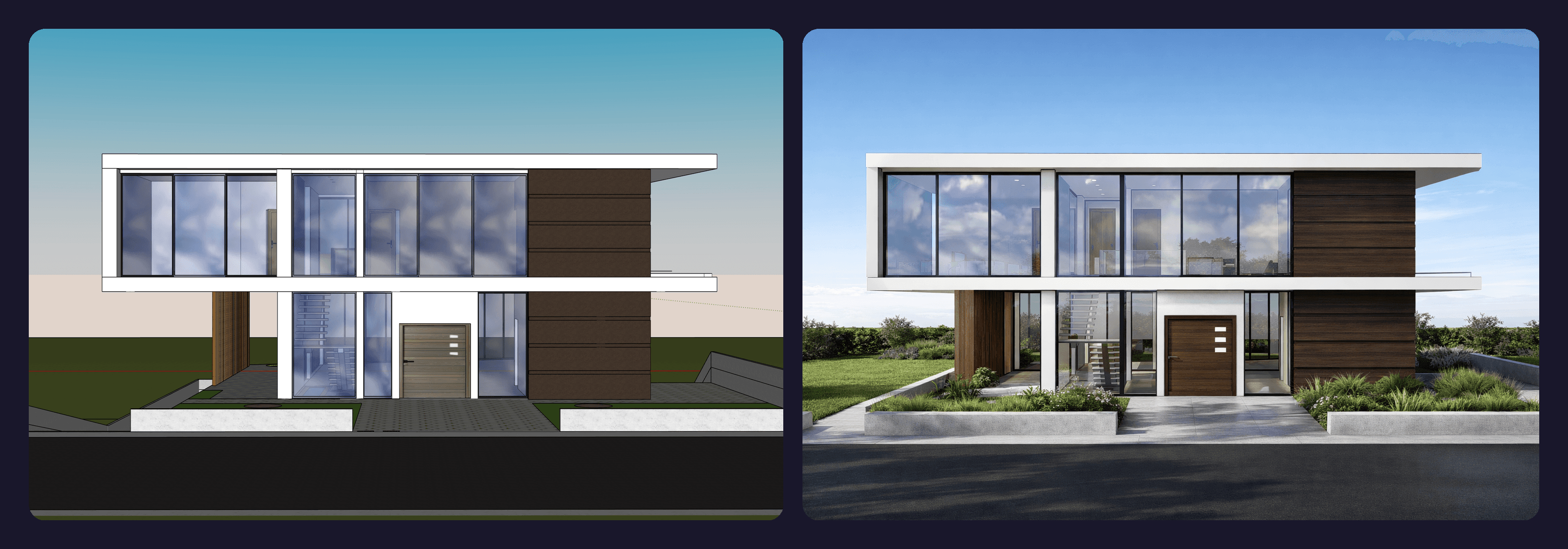
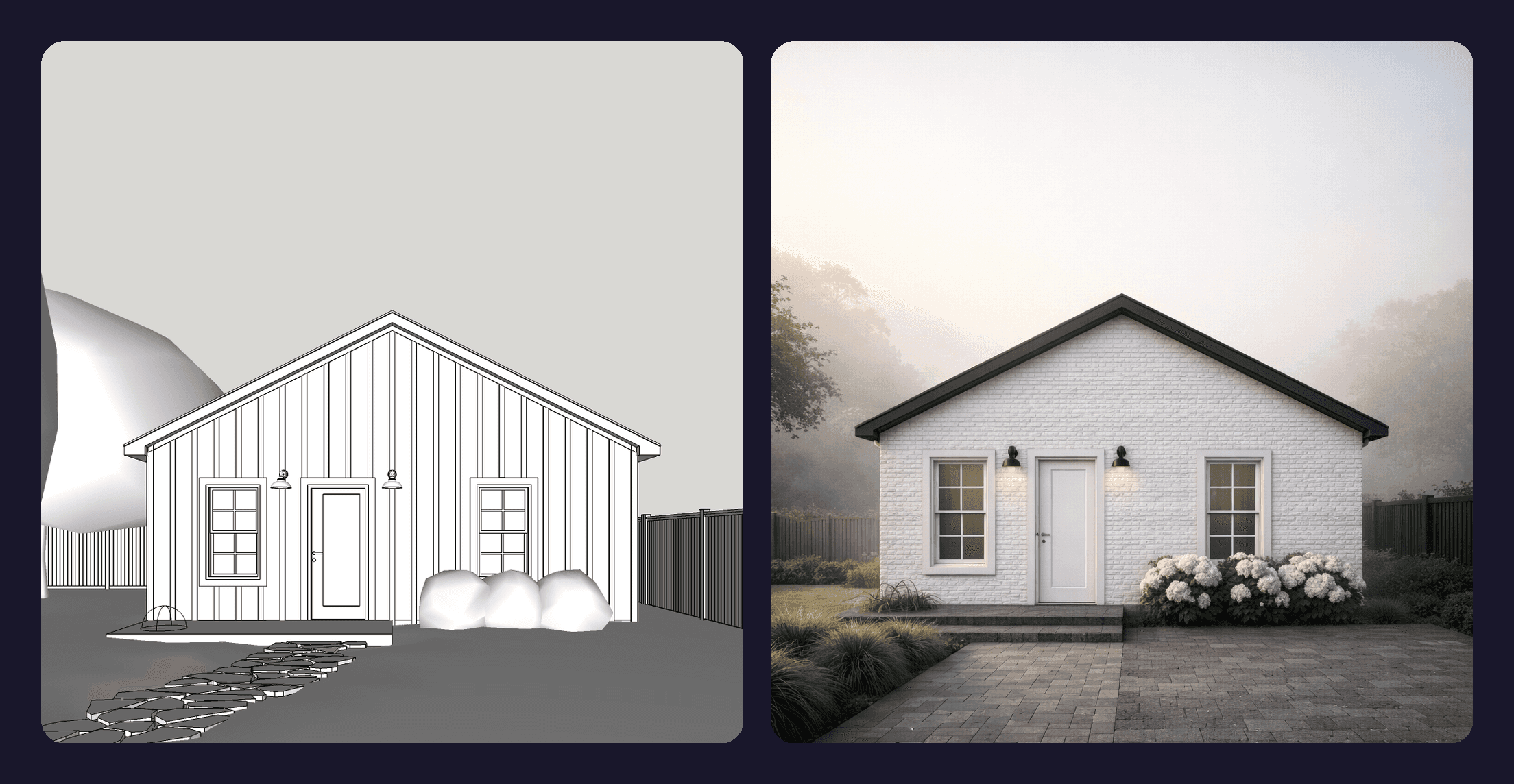
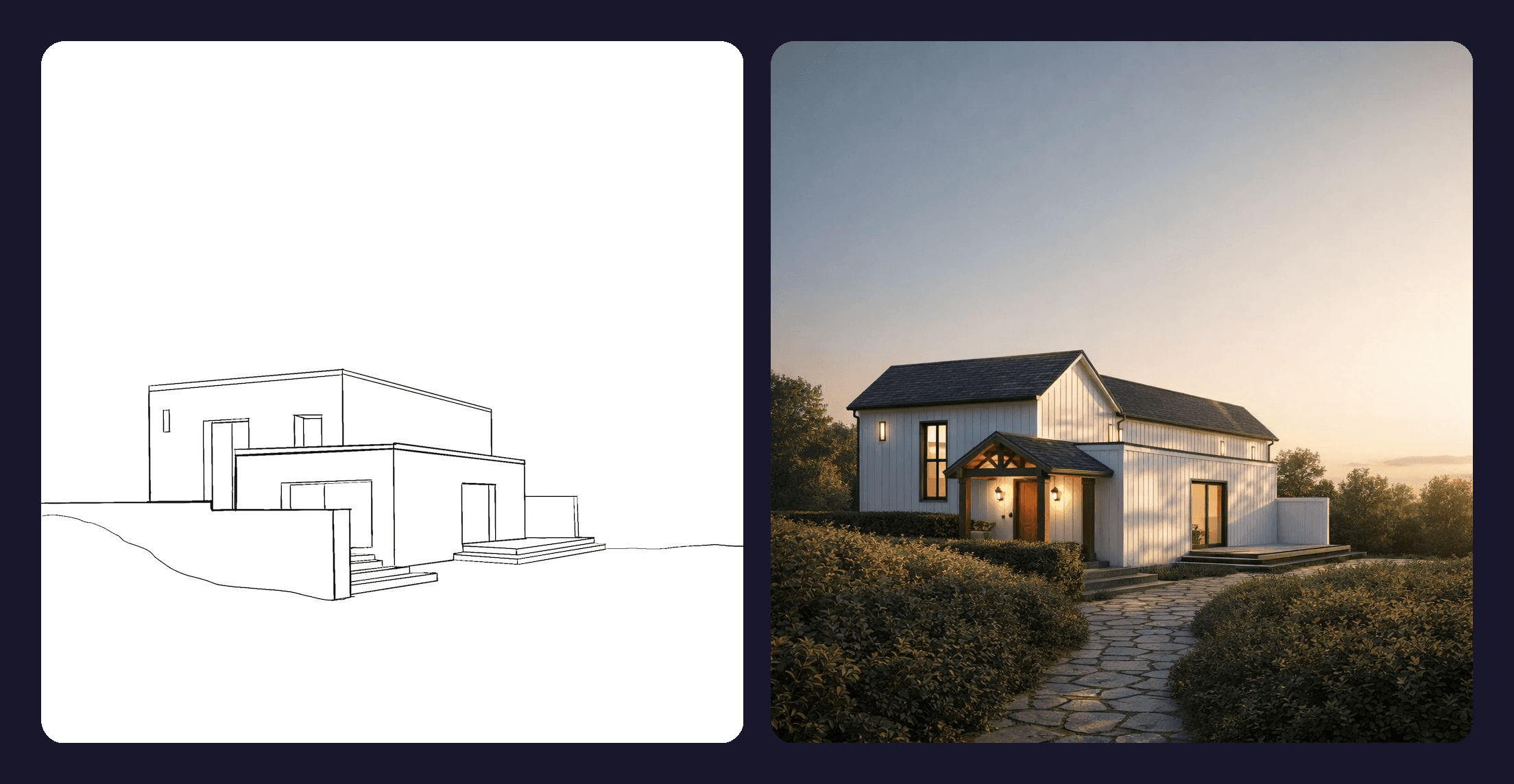
One of the most powerful features of GPT-Image-1.5 in Rendair is its ability to accept up to 16 input images. This allows you to provide a base sketch alongside multiple style references.
We tested rendering from:
Hand sketches
SketchUp/Revit massing models
Clay renders
Image to Render |
|---|
 |
 |
 |
 |
 |
 |
A Note on Aspect Ratios
GPT-Image-1.5 uses optimized high-resolution aspect ratios (Square, Portrait, Landscape) to ensure the highest quality output.
Pro Tip: If your uploaded base image has a unique or non-standard crop, the model may slightly adjust the framing to fit these optimized standards. However, thanks to the improved geometry adherence, the content inside the frame remains accurate.
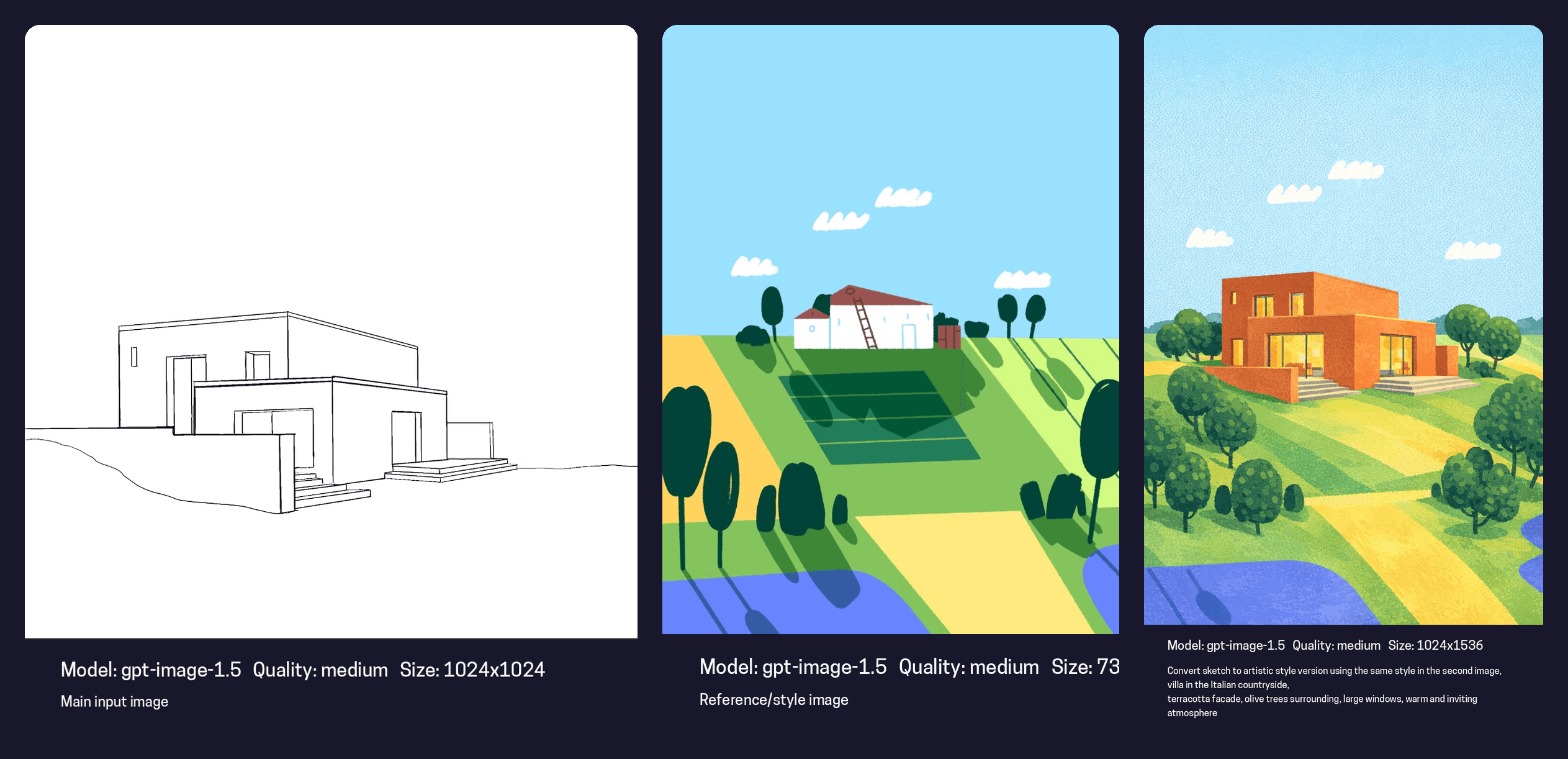
Style Transfer with Reference Images
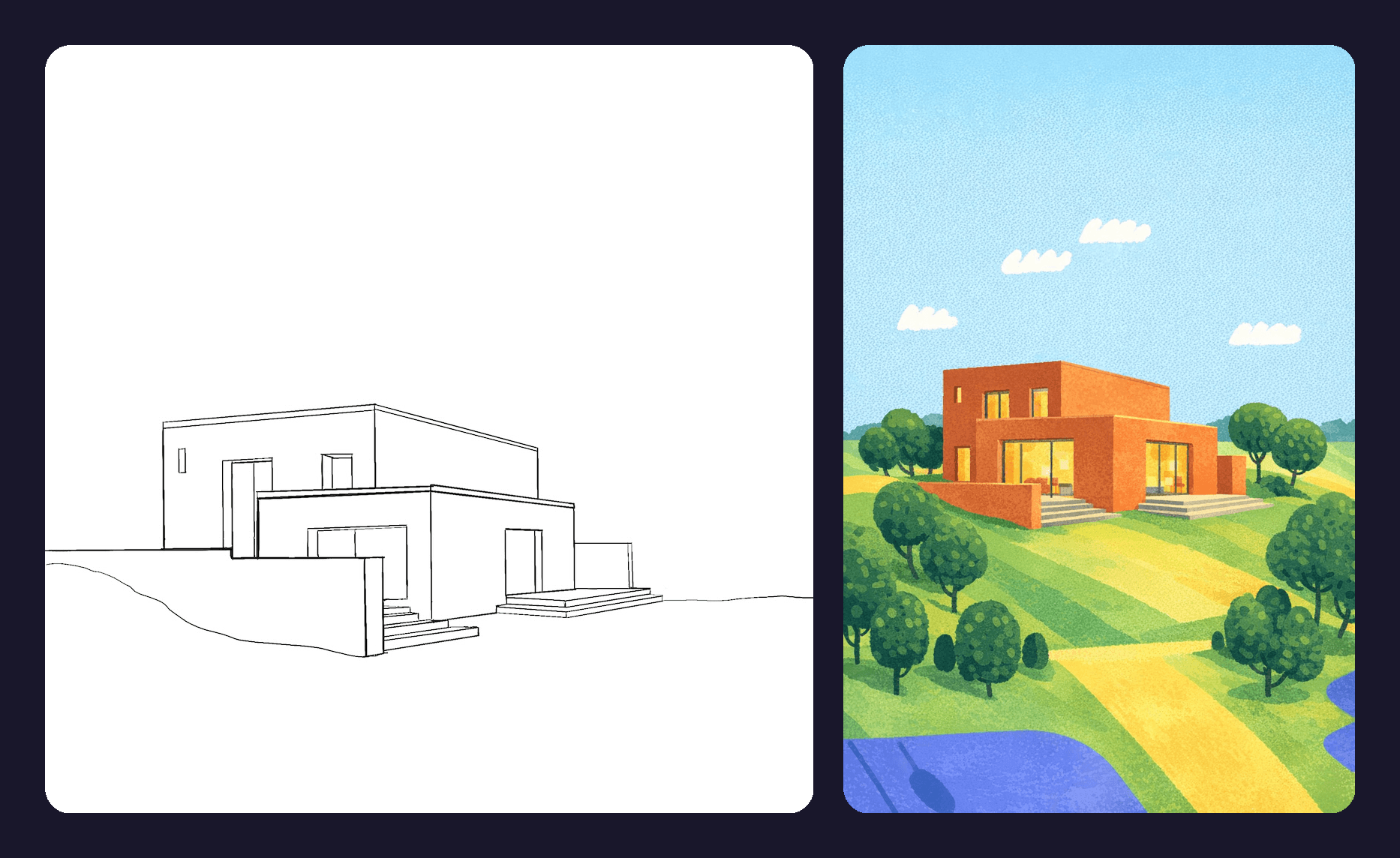
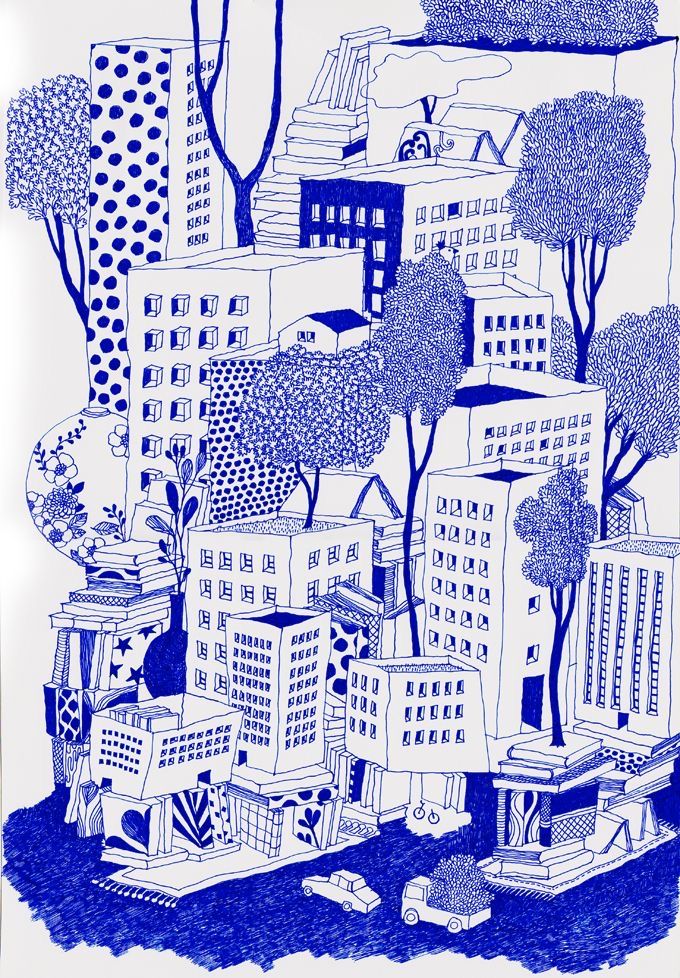
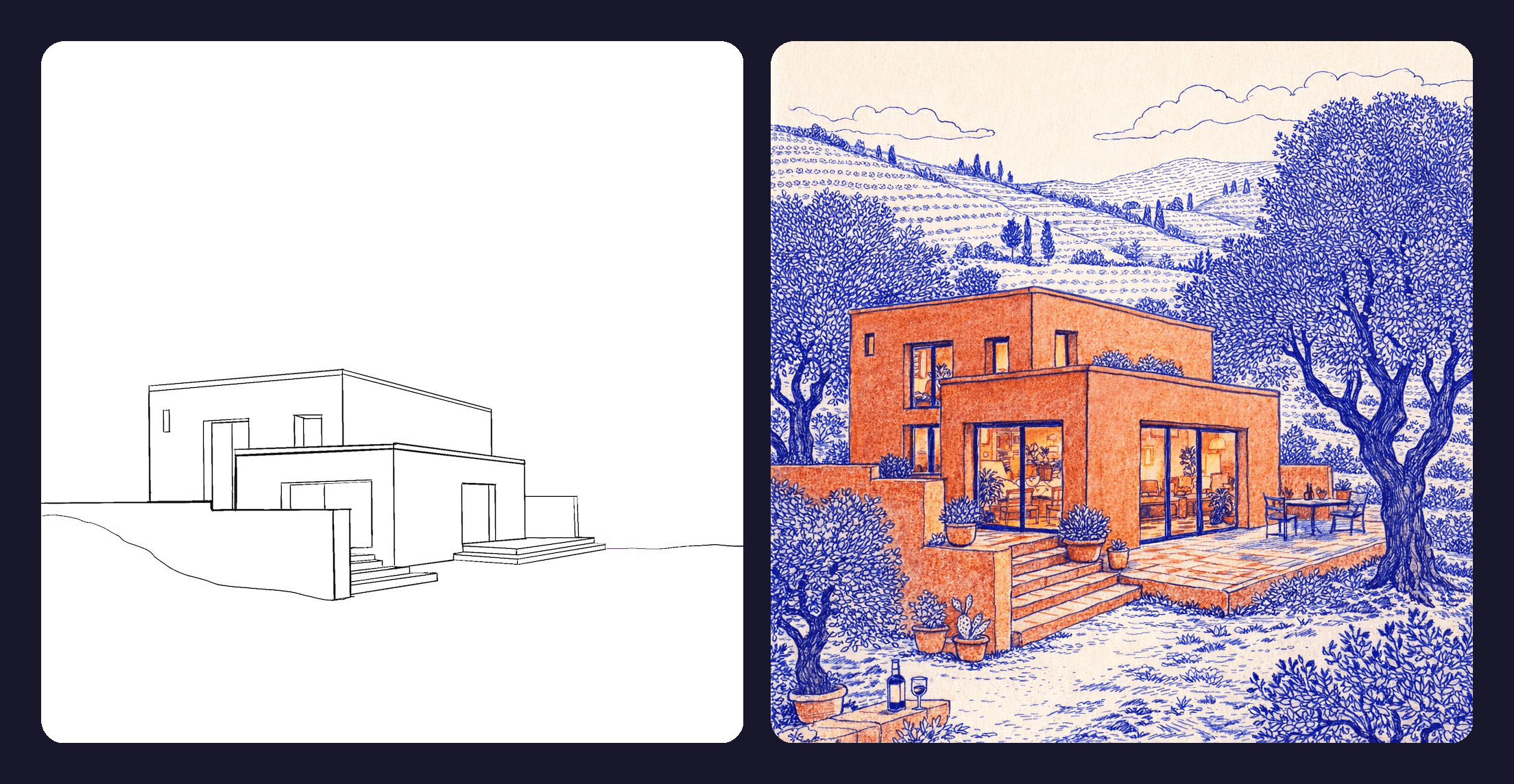
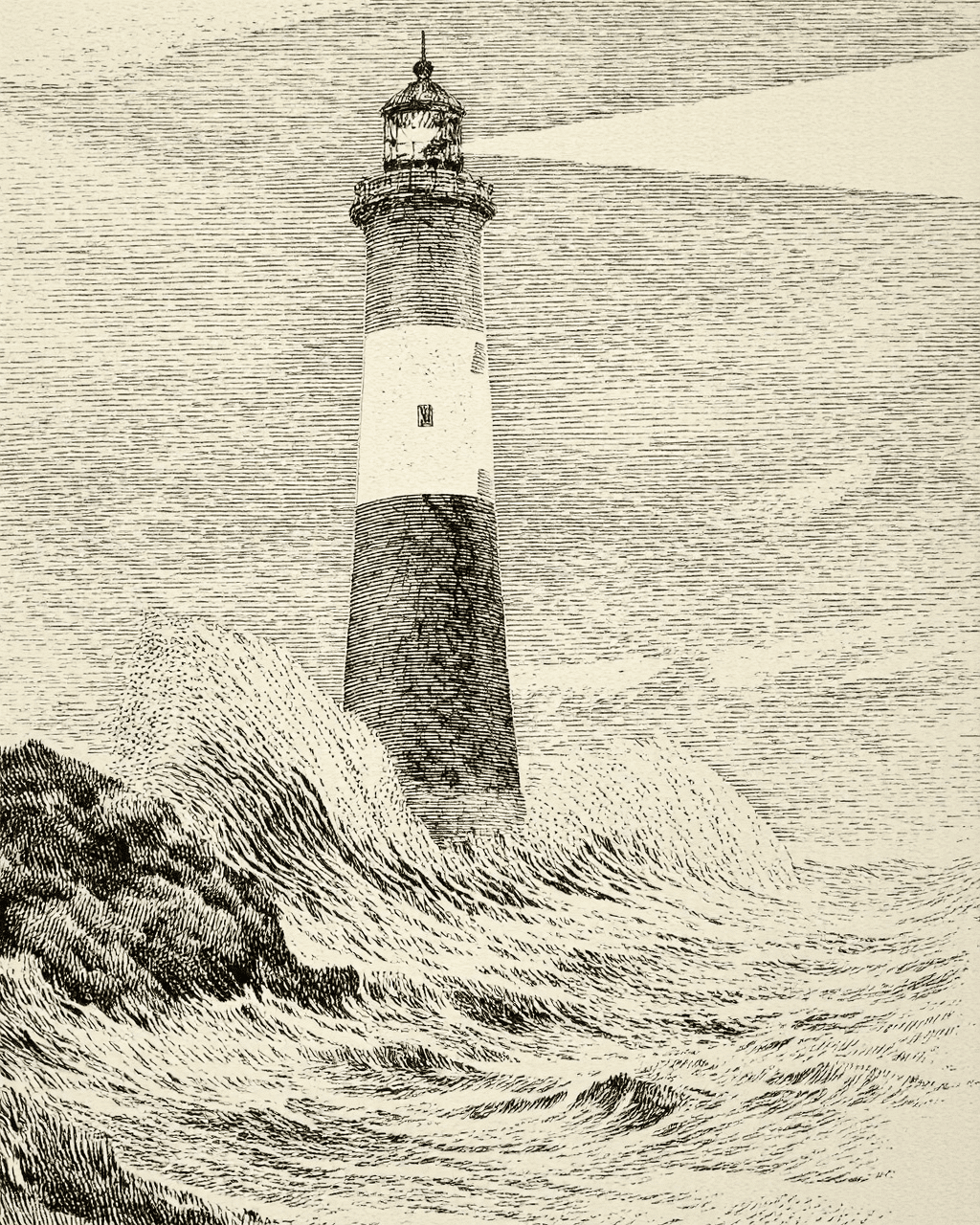
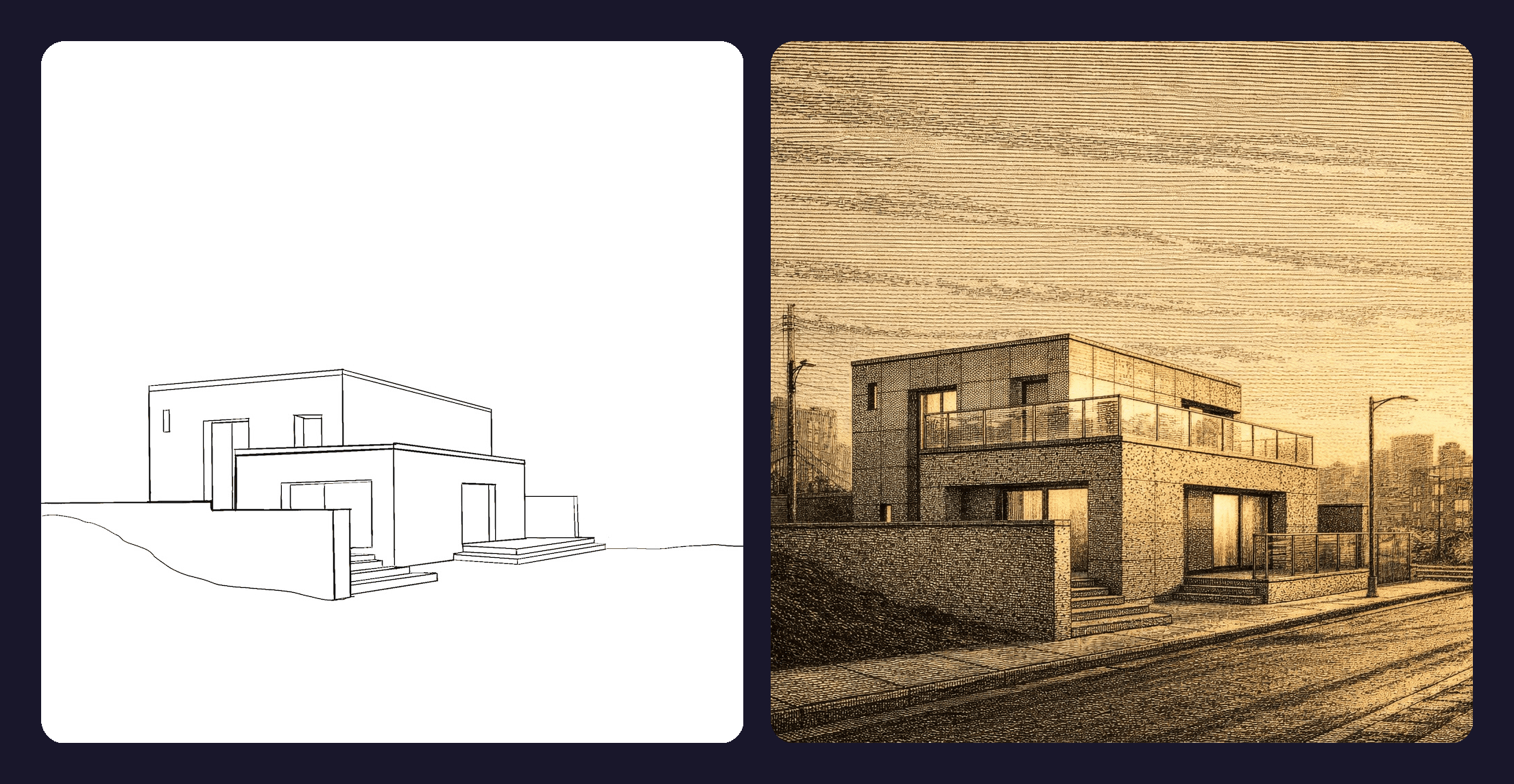
Getting the "vibe" right is usually the hardest part of prompting. With the expanded input capacity, you can now upload a specific "Mood Board" and ask Rendair to apply that exact style to your geometry.
Reference Images | Results |
|---|---|
 |  |
 |  |
 |  |
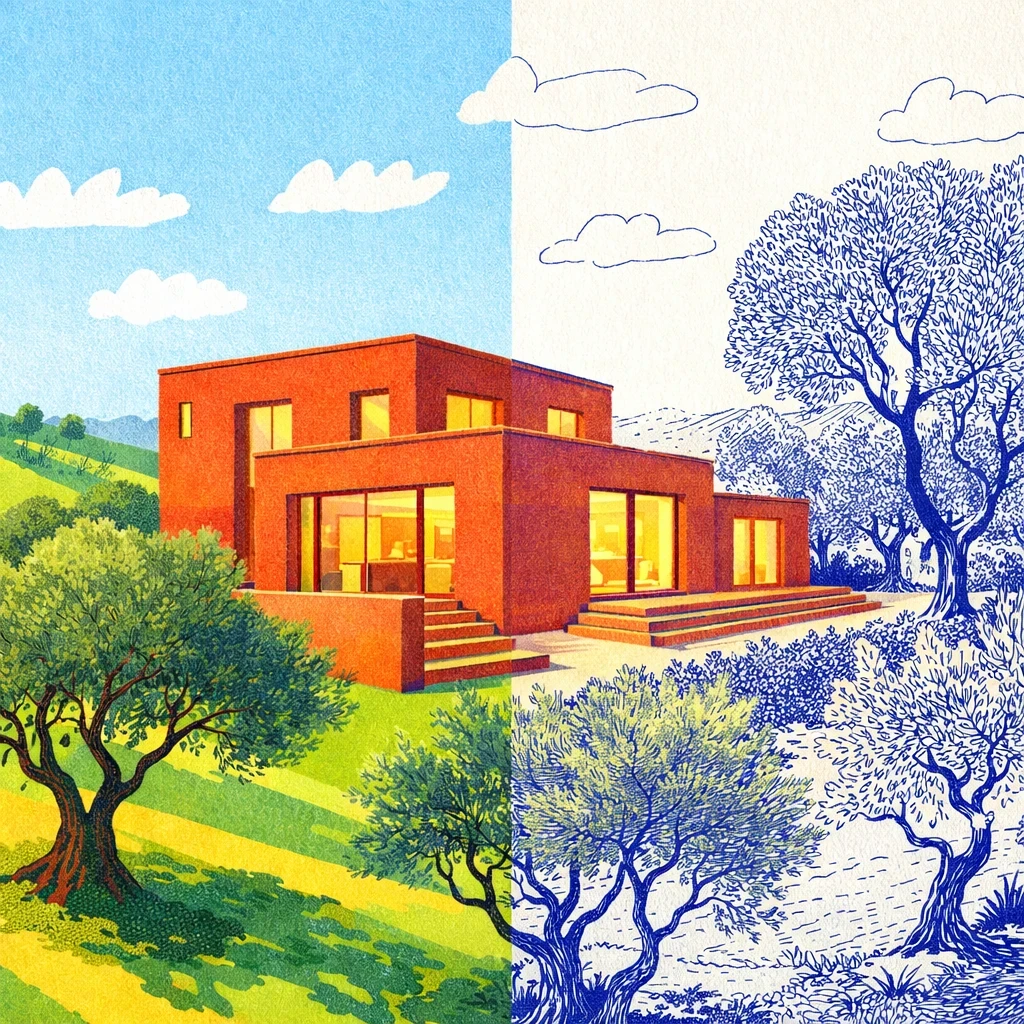
Bonus:
Reference 1 | Reference 2 | Result |
|---|---|---|
| |  |
The Result:
GPT-Image-1.5 successfully transferred the materiality (facade materials, style references) and the lighting mood without trying to copy the elements from the reference image. It separates style from structure much more effectively.
Precision Editing & Variations
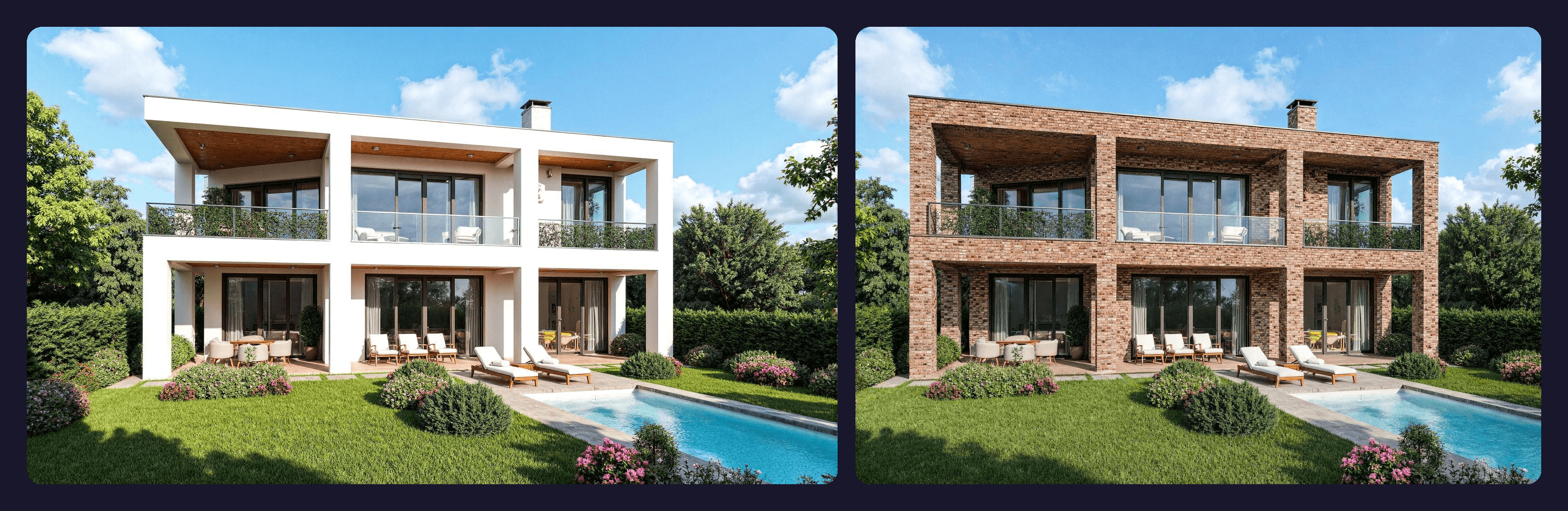
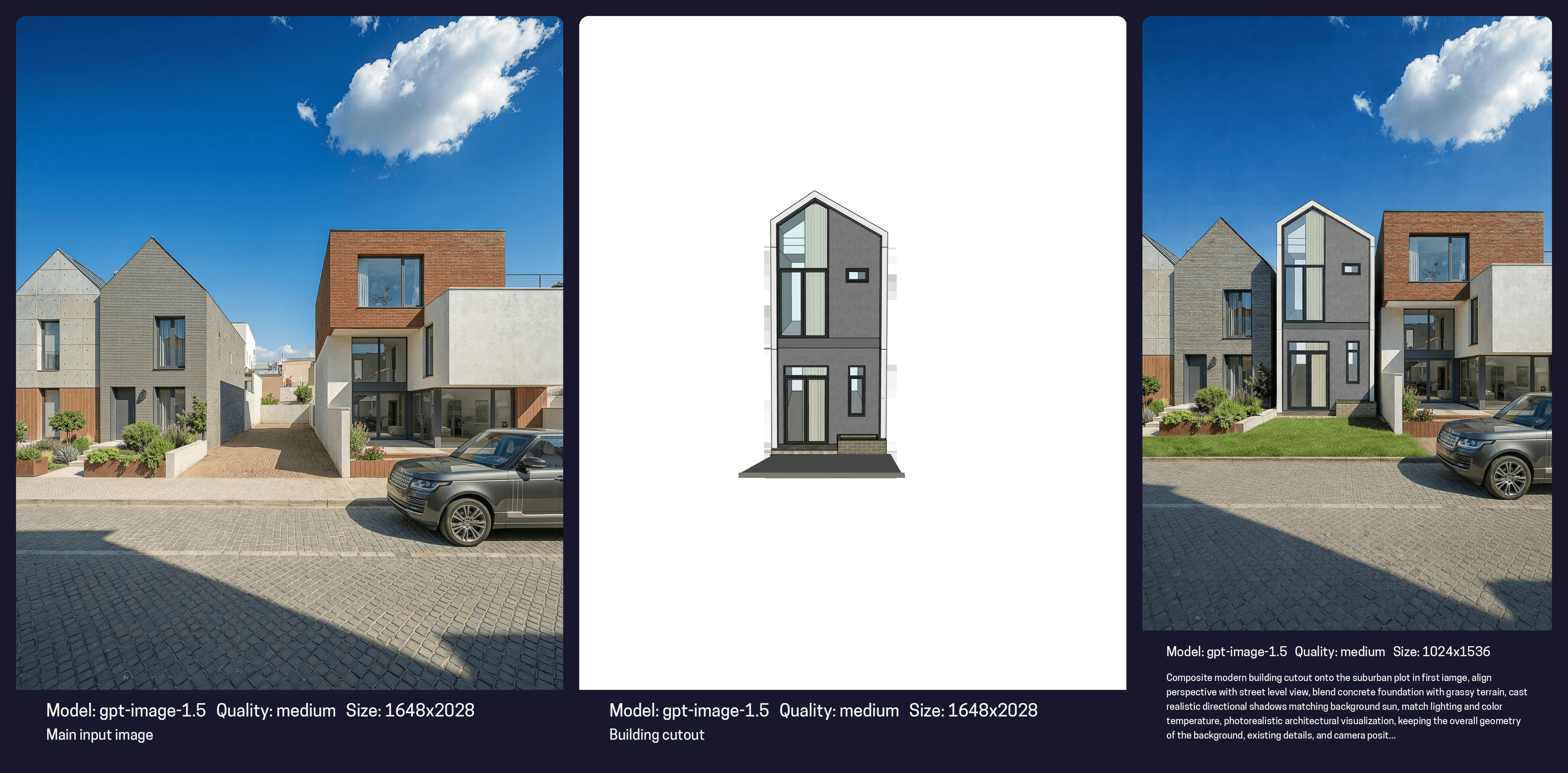
Architects know the pain of asking AI to "change the sofa" and having the AI also change the flooring, the window shape, and the time of day.
The Test:
Task 1: "Change the stone facade to brick cladding."
Task 2: "Insert building to the empty plot in the image"
The Result:
The model creates precise local edits. It keeps the lighting consistency of the original scene but alters only the requested pixels. This reliability allows for true design iteration, you can finally fine-tune a render rather than rolling the dice for a new one.
The Rendair Advantage: Curated Power
Why use GPT-Image-1.5 inside Rendair?
Because Rendair is not just a chatbot; it is a smart ecosystem. We know that one model doesn't fit every task.
Smart Model Selection: If you need to convert a 2D floor plan into a 3D realistic top-down view, our system knows which model performs best and routes it automatically.
Creative Exploration: If you are in the ideation phase or making complex edits, our system now empowers you with GPT-Image-1.5.
All-in-One Efficiency: You don't need a separate subscription for ChatGPT, another for X AI, and another for rendering software. We bundle the top market tools + our custom architectural models into one platform.
Continuous Learning & Support
Having the tool is only half the battle; knowing how to use it is the other half.
Automatic Optimization: When you use Rendair, we handle the technical parameters so you get the best output without fiddling with settings.
Workshops & Training: Unsure how to integrate this into your firm's workflow? We offer personal training and workshops to educate professionals on these specific tools.
Experience the new standard in AI visualization today.
Try GPT-Image-1.5 in Rendair Chat Now