Top 5 Plugins and Extensions for Matterport

Feb 13, 2026

If you use Matterport regularly, you know the base tools only get you so far. The "Capture" app is great for scanning, and the standard cloud viewer is fine for walking through a space—but neither is enough for a professional design or construction workflow.
To get actual CAD data, client-ready presentations, or BIM models out of a scan, you need the right extensions. The ecosystem is split between "Add-ons" (official paid data services) and "Integrations" (plugins for third-party software).
Here is what actually makes a difference for architects and designers.
1/ The Heavy Lifters (BIM & CAD)
Matterport Plug-in for Revit
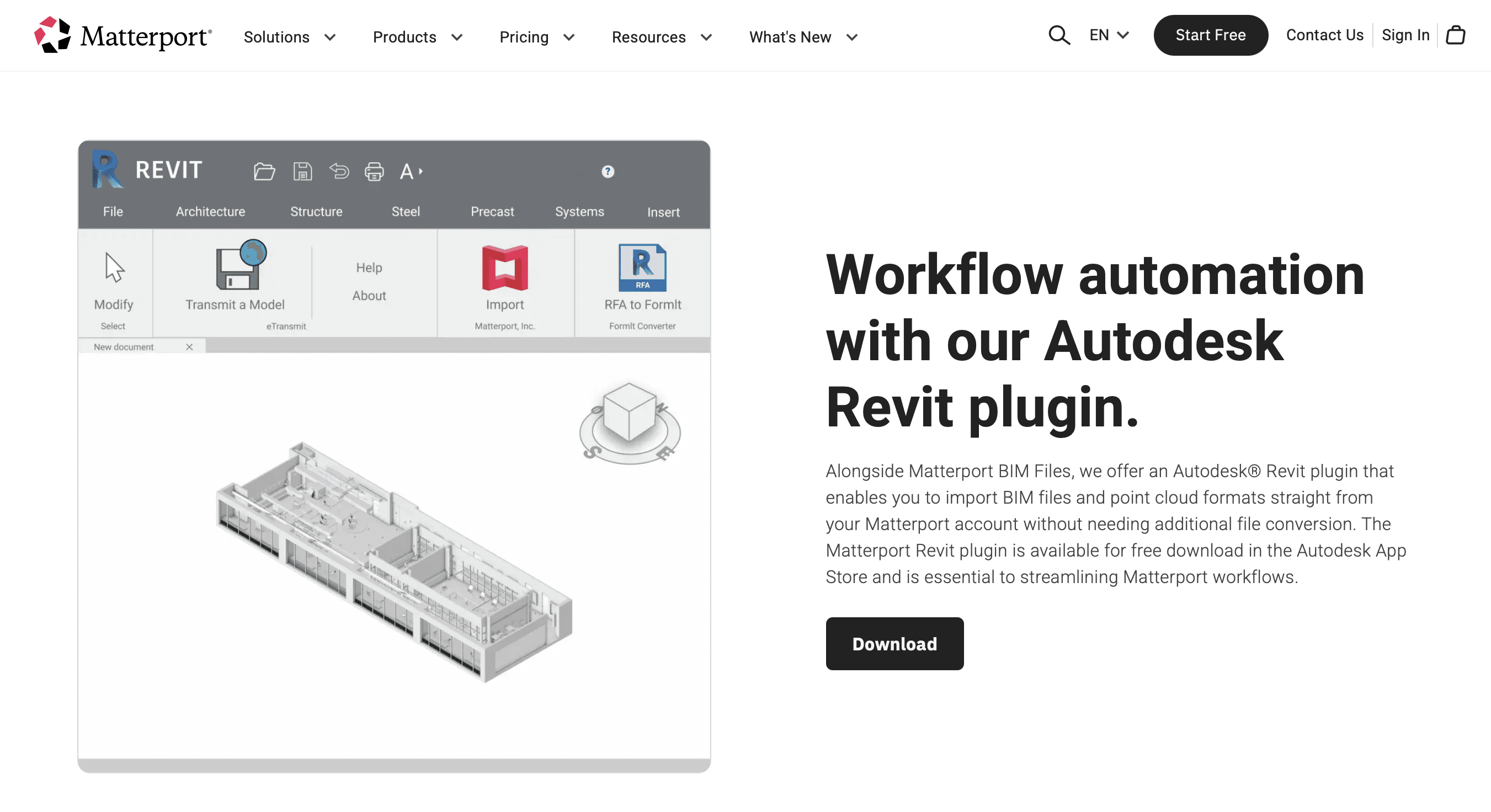
This is the single most critical tool for architects. It connects your Matterport account directly to Autodesk Revit.
Why it matters: It eliminates the tedious "download-convert-upload" cycle. Instead of manually downloading massive E57 files, indexing them in ReCap, and linking them to Revit, this plugin pipes the data directly into your project. It automates the conversion of point clouds into a format Revit understands.
Best for: As-built documentation and renovation projects where you need to model existing conditions quickly.
Matterport E57 File (Add-on)
Technically a paid "Add-on" rather than a plugin, but essential for any CAD workflow. It provides a high-density, vendor-neutral point cloud.
Why it matters: The standard "MatterPak" bundle only gives you a low-density .XYZ point cloud, which is often too sparse for precise modeling. The E57 file contains significantly more data (density), allowing you to see fine details like molding profiles, outlet locations, and structural elements with much higher clarity.
Best for: Detailed modeling in Revit, Archicad, or AutoCAD where precision is non-negotiable.
2/ Project Management & Construction
Procore Integration
A direct link between your 3D scans and your project management dashboard.
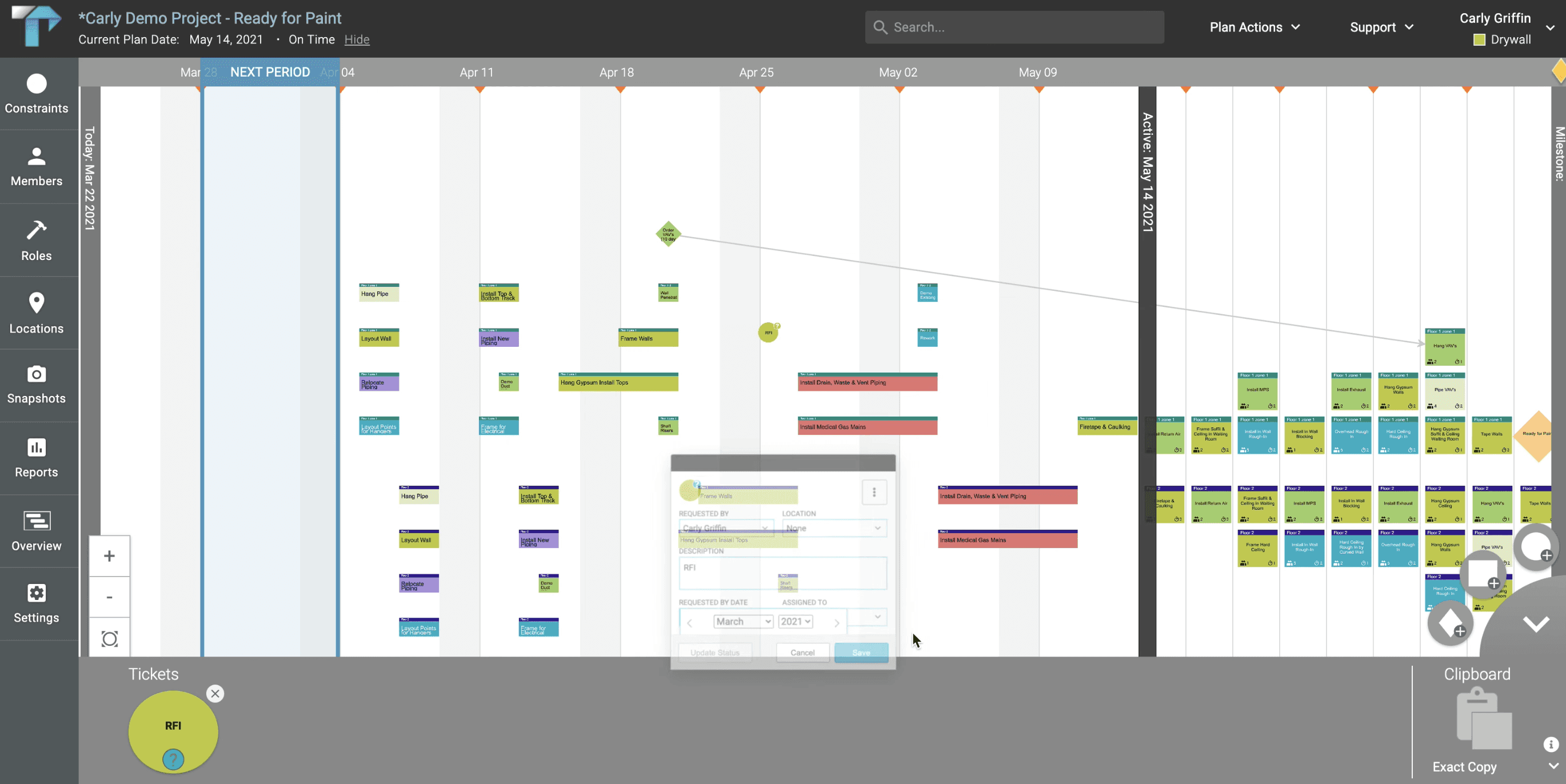
Why it matters: It solves the "context gap" in construction administration. Instead of describing an issue in text or attaching a 2D photo, you can pin an RFI (Request for Information) or Observation directly to a specific wall or pipe inside the 3D model. The contractor clicks the link and sees exactly where the problem is.
Best for: Construction Administration (CA), site monitoring, and reducing change orders due to miscommunication.
Autodesk Construction Cloud (ACC)
Similar to Procore, but for teams entrenched in the Autodesk ecosystem (BIM 360 / Build).
Why it matters: It allows you to export Matterport files (BIM, CAD, E57) directly into your ACC Documents folder. It streamlines the handover process, ensuring that the "Digital Twin" lives alongside the construction documents rather than in a separate, forgotten portal.
Best for: Large commercial projects using the full Autodesk suite.
3/ Visualization & Staging
Virtual Staging (via Partners like VRPM)
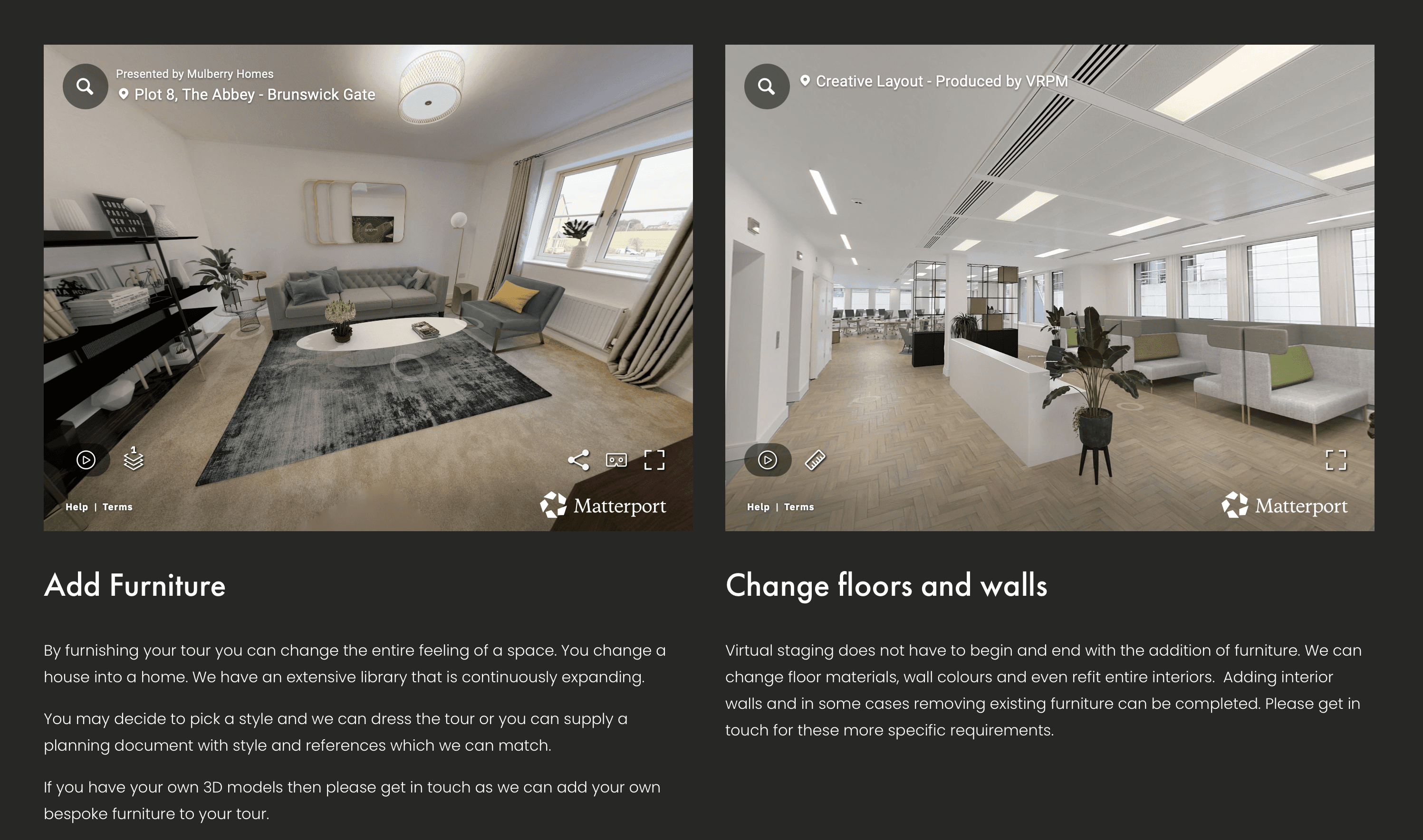
Matterport doesn't do native virtual staging well on its own. You need partner integrations to furnish empty scans.
Why it matters: An empty shell is hard for residential clients to understand. These extensions allow you to insert 3D furniture into the 360° scan after it has been captured. Unlike static 2D staging, the client can still look around the room, preserving the immersive experience.
Best for: Real estate marketing and showing "potential" in renovation concepts.
SuperViz (Meeting Integration)
Turns a Matterport tour into a synchronous video conferencing space.
Why it matters: Standard screen sharing is clunky—one person drives, and everyone else watches. SuperViz lets multiple people enter the model together as avatars. You can guide the client, but they also have the agency to look around independently while you talk.
Best for: Remote client presentations and design review meetings.
4/ The "Done-For-You" Option
Matterport BIM File (Service)
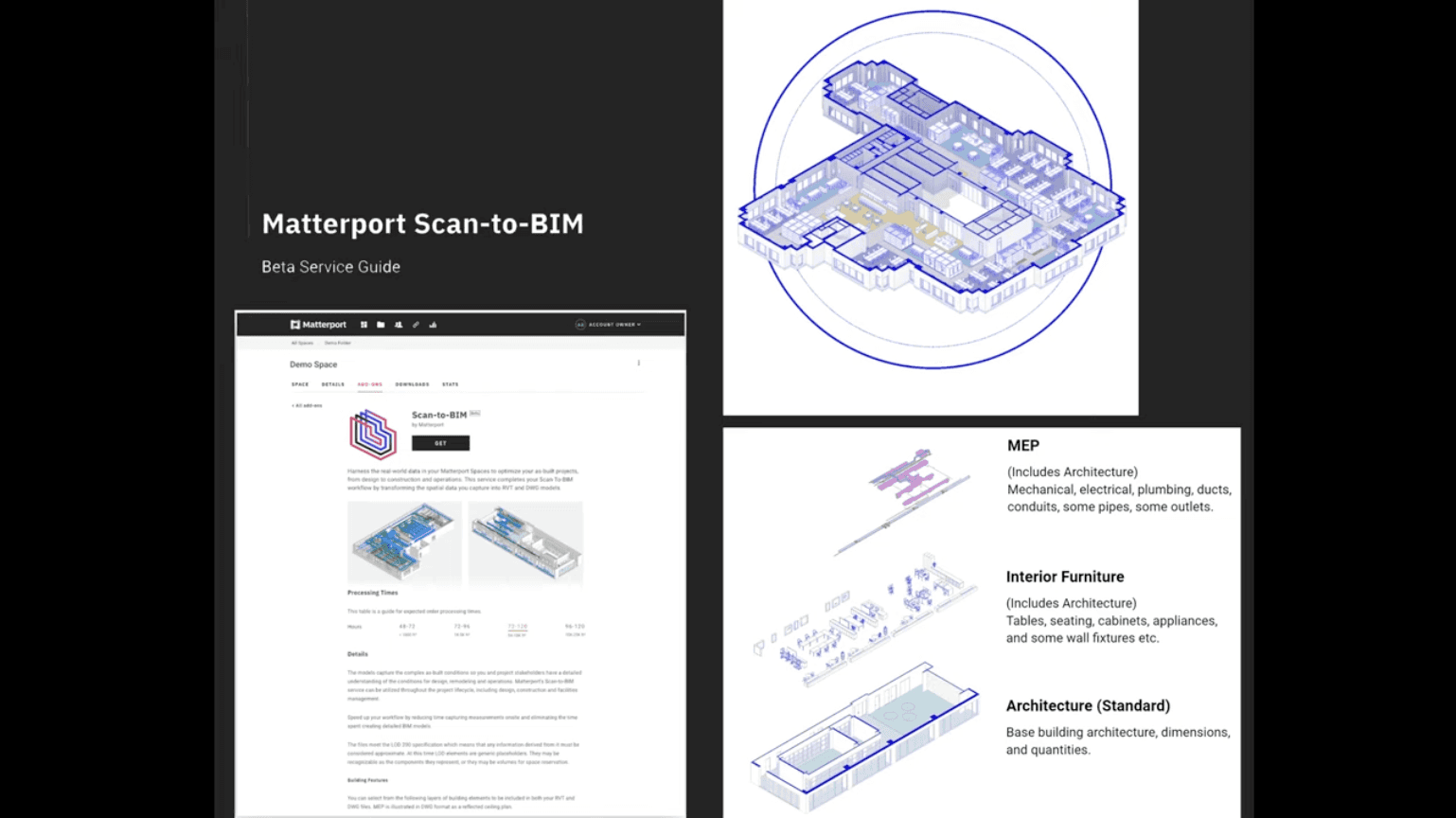
This is an automated service where Matterport generates the Revit model for you.
Why it matters: Scanning is fast; modeling is slow. If your team is buried in work, paying for the LOD 200 BIM file saves dozens of drafting hours. You receive a working Revit file (.RVT) with walls, floors, doors, and windows already modeled from your scan data.
Best for: Jumpstarting a project when you don't have the staff bandwidth to model the as-built yourself.
5/ Showcase Extensions (Web Viewer)
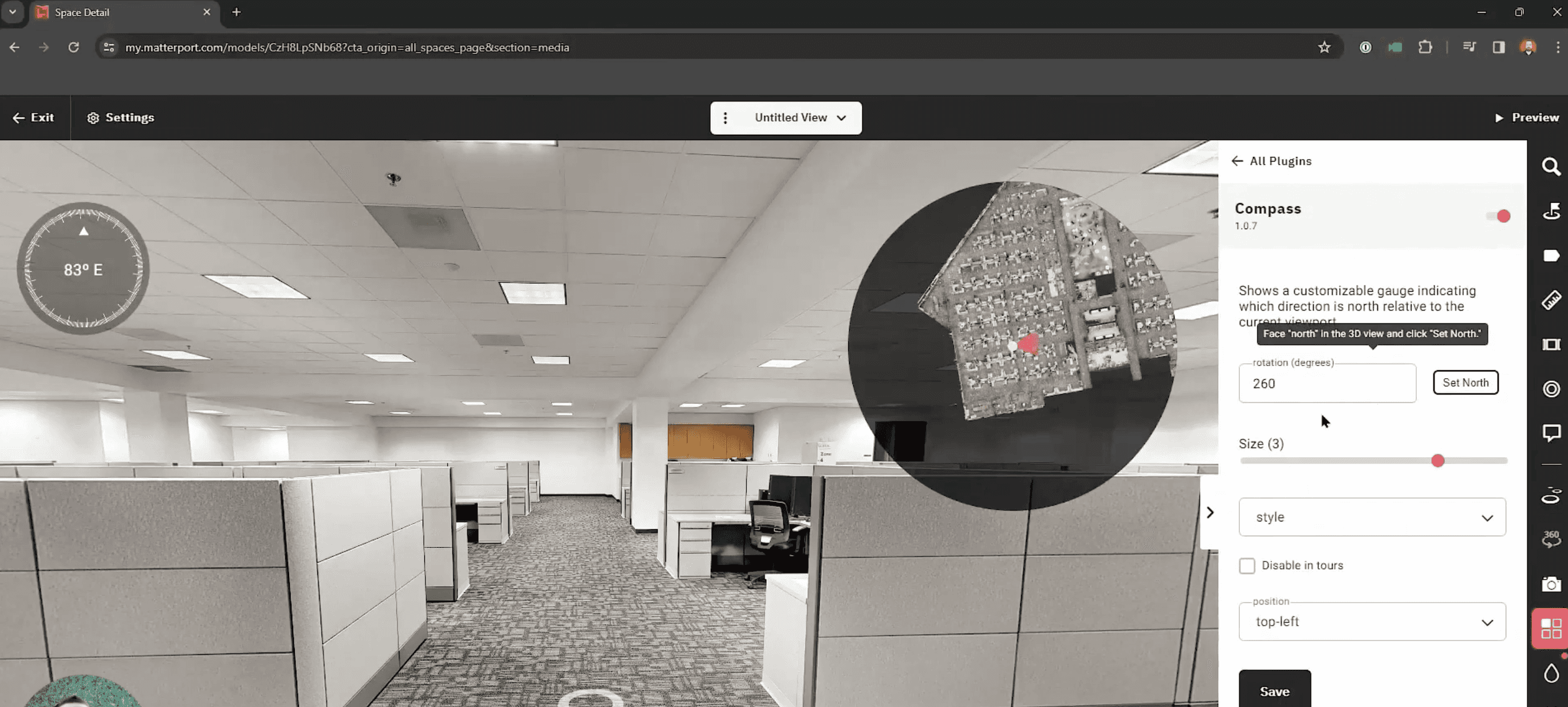
Compass & Minimap Plugins
Simple overlays for the web-based viewer.
Why it matters: Disorientation is the number one complaint from clients navigating 3D tours. These simple plugins add a floor plan radar (Minimap) and cardinal direction (Compass) to the screen, helping users understand where they are in the building relative to the whole.
Best for: Unsupervised client walkthroughs and marketing links sent via email.
Choosing what fits your work
Not every plugin makes sense for every project. Match tools to your actual bottlenecks, not feature lists.
If you model in-house: Get the Revit Plug-in and budget for E57 files.
If you manage construction: Set up the Procore or ACC integration immediately.
If you sell concepts: Look into Virtual Staging to make empty spaces feel alive.
Start with the one that solves your biggest time-sink today.
Bonus: Speed up rendering without leaving your workflow
If rendering is your bottleneck, Rendair handles visualization faster than most plugins can process.
Upload your Matterport exports (or simple screenshots from the viewer), and get presentation-ready renders in minutes. No new software to learn, no render farm setup.
Start creating – try it free
Recent Posts

Tools, Extensions, Plugins
Top Plugins and Extensions for TouchDesigner
Stop manually converting point clouds, here are the top 5 Matterport plugins that streamline AEC workflows.
Tools, Extensions, Plugins
Top 5 Plugins and Extensions for Matterport
Stop manually converting point clouds, here are the top 5 Matterport plugins that streamline AEC workflows.

Tools, Extensions, Plugins
Enscape vs Lumion: Which Rendering Software Is Best in 2026?
Stop manually converting point clouds, here are the top 5 Matterport plugins that streamline AEC workflows.

Tools, Extensions, Plugins
Top Plugins and Extensions for DaVinci Resolve Fusion
Stop manually converting point clouds, here are the top 5 Matterport plugins that streamline AEC workflows.

Tools, Extensions, Plugins
Top Plugins and Integrations for Bluebeam Revu
Stop manually converting point clouds, here are the top 5 Matterport plugins that streamline AEC workflows.

Tools, Extensions, Plugins
Top Plugins and Extensions for Affinity Photo
Stop manually converting point clouds, here are the top 5 Matterport plugins that streamline AEC workflows.
Join 500,000+ architects who saved time. No credit card needed for your first 20 credits.